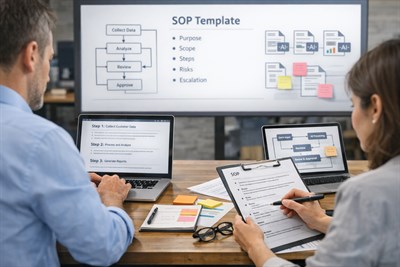
Repetitive work is rarely “hard,” but it is expensive. It quietly consumes attention, breaks momentum, and creates operational inconsistency across teams. The most reliable way to reduce this drag is not to “automate everything,” but to convert recurring tasks into AI-supported micro-systems: small, repeatable loops with structured inputs, constrained AI output, and clear human verification points. Done well, micro-systems cut time and cognitive load while preserving judgment, accountability, and quality.
Direct answer: You turn repetitive tasks into AI-supported micro-systems by (1) defining the task boundary, (2) standardizing the input format, (3) using a constrained control prompt, (4) adding a human verification checkpoint, and (5) standardizing the output so it can be reused and audited.
This article explains what micro-systems are, which tasks fit them, how to build them safely, and why “templates” and “prompts” are not enough. You will also get real operational examples, control prompts you can reuse, and clear limits so you do not accidentally outsource responsibility to a tool that cannot carry it.
What Is an AI-Supported Micro-System?
An AI-supported micro-system is a small operational loop designed to handle a recurring task reliably. It is not “AI doing your job.” It is structured decision support that reduces manual friction while keeping a human in control of outcomes.
To understand it, it helps to separate four commonly mixed ideas:
- Prompt: a single instruction to produce an output.
- Template: a reusable prompt shape (often with placeholders).
- Workflow: a sequence of steps and handoffs across people or tools.
- Micro-system: a repeatable loop that includes constraints, checks, and standardized outputs (not just generation).
Micro-systems are not automation. They are structured decision-support loops: clear inputs → constrained processing → verification → standardized output.
Micro-systems are especially useful when the task is repetitive and the “correct answer” depends on context. In other words: the task is not purely mechanical, but it also should not require full human invention each time. That is exactly where AI can be helpful — if you do not let it escape into improvisation.
A good micro-system has four properties:
- Trigger: when the system should be used (e.g., “every Friday,” “every new inbound lead,” “after every meeting”).
- Structured input: a consistent format so the tool cannot “guess” what you meant.
- Verification: a checkpoint where a human validates the output against reality, policy, and consequences.
- Reusable output: the result is standardized so it plugs into your SOP, dashboard, CRM, ticketing system, or documentation.
When those four pieces are present, you get operational reliability. When they are missing, you get a faster way to create inconsistent work.
Which Repetitive Tasks Should Become Micro-Systems?
The best candidates are tasks that happen often, follow a recognizable pattern, and produce a predictable type of output — but still require judgment to finalize. Think “classification, extraction, summarization, drafting, and formatting,” not “final decisions.”
Strong candidates:
- Weekly reporting summaries (status updates, project rollups, KPI narratives)
- Meeting notes → action extraction (owners, deadlines, dependencies)
- Customer email triage (category, priority, required response type)
- Lead qualification (fit scoring, missing info, next questions)
- Invoice review support (flag anomalies, request clarifications)
- Vendor comparison (pros/cons, risk checklist, decision memo draft)
- Content repurposing (one source → multiple formats with guardrails)
Weak candidates:
- Tasks that require a legally binding commitment
- Tasks where a mistake creates immediate harm (financial loss, safety risk, reputational damage)
- Tasks where the input data is sensitive and cannot be safely shared with external tools
- Tasks where the “right answer” is mostly unknown and requires discovery, not structuring
Rule of thumb: If the task repeats often but still produces edge cases, use a micro-system. If the task is high-stakes, keep AI in a narrow assistive role, or do not use it at all.
Example: Turning weekly status reporting into a micro-system.
Instead of rewriting a weekly update from scratch, the micro-system collects structured inputs (what shipped, what’s blocked, what changed, what’s next), generates a consistent narrative, and forces a human to confirm accuracy and tone before publishing.
The 5-Layer Structure of a Micro-System
To build micro-systems that survive real operations, you need more than a clever prompt. You need a structure that prevents “AI drift” — the gradual shift from consistent outputs to creative improvisation. The most durable model is a five-layer stack.
Layer 1: Task Boundary
Define what the micro-system does and does not do. This is where most teams fail: they describe the task too broadly (“handle customer emails”) and then wonder why outputs are unreliable. A boundary is concrete:
- Input type: “inbound email text + customer tier + last order date”
- Output type: “category + urgency + recommended response template”
- Excluded: “do not promise refunds; do not commit timelines; do not interpret legal terms”
Layer 2: Structured Input Format
AI amplifies structure. If inputs are messy, it must infer missing context — and inference is where hallucinations and wrong assumptions are born. Your job is to reduce inference.
Good input formatting can be simple. For example:
- Context: product, policy, project, or customer segment
- Raw data: the text, transcript, numbers, or notes
- Constraints: what the output must include, what it must avoid
- Definition of done: acceptance criteria
AI amplifies structure. Without structure, it amplifies noise.
Layer 3: Controlled AI Prompt
Micro-systems require control prompts, not “creative prompts.” Your goal is consistency, not novelty. Control prompts usually include:
- Role (e.g., “operations assistant,” “SOP drafter,” “analyst”)
- Task definition and boundary
- Output format (strict)
- Prohibited behaviors (no assumptions, no commitments, no policy invention)
- Verification request (“list uncertainties,” “flag missing input”)
Layer 4: Human Verification Checkpoint
This is where micro-systems stay safe. The checkpoint is not optional. It is a designed responsibility transfer: the human verifies the output before it becomes action.
Verification can be lightweight (30 seconds) if outputs are standardized:
- Confirm facts and numbers match source
- Confirm tone matches brand and context
- Confirm no promises or risky statements
- Confirm next action is reasonable
Layer 5: Output Standardization
To become operational, the result must be reusable and auditable. That means consistent structure: the same sections, labels, and fields each time. If you cannot compare outputs across weeks or across teammates, you do not have a system — you have generated text.
Standardized outputs can be:
- Bullet summaries
- JSON-like fields (even if you paste them into a doc)
- Ticket updates
- CRM notes
- SOP checklist steps
- Decision memo templates
Real Examples: Micro-Systems You Can Deploy This Week
Below are three practical micro-systems you can build quickly. Each one shows the same pattern: structured input → constrained processing → human verification → standardized output.
Example 1: Meeting Notes → Action Tracker
Trigger: after every internal meeting.
Input: raw notes or transcript + attendee list + project name.
Output: action items with owner, deadline, and dependency flags.
Why this works: meeting notes are usually messy and inconsistent. The micro-system makes them operational by extracting decisions and actions into a predictable structure.
Example 2: Customer Email Triage for Support Ops
Trigger: new inbound email arrives.
Input: email body + customer plan + last interaction summary.
Output: category, urgency, required action type, draft reply options.
Why this works: the human still decides the response, but the micro-system removes the repetitive classification and first-draft work.
Example 3: Weekly Status Report Micro-System
Trigger: weekly reporting cycle.
Input: structured bullets from each owner + KPI snapshot.
Output: consistent report narrative + risks + next week focus.
Why this works: it reduces “blank page syndrome” and keeps reporting consistent across teams and weeks — which is what makes reporting useful in the first place.
Prompt Blocks (Control Prompts)
The examples below are control prompts. They are not meant to replace judgment or automate decisions. Their purpose is to constrain AI behavior during specific workflow steps — helping structure information without introducing assumptions, ownership, or commitments.
Prompt: You are an operations assistant. Convert the meeting notes below into an action tracker. Do not add facts that are not present. If an owner or deadline is missing, write “UNASSIGNED” or “NO DEADLINE” and list it under Missing Info. Output must follow this format exactly:
Format:
ACTIONS (bullets: [Owner] – [Action] – [Deadline] – [Dependencies])
DECISIONS (bullets)
RISKS/BLOCKERS (bullets)
MISSING INFO (bullets)
Input:
Project: [paste]
Attendees: [paste]
Notes/transcript: [paste]
Prompt: You are a support operations triage assistant. Classify the inbound email below. Do not promise refunds, timelines, or policy changes. Do not invent policy. If required information is missing, ask for it in “Clarifying Questions.” Output must follow this format exactly:
Format:
CATEGORY: (Billing / Technical / Account / Product / Other)
URGENCY: (Low / Medium / High)
REQUIRED ACTION TYPE: (Reply / Escalate / Create Ticket / Refund Review / Other)
KEY FACTS (bullets, only from email or provided context)
CLARIFYING QUESTIONS (bullets)
DRAFT REPLY (short, neutral, no commitments)
Context: Customer tier: [paste], Last interaction: [paste], Known policy links: [paste if available]
Email: [paste]
Prompt: You are a reporting assistant. Turn the structured weekly inputs into a concise status update for leadership. Do not add achievements that were not listed. Keep tone factual. Flag uncertainties. Output must follow this format exactly:
Format:
THIS WEEK (3–6 bullets)
METRICS (bullets with numbers as provided)
RISKS (bullets + “Mitigation” if given)
NEXT WEEK (3–6 bullets)
REQUESTS/DECISIONS NEEDED (bullets)
UNCERTAINTIES (bullets)
Inputs:
Team bullets: [paste]
KPI snapshot: [paste]
Notes: [paste]
How Micro-Systems Differ From Full Automation
Many teams default to automation language because it sounds efficient. But full automation increases risk whenever the environment is messy, variable, or high-context — which is most real work.
| Automation | Micro-System |
|---|---|
| Removes human involvement | Keeps human in the loop by design |
| Binary output: run / fail | Structured support: draft / flag / recommend |
| Can silently fail in edge cases | Designed to surface uncertainties |
| Often requires heavy engineering | Can be implemented quickly with templates + SOP |
| High risk when stakes are high | Lower risk when verification is enforced |
The key idea: micro-systems reduce effort, not responsibility. They are designed to compress repetitive work while preserving human control where it matters.
Limits and Risks of AI Micro-Systems
Micro-systems can dramatically improve operational consistency — but only if you respect their limits. The risks below are common, practical, and often invisible at first.
1) False Confidence Effect
AI outputs often sound complete, even when they are wrong or incomplete. In repetitive settings, this is dangerous because the output “looks like” the correct format every time. Your verification checkpoint exists to counter this effect.
2) Automation Bias
People tend to trust a system more than their own judgment, especially when it saves time. Micro-systems must be framed internally as “assistive,” not “authoritative.”
3) Silent Hallucinations in Repetitive Context
Hallucinations are not always dramatic. In operations, they are often small: a wrong number, a swapped owner, a made-up date, a policy detail that sounds plausible. Because the output is in a familiar format, these mistakes slip through.
4) SOP Drift
Over time, outputs can drift away from your intended standard if prompts change casually, inputs become inconsistent, or humans stop verifying. Treat prompts like operational assets: version them, document them, and update deliberately.
5) Data Leakage and Privacy Risks
If you paste sensitive data into a tool that is not approved for that use, the system may create compliance risk. Micro-systems often deal with operational data — which can include customer information, internal finances, or HR details. Do not assume safety. Use approved tools and redaction practices.
Micro-systems reduce effort, not responsibility. If an output influences a decision, a human must verify it before it becomes action.
When NOT to Turn a Task Into a Micro-System
Repetition does not equal safety. Some tasks repeat often but still carry high consequences. In these areas, AI should be used only in narrow support roles (formatting, summarizing) or avoided entirely.
- Legal approvals: contracts, compliance statements, regulatory filings
- Financial commitments: payment approvals, pricing promises, budget sign-off
- Medical documentation: diagnoses, treatment instructions, patient decisions
- HR decisions: hiring, termination, performance evaluation outcomes
- Public communications: crisis statements, official announcements without review
Even when AI is allowed, keep it constrained:
- Use it to summarize, not decide.
- Use it to draft options, not finalize commitments.
- Use it to surface risks, not to claim certainty.
Connecting Micro-Systems to Repeatable AI Workflows and SOPs
If you want micro-systems to last, you need to treat them as operational building blocks — not personal hacks. That means connecting them to workflow design and to team SOPs.
First, make sure you understand the difference between templates and real systems. A prompt template might produce nice text, but a micro-system produces repeatable operational outputs with checks and handoffs. This framework is aligned with how repeatable workflows are designed in Designing Repeatable AI Workflows (Templates vs Systems).
Second, if this is used by a team, it must fit into an SOP that people actually follow — otherwise it becomes “optional AI advice” and quality diverges. Micro-systems work best when the SOP specifies:
- When to run the micro-system (trigger)
- What input format must be used
- What output format is required
- Who verifies the result
- Where the output is stored (audit trail)
For a practical approach to SOP adoption and behavior, see Using AI to Create SOPs That Teams Actually Follow.
Final Human Responsibility
AI can draft, classify, summarize, and format. It can help you move faster through repetitive loops. But it cannot carry liability, context ownership, or ethical responsibility. That remains human.
Final responsibility rule: AI systems do not carry liability. Humans do. If the output affects customers, money, safety, compliance, or reputation, a human must own the final decision.
In practice, “human responsibility” is not a motivational slogan. It is an operational design requirement. You enforce it by building:
- Accountability: a named owner for verification and release
- Audit trail: saved inputs and outputs, versioned prompts when possible
- Escalation paths: when the system flags uncertainty or risk
- Documentation: clear boundaries and prohibited behaviors
If you do these, micro-systems make your work calmer and more consistent. If you do not, micro-systems become “fast confusion.”
Operational mindset: Micro-systems are the middle ground between manual work and full automation. They compress repetition while preserving judgment.
FAQ
What is an AI micro-system?
An AI micro-system is a small, repeatable operational loop that uses AI as constrained decision support. It has a clear trigger, structured inputs, a controlled prompt, a human verification step, and standardized outputs that plug into your workflow (tickets, docs, dashboards). Unlike a single prompt, a micro-system is designed for consistency and auditability.
How do you automate repetitive tasks with AI without losing control?
Do not start with automation. Start with boundaries and structure. Standardize the input format, use a control prompt that prohibits assumptions and commitments, and add a required human verification checkpoint before action is taken. Then standardize the output so it can be reviewed and reused. This approach reduces effort while preserving accountability.
Can AI fully automate repetitive office tasks?
Some low-stakes tasks can be heavily automated, but most office work includes edge cases, policy constraints, and context-dependent decisions. Full automation can silently fail when inputs change or ambiguity appears. Micro-systems are safer because they keep humans in the loop and force uncertainties to be surfaced rather than hidden behind confident-sounding text.
What tasks should not be turned into AI systems?
Avoid turning high-stakes tasks into micro-systems if the output could create legal, financial, medical, HR, or public-facing consequences without review. Examples include contract approvals, payment commitments, medical instructions, hiring decisions, or crisis communications. In these areas, AI may assist with summarizing or formatting, but humans must make and verify the final call.
How do you prevent AI hallucinations in repetitive workflows?
Hallucinations are reduced by removing the need for inference. Use structured inputs, require the model to cite what it used from the input (“Key facts”), and force it to list missing information and uncertainties. Keep output formats strict and include a verification checklist for humans (numbers, owners, dates, policy language). Treat prompts as versioned operational assets, not casual chat.
Is using AI for SOP execution risky?
It can be, especially if people treat AI output as authoritative. The risk is manageable when you design the SOP around verification: the AI produces structured drafts and flags uncertainties, and a human confirms accuracy and compliance before execution. The SOP should also define what data can be shared, where outputs are stored, and how exceptions are escalated.
How do you build an AI-supported micro-system quickly?
Pick one recurring task with a clear output (e.g., meeting actions, weekly report summaries, email triage). Define the boundary in one paragraph. Create a structured input template. Write a control prompt that enforces strict output formatting and forbids assumptions. Add a human verification checklist. Finally, decide where the standardized output will live (doc, ticket, CRM). Start small, then expand only after it stays reliable for several cycles.
What does “micro automation” mean in operations?
Micro automation usually refers to small efficiency gains — but micro-systems are broader than automation. A micro-system can include partial automation (drafting, sorting, formatting) while still requiring human approval and accountability. The goal is operational reliability: reducing repetitive effort without removing the human role in decisions, commitments, and edge cases.