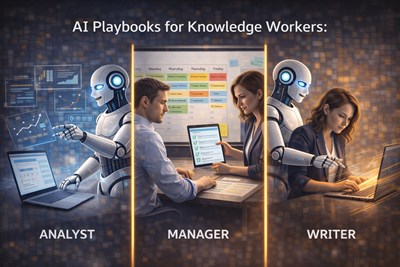
One AI “setup” never fits all jobs because different roles carry different decision rights, risk levels, and output standards. A single prompt style across a team usually creates the same pattern: analysts get shallow answers, managers get unusable detail, writers lose voice, and operations teams inherit hidden mistakes. The fix is role-based AI usage: you keep the same tools, but you change the workflow rules, inputs, and constraints depending on the role — and you explicitly keep responsibility with humans.
Role-based AI usage is not about “better prompts.” It’s about aligning AI output to the real responsibilities of a role: what can be assumed, what must be verified, and what must never be decided by the model.
Why role context changes AI effectiveness
In real work, two people can ask the “same” question and need completely different answers. That’s not a personality difference — it’s role context:
- Decision authority: a manager needs options and tradeoffs; an analyst needs traceability and confidence bounds.
- Risk tolerance: a compliance-sensitive role needs conservative, documented outputs; a brainstorming role can accept rough drafts.
- Time horizon: a lead thinks in weeks/quarters; an operator thinks in hours/today.
- Quality standard: a writer needs voice and audience fit; an analyst needs reproducible logic and sources.
If AI is used without role context, it will still produce “smart-sounding” text — but it will be misaligned with what the job actually requires.
Think of AI like a junior assistant: the same assistant behaves differently depending on whether they support an analyst, a manager, or a writer — because each role defines what “good” means.
Why one-size-fits-all AI setups break at work
The most common failure mode is a shared “team prompt” that tries to standardize everything. It looks efficient, but it typically breaks in three ways:
- Role mismatch: the output format fits one role and annoys everyone else.
- Hidden assumptions: the model fills gaps differently depending on the question, and nobody notices until it ships.
- Responsibility dilution: teams start treating AI text as “neutral truth,” and accountability gets fuzzy.
Example: A company rolls out one “AI summary template” for everyone. Managers love it, but analysts lose critical definitions and numbers. Writers find it stiff. Ops teams start executing based on summaries missing constraints. Within a month, people say “AI is unreliable,” but the real issue was role mismatch.
Role-based AI usage fixes this by changing the rules around AI output: what it must include, what it must not do, and how humans validate it.
Role-based AI usage in practice (real examples)
Below are role-specific patterns you can implement without buying new tools. If you want a broader library of role workflows, see AI Playbooks for Knowledge Workers (Analyst, Manager, Writer).
Analyst: AI as a structured reasoning and validation assistant
Analysts don’t need “a summary.” They need a chain of evidence: definitions, assumptions, constraints, and what would change the conclusion. The analyst workflow is built around traceability.
- AI outputs: tables, assumptions lists, sanity checks, edge cases.
- AI must: label uncertainty, request missing inputs, avoid invented metrics.
- Human checks: verify numbers, confirm definitions, test the conclusion against counterexamples.
Manager: AI as a synthesis and decision-support assistant
Managers don’t want more text. They want options, risks, and next actions that fit organizational reality. The manager workflow is built around decision framing.
- AI outputs: decision memos, tradeoffs, risks, alignment points, meeting agendas.
- AI must: separate facts from judgments, make constraints explicit, offer multiple viable options.
- Human checks: ensure alignment with strategy, validate feasibility, confirm ownership and accountability.
Writer: AI as an editorial and drafting assistant (without stealing voice)
Writers need audience fit, clarity, and a consistent voice. The writer workflow is built around tone control and fact boundaries.
- AI outputs: outlines, draft variants, headline options, readability edits.
- AI must: preserve voice constraints, avoid adding “facts,” highlight claims that need sourcing.
- Human checks: verify factual statements, enforce brand voice, cut filler.
How role-based prompting actually works
Role-based prompting is not “more clever prompting.” It’s three hard constraints you enforce every time:
- Scope: what the model is allowed to do in this role (and what it is not).
- Inputs: what must be provided before the model can respond safely.
- Verification: what must be checked by a human before the output is used.
Rule of thumb: If the output could change a decision, it must include uncertainty, assumptions, and a verification step.
The examples below are control prompts. They are not meant to replace judgment or automate decisions. Their purpose is to constrain AI behavior during specific workflow steps — helping structure information without introducing assumptions, ownership, or commitments.
Control prompt (Role + boundaries):
You are assisting a [ROLE].
Your scope is limited to: [SCOPE].
Do not make decisions or commitments.
If information is missing, ask for it before proceeding.
Separate: (1) confirmed inputs, (2) assumptions, (3) recommendations, (4) risks.
Analyst prompt (traceability + sanity checks):
Act as an analyst assistant. Build a structured answer with:
1) Definitions and assumptions (bullet list)
2) A step-by-step logic outline (no invented data)
3) A quick sanity-check section (what could invalidate this?)
4) A “missing inputs” list that would increase confidence.
Output as: Headings + bullets + one table if useful.
Manager prompt (options + risks + next steps):
Act as a manager assistant. I need a decision-support brief:
- Goal and constraints (2–4 bullets)
- 3 options (each with pros/cons, cost/risk, time-to-impact)
- Recommendation (only if inputs are sufficient; otherwise ask questions)
- Next steps with owners (placeholders are fine).
Keep it concise and action-oriented.
Writer prompt (voice + claim control):
Act as an editorial assistant. Draft in the following voice: [voice rules].
Do not add new facts. If a claim appears factual, mark it as [Needs source].
Provide: 1) outline, 2) draft, 3) 5 headline options, 4) a short “cuts” list (filler to remove).
Aim for clarity, not hype.
Role-based checklists: how to use them (so they actually help)
Role-based checklists are only useful if they change behavior. Use them as a gate, not as decoration:
- Before you prompt: answer the checklist items that define inputs and constraints. If you can’t answer them, your prompt is premature.
- While reviewing output: treat unchecked items as “not safe to ship.” Missing evidence or unclear assumptions is a stop sign.
- After shipping: update the checklist based on real failures (what went wrong, what should have been checked).
Example checklist for managers: Are constraints explicit? Are risks listed? Is there a clear owner? If any answer is “no,” the AI output is not ready to be used in a real decision.
Limits and risks of role-based AI usage
Role-based setups reduce chaos, but they don’t remove core AI risks. The biggest hazards are predictable:
- Over-trust in role-fluent output: when AI writes like a professional, teams assume it’s correct.
- False delegation: “AI decided” sneaks into work even when nobody says it out loud.
- Compliance and privacy mistakes: role-based workflows still require data rules and redaction.
- Standardization creep: teams rebuild one-size-fits-all prompts again — just with nicer wording.
Role-based AI usage reduces misalignment, not accountability. If a decision matters, a human must validate inputs, assumptions, and downstream impact.
If you manage a team, you’ll benefit from a full control workflow (intake → prompting → review → decision → documentation). See End-to-End AI Workflow for Managers and Team Leads.
Final human responsibility (non-negotiable)
AI can help structure thinking, speed up drafts, and surface options — but it cannot own outcomes. Responsibility stays human because:
- AI has no authority: it can’t accept risk on behalf of the business.
- AI can’t verify reality: it doesn’t know what’s true in your environment unless you provide it and check it.
- AI is not accountable: when work fails, the role-holder is responsible — legally, professionally, and operationally.
A good role-based setup makes it harder to “ship vibes.” It forces explicit inputs, explicit assumptions, and explicit human sign-off.
FAQ
What is role-based AI usage?
Role-based AI usage is configuring prompts, workflows, and output constraints around a job’s responsibility and decision scope, not around the AI tool itself.
Why doesn’t one AI setup work for everyone?
Roles differ in authority, risk tolerance, time horizon, and quality standards. A single workflow can’t satisfy all those constraints without breaking for someone.
How do I choose the right AI workflow for my role?
Start with what you are accountable for. Define required inputs, verification steps, and what AI must never decide. Then build prompts that enforce those boundaries.
Can an organization standardize AI usage across teams?
Yes, at the policy level (data rules, review requirements, documentation). But execution prompts should remain role-specific to avoid misalignment and hidden errors.
What are the biggest risks of role-based AI setups?
Over-trusting role-fluent text, false delegation (“AI decided”), and inconsistent verification. Role-based prompts reduce risk only when humans actively review and sign off.
Who is responsible for AI-assisted work?
The human in the role is always responsible. AI can support the work, but it cannot take ownership of decisions, commitments, or outcomes.