You upload a 70-page report, ask AI for a one-page summary, read it in two minutes, and forward the conclusions to your team. It feels efficient. The problem is that an AI-generated PDF summary can look completely reasonable while quietly changing a number, dropping a condition, weakening a warning, or turning a cautious finding into a confident conclusion.
That is why checking whether a summary sounds right is not enough. At work, a single incorrect percentage, deadline, eligibility rule, table value, or causal claim can affect a budget, client recommendation, research conclusion, contract review, or management decision.
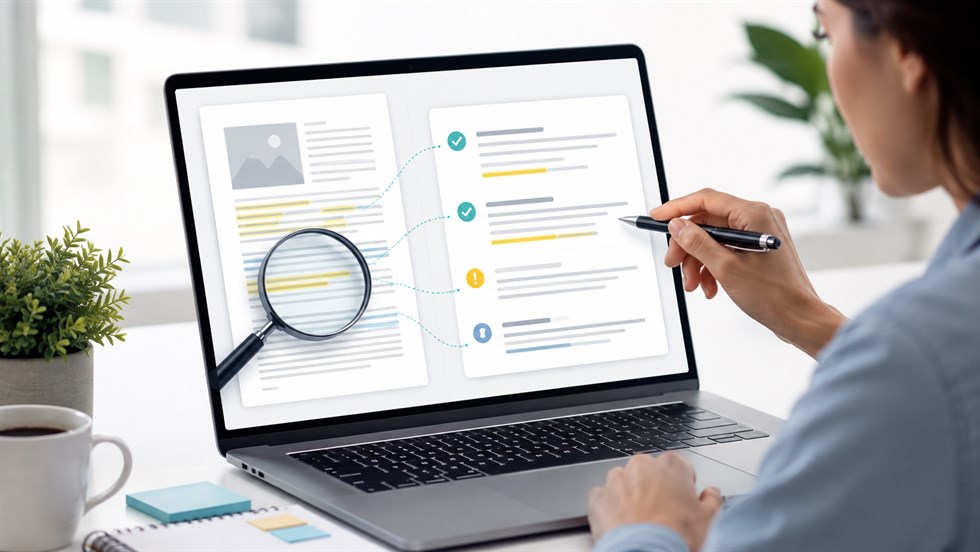
The safest way to verify an AI-generated PDF summary is to break it into individual claims, trace consequential claims back to the original PDF, and separately check numbers, omissions, qualifiers, tables, and conclusions. The goal is not to reread every word of the document. The goal is to make sure the summary preserves the information that matters.
Important: The AI summary is not the source of truth. The original PDF is. A summary should only be considered verified when the claims you intend to rely on can be traced back to the source and still mean the same thing in context.
How Do You Verify an AI-Generated PDF Summary?
Use a source-to-summary verification process rather than asking whether the summary appears plausible. A practical workflow is:
- Confirm that the relevant PDF content was actually readable.
- Split the summary into individual factual and interpretive claims.
- Locate the source passage for each important claim.
- Verify numbers, dates, names, quotations, units, and table values.
- Check what important information the summary omitted.
- Compare qualifiers and conclusions with the original wording.
- Mark each material claim as verified, correctable, unsupported, or requiring human review.
Do not start by judging whether the AI summary “sounds right.” Start with traceability: can the statement you are about to rely on be connected to evidence in the source?
First, Make Sure the AI Could Actually Read the PDF
Verification begins before you compare the summary with the source. You first need to understand what information the AI was able to access.
A PDF that looks perfectly readable to a human is not necessarily equally readable to an AI system. What appears on the page may include selectable text, scanned images, OCR-generated text, charts, diagrams, footnotes, headers, multi-column layouts, or complex tables. Problems at the extraction stage can then propagate into the summary.
A useful way to think about the process is:
PDF → text or visual extraction → model interpretation → summary
If the first step fails, the final summary can be wrong even if the model accurately summarizes the information it extracted.
Text-Based PDFs
Digitally generated PDFs with selectable text are generally the easiest documents to process. Headings, paragraphs, and simple lists often survive extraction reasonably well.
That still does not guarantee an accurate summary. The model can misunderstand relationships between statements, ignore a qualification several paragraphs later, or compress two different findings into one. But clean text removes one major source of failure.
Scanned PDFs
A scanned PDF may contain pages that are effectively images. Before the content can be summarized as text, optical character recognition may need to identify the words and numbers on the page.
OCR errors can be especially dangerous when they affect details such as:
- 1,000 versus 10,000;
- 2026 versus 2028;
- negative versus positive values;
- decimal points;
- names and technical terms;
- currency symbols;
- footnotes and superscript references;
- words such as “not” in low-quality scans.
An AI system may then produce a fluent and internally consistent summary of incorrectly extracted text.
Tables, Charts, and Image-Based Information
Tables create another type of risk. A model may identify the individual words and numbers but lose the relationship between a row, column, heading, footnote, and value.
For example, the PDF may contain:
| Region | 2025 Growth | 2026 Forecast |
|---|---|---|
| Europe | 8.6% | 6.8% |
If the table structure is reconstructed incorrectly, a summary may confidently report that Europe grew by 6.8% in 2025 even though that number belongs to the following year's forecast.
The same problem applies to charts whose meaning depends on legends, axes, colors, labels, or visual relationships.
If you are not sure what information the model could access in the first place, start with Can ChatGPT Read PDFs? Limits, Scans & Tables before verifying the summary.
Practical shortcut: If an important claim comes from a complex table, chart, scan, diagram, or appendix, verify that page visually instead of assuming the extracted text preserved the original structure.
A 7-Step Workflow for Checking an AI PDF Summary Against the Source
The most reliable approach is not to reread the PDF from page one while keeping the summary in your head. Turn verification into a structured audit. That makes the process faster, more repeatable, and easier to document when several people are involved.
Step 1 — Freeze the Summary Before You Check It
Keep a copy of the original AI-generated summary before asking the model to improve, correct, or regenerate it.
This matters because a conversation such as “check your previous answer and fix any mistakes” can cause the model to rewrite the output. Once that happens, it becomes harder to see what was originally wrong and whether the correction actually resolved the problem.
Also establish what the summary will be used for. Verification effort should be different for:
- personal reading notes;
- an internal meeting brief;
- a client-facing report;
- a published article;
- a compliance decision;
- research conclusions;
- a contract or policy interpretation.
A rough summary used to decide whether a 100-page report is worth reading does not require the same level of verification as a summary used to approve a financial decision.
Step 2 — Turn the Summary Into Individual Claims
A short AI bullet can hide several separate claims. Verify them separately.
Example: The summary says, “Revenue increased 18% in 2025 because European sales grew rapidly.” This contains at least three claims: revenue increased, the increase was 18%, and European sales were the cause of that increase. The PDF may support the first two without supporting the causal explanation.
Separating claims matters because AI often combines a source fact with its own inference. If you verify the sentence as one unit, the supported part can make the unsupported part appear credible.
Break this PDF summary into individual factual claims that can be checked against the original document. Do not verify them yet. Separate numbers, dates, names, causal claims, conclusions, recommendations, quotations, and statements about limitations. Return the result as a numbered checklist.
Once you have the checklist, mark which claims are consequential. A general description of the report may need only a quick check. A claim involving a deadline, legal condition, financial figure, experimental result, or recommendation deserves much more attention.
Step 3 — Trace Every Important Claim Back to the PDF
For every material statement, identify a source anchor. Depending on the document, that might be a page number, section heading, paragraph, table, figure, footnote, or appendix.
A basic verification table can look like this:
| Summary claim | Source location | Source evidence | Status |
|---|---|---|---|
| Revenue increased 6.8% | Page 14, Financial Results | Growth figure shown in paragraph 2 | Verified |
| Customer churn fell 12% | Page 31, Table 4 | Table reports 9%, not 12% | Incorrect |
| Europe caused most of the increase | No direct source found | No causal statement identified | Unsupported |
Useful verification statuses are:
- Verified — directly supported and meaning preserved.
- Partially supported — some of the statement is supported, but an important part is missing or overstated.
- Incorrect — the source says something materially different.
- Unsupported — no adequate evidence can be located.
- Needs human review — the evidence is ambiguous, inaccessible, domain-specific, or consequential enough to require additional judgment.
For every claim in this summary, locate the strongest supporting evidence in the PDF. Give the page number, section heading, and a short description of the supporting passage, table, or figure. If you cannot find direct support, write NOT FOUND. Do not invent page references or infer support from unrelated sections.
Some document tools now provide clickable references that jump from an AI-generated summary to source passages. For example, Adobe documents its Generative Summary feature as providing links back to relevant source content. That can make an audit faster, but it does not eliminate the audit: you still need to read the cited passage and confirm that it supports the claim in context. See Adobe's documentation on AI-generated PDF summaries.
A page number is a navigation aid, not proof. Open the page yourself.
Step 4 — Check the Highest-Risk Details First
If you have limited time, do not distribute your effort evenly. Check details where a small transcription or interpretation error can materially change the result.
Prioritize:
- numbers;
- percentages;
- percentage points;
- dates;
- deadlines;
- names;
- quotations;
- currencies;
- units;
- thresholds;
- table cells;
- conditions and exceptions.
Examples of small-looking changes with large consequences include:
- 18% becoming 18 percentage points;
- $1.5 million becoming $15 million;
- 2027 becoming 2026;
- may becoming must;
- not recommended becoming recommended.
Workplace example: The PDF says, “Operating costs decreased by 8% excluding restructuring expenses.” The AI summary says, “Operating costs decreased by 8%.” The number is copied correctly, but the qualification is gone. Someone reading only the summary may assume total operating costs fell by 8%, which is not what the source established.
This is why verifying a number means checking more than whether the digits match. Check the metric, period, denominator, unit, population, and conditions attached to it.
Step 5 — Check What the AI Left Out
One of the most important verification questions is not:
“Is everything in the summary true?”
It is:
“Is something important from the original PDF missing?”
A summary can contain no fabricated facts and still be misleading because compression changes emphasis. Important exceptions, limitations, contradictory evidence, or warnings may disappear while the central claim remains.
Look specifically for:
- limitations;
- exceptions;
- exclusions;
- eligibility requirements;
- warnings;
- uncertainty;
- footnotes;
- dependencies;
- contradictory findings;
- alternative explanations;
- conditions attached to recommendations.
This is not a purely theoretical problem. Peer-reviewed evaluations of AI-generated summaries have documented cases involving omitted relevant information, underemphasis or overemphasis of findings, and inaccuracies that changed interpretation. See, for example, research on ChatGPT-based summarization of medical abstracts and AI-generated radiology report summaries. These studies concern specific medical tasks rather than every type of PDF, but they illustrate why omission checking belongs in a general verification workflow.
Compare the original PDF with the summary specifically for omissions. Identify important conclusions, exceptions, limitations, warnings, conditions, contradictory evidence, footnotes, or uncertainty that appear in the source but are missing from the summary. Do not rewrite the summary yet.
Example: A research PDF reports an association between overtime and lower employee satisfaction but states that the study cannot establish causation. An AI summary that says “overtime reduces employee satisfaction” preserves the topic but changes the strength of the evidence.
Step 6 — Check Whether the AI Changed the Meaning
Some AI summary errors are not factual substitutions. They are changes in certainty, scope, causality, or recommendation strength.
| Source wording | Risky AI wording |
|---|---|
| may | will |
| suggests | proves |
| associated with | caused by |
| in this sample | generally |
| preliminary | confirmed |
| approximately | exactly |
| some participants | participants |
| could | should |
These differences are easy to miss because both sentences may discuss the same subject and use the same numbers. Yet the summary can become materially stronger than the evidence.
Compare the wording of the summary with the original PDF. Flag places where uncertainty became certainty, association became causation, a limited finding became a general claim, a possibility became a recommendation, or the source used materially weaker language than the summary.
Pay particular attention to words such as may, might, could, likely, approximately, suggests, associated, preliminary, subject to, and unless. In many professional documents, those words carry part of the actual meaning.
Step 7 — Give Every Claim a Verification Status
Do not finish with a vague impression such as “the summary seems mostly accurate.” Convert the audit into a decision.
Verified
The source directly supports the claim, the relevant detail matches, and the summary preserves the meaning and context needed for its intended use.
Correct Before Use
The core idea is present in the source, but a number, qualifier, condition, timeframe, scope, or wording needs to be corrected before the summary is used.
Do Not Rely On
No adequate source support can be found, the source contradicts the claim, the evidence was not accessible to the model, or the interpretation is too ambiguous for the intended decision.
Decision rule: A summary does not need to reproduce every sentence in the PDF. It does need to preserve every fact, condition, limitation, and qualification that could materially change the decision you make from it.
Worked Examples of AI PDF Summary Errors
Abstract warnings such as “AI can hallucinate” are not enough to build a useful verification habit. The following examples show what source-to-summary checking looks like in real work.
Example 1 — A Business Report Changes a Number
Original PDF: A financial table shows annual recurring revenue growth of 6.8%.
AI summary: “Annual recurring revenue increased by 8.6%.”
Verification: The reviewer opens the financial-results table and checks the exact row and column. The source says 6.8%. The AI appears to have transposed the digits or confused the value with another nearby figure.
Why it matters: The sentence may be forwarded to management, included in a client presentation, or used in a forecast. The summary is fluent, the direction of change is correct, and only two digits are reversed. Yet the claim is still false.
Corrected interpretation: “Annual recurring revenue increased by 6.8%.”
Example 2 — A Research Summary Drops a Limitation
Original PDF: A study finds an association between two variables but states that its design cannot establish a causal relationship. The sample is also limited to one organization.
AI summary: “The study shows that X causes Y.”
Verification: The topic and direction of the relationship appear in the source, but the causal wording does not. The limitations section explicitly warns against that interpretation.
Why it matters: A reader may treat a tentative finding as established evidence and build a policy or recommendation around it.
Corrected interpretation: “The study found an association between X and Y in the sampled organization, but the study design does not establish causation.”
Example 3 — A Policy Summary Misses an Exception
Original PDF: “Employees may claim travel reimbursement with manager approval when the request is submitted within 30 days of travel.”
AI summary: “Employees can claim travel reimbursement.”
Verification: The general benefit exists, but two operational conditions have disappeared: manager approval and the 30-day submission period.
Why it matters: An employee relying on the summary could reasonably believe reimbursement is unconditional.
Corrected interpretation: “Employees may claim travel reimbursement with manager approval if the request is submitted within 30 days of travel.”
In this example, the AI did not invent a benefit. It omitted the part of the sentence that determines whether the benefit actually applies. That is why omission errors can be more difficult to notice than obvious hallucinations.
How to Use AI to Help Verify Its Own PDF Summary
AI can make verification faster. It cannot make verification unnecessary.
The best use of AI during an audit is to reduce mechanical work while keeping the original PDF as the authority. In particular, AI can help with three tasks:
- Claim decomposition: turning a narrative summary into discrete statements.
- Source-location assistance: identifying likely pages, sections, tables, and passages to review.
- Discrepancy detection: highlighting possible differences in numbers, scope, certainty, conditions, and omitted information.
The final judgment still belongs to the person using the output. This is especially important when the PDF is long, technical, poorly scanned, legally consequential, or dependent on domain expertise.
For higher-risk outputs, this document-level audit can be incorporated into a broader Structured Verification Framework for AI Output covering source validation, logic, consequence level, escalation, and human approval.
A Reusable AI PDF Summary Verification Checklist
You can use the following checklist whenever an AI system summarizes a report, policy, paper, contract, proposal, manual, or other PDF.
| Check | Question | Pass condition |
|---|---|---|
| Coverage | Did the AI process the relevant pages? | The necessary section was accessible |
| Claims | Can the summary be broken into individual claims? | Material claims are identifiable |
| Evidence | Can key claims be traced to the PDF? | Direct source support exists |
| Numbers | Do numbers, units, percentages, currencies, and dates match? | Values and context match the source |
| Tables | Were rows, columns, headings, and footnotes interpreted correctly? | Important values are visually confirmed |
| Omissions | Are important caveats, exceptions, and warnings present? | No material information is missing |
| Meaning | Is uncertainty and scope preserved? | The summary is no stronger than the source |
| Conclusion | Does the conclusion follow from the PDF? | No unsupported logical leap exists |
| Risk | What happens if the summary is wrong? | Review depth matches the consequence |
| Approval | Who owns the final use of the information? | A human decision owner is identified |
You do not need to verify every sentence with the same intensity. Prioritize claims that affect money, deadlines, contracts, compliance, research conclusions, customer communication, safety, or anything you intend to publish as fact.
Can You Ask AI to Verify the Entire Summary Automatically?
You can use AI to perform a first-pass comparison, but you should not treat self-verification as independent evidence.
If the same AI system produced the summary and then checks it, several problems remain possible.
The model may:
- miss the same source section a second time;
- rely on the same OCR or extraction error;
- match a claim to evidence that is related but does not actually support it;
- overlook an omission because the missing information is not present in its own summary;
- interpret ambiguous language the same way twice;
- provide a plausible but incorrect page reference;
- be overly generous when evaluating whether its earlier wording is supported.
Asking the same model “Are you sure?” is not verification.
A better approach is to give the system an adversarial audit task with explicit verdict categories and then inspect the cited evidence yourself.
Audit this summary against the attached PDF. Do not defend the existing summary. For every material claim, classify it as VERIFIED, PARTIALLY SUPPORTED, UNSUPPORTED, or CONTRADICTED. Give the exact page or section that supports your classification. Then list important information from the source that the summary omitted. If evidence is unclear, say NEEDS HUMAN CHECK.
This prompt is useful because it separates verification from rewriting. But the output is still an audit assistant's report, not proof that the summary is correct.
Limits and Risks of AI PDF Summary Verification
A strong verification workflow reduces risk, but it does not eliminate every failure mode.
The Original PDF May Itself Be Wrong
Verifying a summary against a PDF answers a specific question: does the summary faithfully represent the source?
It does not prove that the source itself is accurate. A company report may contain an outdated figure. A research paper may have methodological limitations. A policy document may have been superseded. A PDF copied from an unknown website may be unreliable.
Source verification and source credibility are separate tasks.
Extraction Errors Can Propagate Through the Entire Workflow
If OCR reads a value incorrectly, both the original AI summary and a later AI verification pass may rely on the same incorrect extracted text.
That is why high-risk numbers in scanned documents should be compared visually with the actual page rather than only with extracted text.
AI-Generated Page References Can Be Wrong or Misleading
A reference can fail in two ways. It may point to the wrong location, or it may point to a real passage that does not fully support the generated claim.
Always open consequential citations and read enough surrounding context to understand what the source actually says.
Important Context May Live Outside the Main Paragraph
The sentence being summarized may make sense only when combined with:
- a footnote;
- a table heading;
- a chart legend;
- a definition earlier in the document;
- an exception later in the section;
- an appendix;
- a methodology note.
A claim-level check therefore needs enough context to preserve the original meaning, not merely a matching sentence.
Long Documents Make Completeness Hard to Prove
Finding evidence for every sentence in the generated summary does not automatically prove that the summary covered everything important.
For long documents, combine two directions of review:
- Summary → source: Is each important summary claim supported?
- Source → summary: Did the summary omit an important conclusion, limitation, exception, or warning?
The second direction is what catches many completeness failures.
Confidential PDFs Create a Separate Risk
A summary may be accurate and still have been produced using an inappropriate workflow. Before uploading confidential business, customer, legal, financial, personnel, or proprietary documents, check the organization's rules and the data-handling terms of the AI service being used.
Accuracy verification does not replace privacy, security, or access-control requirements.
Domain Expertise May Still Be Required
A source passage can be visible and correctly quoted while its professional meaning remains difficult to evaluate.
This is particularly important in legal, medical, financial, regulatory, scientific, engineering, and safety-related documents. In these situations, AI can help locate and organize evidence, but qualified human judgment may still be necessary to interpret what that evidence means.
When Is a Quick Check Enough — and When Do You Need Full Verification?
Verification effort should scale with consequence. There is no reason to perform a forensic audit of every AI summary you generate, but there are many situations where a casual review is not enough.
| Use case | Suggested verification level |
|---|---|
| Personal reading notes | Light: check the core conclusion and unusual claims |
| Deciding whether a document is worth reading | Light: use the summary mainly as navigation |
| Internal briefing | Moderate: verify major facts, numbers, caveats, and recommendations |
| Client-facing report | Strong: verify consequential claims and supporting evidence |
| Published article or public statement | Strong: verify factual claims directly against the source |
| Financial decision | Strong, with expert review where the interpretation requires it |
| Contract or legal issue | Original source review plus qualified professional judgment where appropriate |
| Medical or safety decision | Original source review plus appropriately qualified professional review |
A useful question is:
“What happens if this specific claim is wrong?”
If the answer is “almost nothing,” a light check may be reasonable. If the answer involves money, rights, deadlines, safety, reputation, customers, compliance, or a consequential decision, increase the verification depth.
Final Human Responsibility
AI changes the cost of reading long documents. It can turn hundreds of pages into a short overview, identify likely evidence, extract claims, compare passages, and flag possible discrepancies.
Those are useful capabilities. They do not transfer responsibility for the final decision.
AI can compress the document.
AI can help locate evidence.
AI can highlight discrepancies.
It cannot take responsibility for what you publish, send, approve, sign, recommend, or act on.
The practical goal is therefore not to eliminate AI from document work. It is to use AI at the right layer of the workflow. Let the model reduce reading and comparison effort, but return to the original document whenever a claim matters.
Final rule: Use the AI summary to decide where to look. Use the original PDF to decide what the source actually says. When the information affects a real decision, a human remains responsible for checking the evidence and approving the final interpretation.
FAQ
How do I know if an AI summary of a PDF is accurate?
Check its important claims against the original PDF. Trace numbers, dates, names, conclusions, and recommendations to specific pages or sections, then check whether the summary omitted any conditions, limitations, exceptions, or contradictory information that could change the meaning.
How do I fact-check an AI-generated summary?
Break the summary into individual claims, locate supporting evidence in the original source, verify high-risk details such as numbers and dates, check for missing caveats, and mark unsupported or contradictory claims for correction before using the summary.
Can ChatGPT summarize a PDF accurately?
It can produce useful summaries of many PDFs, especially documents with clean digital text, but accuracy depends on the file and the information being summarized. Scans, complex tables, charts, long documents, and subtle qualifications require additional verification against the original PDF.
Can AI verify its own PDF summary?
AI can help compare a summary with its source and flag possible discrepancies, but self-verification is not independent proof of accuracy. The model may repeat the same extraction or interpretation error, so consequential claims should still be checked directly against the original document.
What should I check first in an AI-generated PDF summary?
Start with information where a small error could change the outcome: numbers, percentages, dates, names, deadlines, quotations, currencies, table values, contractual conditions, and strong conclusions. Then check whether important caveats or exceptions were omitted.
How can I tell if an AI summary missed important information?
Compare the summary with the document's conclusions, limitations, warnings, exceptions, footnotes, major tables, and recommendations. You can also ask AI to perform a separate omission audit, but any important omission it identifies should be confirmed in the original PDF.
Should I trust page numbers and citations generated by AI?
Treat them as navigation aids rather than proof. Open the cited page or section and confirm that the passage actually supports the claim and preserves its context. A real page reference can still point to weak, incomplete, or incorrectly interpreted evidence.
Is an AI PDF summary safe to use for legal, financial, or medical documents?
It can help you navigate and organize complex documents, but high-stakes conclusions should be verified against the original source and reviewed by an appropriately qualified person when professional judgment is required. The summary should not become the authoritative version of the document.