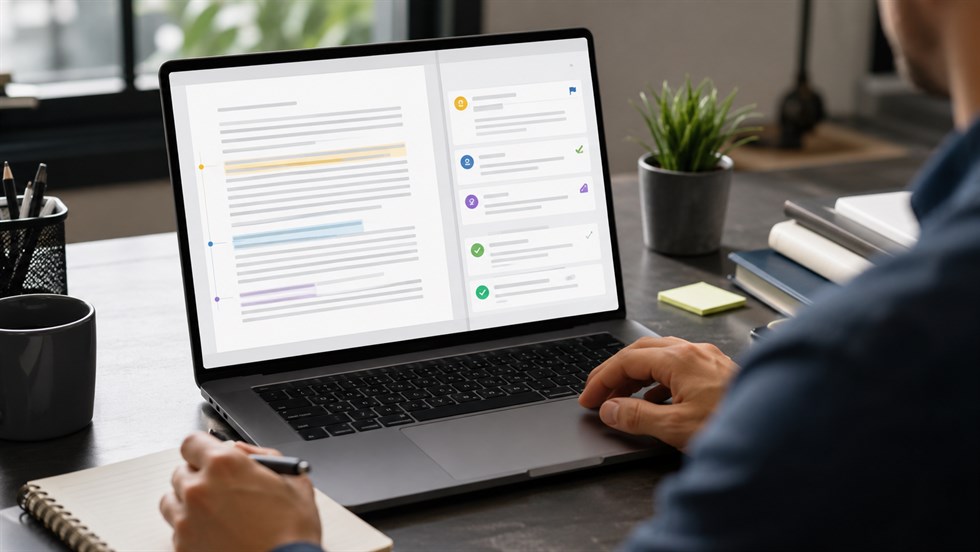
If you upload a finished Word document to ChatGPT and ask it to “improve” or “edit” the file, you may get back something that sounds polished but no longer sounds like you. That can be a problem at work, especially when the document already contains approved wording, carefully chosen terminology, client commitments, numbers, or a specific professional voice.
A better approach is to use ChatGPT as a reviewer before using it as an editor. Instead of asking for a replacement version, ask it to identify specific problems, quote the relevant text, explain what is wrong, and suggest only the smallest change needed.
Yes, ChatGPT can review an uploaded Word document for grammar, clarity, repetition, tone, consistency, and other writing problems. The key is controlling the scope of the review so that useful feedback does not turn into an unnecessary rewrite.
The most important rule: if you want to preserve your document, do not ask ChatGPT for an “improved version.” Ask it to identify problems and return recommendations separately from the original text.
Can ChatGPT Review a Word Document Without Rewriting It?
Yes. ChatGPT can review a Word document you upload and identify issues such as grammar mistakes, unclear passages, repetition, inconsistent terminology, awkward phrasing, tone problems, and structural weaknesses without rewriting the entire document.
The difference is not the file itself. The difference is the task you give the AI.
A review should follow a process like this:
Original text → issue → explanation → suggested change
A rewrite follows a very different process:
Original document → newly generated version
For a finished report, proposal, policy, memo, client update, or other professional document, the first approach is usually easier to control. You can see exactly what ChatGPT thinks is wrong and decide whether the proposed change is justified.
This distinction also reduces one of the biggest frustrations people encounter when using ChatGPT for document editing: asking for a few improvements and receiving an entirely new version whose wording, tone, and even emphasis have changed.
You can upload a supported Word file such as a DOCX document and ask ChatGPT to analyze its contents. Depending on the ChatGPT interface and features available to you, document workflows may differ, so it is safer to think of the AI first as a reviewer of the content rather than assume it will behave exactly like Microsoft Word's native editing tools.
Why ChatGPT Often Rewrites More Than You Asked For
The problem usually starts with a broad instruction.
Requests such as these give ChatGPT enormous editorial freedom:
- “Improve this document.”
- “Edit this report.”
- “Make this better.”
- “Make this more professional.”
None of these instructions defines where correction ends and rewriting begins.
Should ChatGPT fix only grammar? Shorten long sentences? Replace vocabulary? Change the tone? Reorganize paragraphs? Remove repetition? Add transitions? Rewrite weak arguments? The model has to make those decisions itself.
The less specific the review instruction is, the more editorial decisions you delegate to the AI.
Original: Customer adoption increased significantly after the new onboarding process was introduced.
Useful review: “Significantly” is vague unless the document provides a supporting metric. Consider replacing it with the actual percentage or another measurable result if that data is available.
Unnecessary rewrite: The implementation of the redesigned onboarding experience resulted in a substantial improvement in customer adoption across the organization.
The rewritten sentence may sound more polished, but it does not solve the real problem. The unsupported word “significantly” has simply been replaced with another unsupported phrase: “substantial improvement.”
A good review exposes the weakness. A broad rewrite can hide it behind better-sounding language.
The Best Workflow: Review First, Rewrite Only What You Approve
For most professional documents, the safest workflow is to separate diagnosis from editing. Let ChatGPT identify possible problems first. Then decide which changes deserve to be made.
Step 1: Upload the Word Document
If you want ChatGPT to understand the document as a whole, upload the DOCX file rather than sending isolated sentences. Whole-document context can help the model notice inconsistent terminology, repeated points, shifts in tone, or statements that conflict with something written earlier.
Copying and pasting a section can still be useful when you want to review a particularly sensitive paragraph, focus on a small part of a long document, or restrict the amount of information being analyzed.
You do not need a complicated instruction at this stage. The important part comes next: defining what ChatGPT is allowed to change.
Step 2: Tell ChatGPT What Must Not Change
Before asking for feedback, set boundaries. For example, you may want to preserve the document's structure, terminology, tone, approved claims, numbers, headings, or contractual language.
Review the attached Word document, but do not rewrite it. Preserve the existing structure, wording, tone, and meaning wherever possible. Identify only passages that have a specific problem. For every issue, quote the original text, explain the problem briefly, and suggest the smallest change needed. Do not produce a new version of the entire document.
This instruction changes the job from “produce better writing” to “inspect the writing that already exists.”
That distinction is especially useful when the document has already passed through several people, contains approved language, or needs to remain recognizably written in your own voice.
Step 3: Ask for a Review Table Instead of a New Draft
A structured review is much easier to verify than a second version of a 10-page document.
Ask ChatGPT to organize its findings like this:
| Location | Original text | Issue | Priority | Suggested change |
|---|---|---|---|---|
| Executive summary | “The solution will dramatically improve productivity.” | Unsupported claim | Important | Replace with a measurable result if evidence is available. |
| Page 4 | “Customers” / “clients” | Inconsistent terminology | Optional | Choose one term and use it consistently. |
Priority labels can also help:
- Critical: may change meaning, accuracy, obligations, or credibility.
- Important: should probably be fixed before the document is sent.
- Optional: stylistic improvement rather than a genuine problem.
This format lets you review each suggestion independently instead of comparing two large versions of the same document line by line.
Step 4: Review One Dimension at a Time
“Check everything” sounds efficient, but it often creates noisy feedback. Grammar, tone, factual accuracy, consistency, and persuasion are different tasks.
For important documents, separate them into review passes:
- Grammar and spelling
- Clarity
- Terminology and consistency
- Tone
- Repetition
- Logic and internal contradictions
- Claims or statements that may require verification
A useful working rule is: one review pass = one main objective.
This makes it easier to understand why ChatGPT is recommending a change and reduces the number of unnecessary stylistic edits.
Step 5: Apply Only the Changes You Accept
Do not treat ChatGPT's output as a final corrected document. Treat it as a list of recommendations.
Read each suggestion, decide whether it improves the document without changing its intended meaning, and then make the approved changes in Word.
This matters most for client proposals, policies, reports, HR communications, executive documents, commercial offers, and anything containing promises, deadlines, pricing, responsibilities, or legal implications.
If you want AI to help with more than reviewing an existing file, our broader guide to using AI to draft, edit, and refine professional documents covers the full workflow from initial structure to final human sign-off.
A Better Prompt for Reviewing a Word Document
A strong review instruction should do several things at once: define ChatGPT's role, limit the scope of editing, require evidence for every criticism, and define the output format.
Act as a reviewer, not a ghostwriter. Review the attached document for clarity, grammar, unnecessary repetition, inconsistent terminology, awkward phrasing, and tone problems. Do not rewrite complete sections. Return your findings as a table with five columns: location, original wording, issue, suggested minimal change, and priority. Quote the exact wording you are commenting on. If a passage is already clear and correct, leave it alone. Do not add facts or assumptions that are not present in the document.
This works better than “edit my document” for several reasons.
- “Act as a reviewer” defines the role.
- “Do not rewrite complete sections” creates a boundary.
- “Quote the exact wording” forces the feedback to connect to evidence in your document.
- “Suggested minimal change” discourages unnecessary rewriting.
- “Priority” separates serious problems from optional stylistic preferences.
- “Do not add facts or assumptions” reduces the chance that polished language introduces unsupported information.
You can tighten the instruction even further for high-stakes documents by telling ChatGPT not to change numbers, dates, names, claims, obligations, or technical terminology.
Review Grammar and Clarity Without Changing Your Voice
Proofreading is one of the most useful applications of ChatGPT, but even a grammar request can accidentally become a style rewrite if the instructions are too broad.
If you only want errors corrected, say so explicitly.
Proofread this document for grammar, spelling, punctuation, and sentences that are genuinely difficult to understand. Preserve my writing voice and sentence structure whenever they are already correct. Do not make stylistic changes simply because you would phrase something differently. List the problems and proposed corrections instead of returning a rewritten document.
Original: The results shows that most customers prefers the shorter process.
Necessary corrections: “shows” should be “show,” and “prefers” should be “prefer.”
Unnecessary rewrite: The findings indicate a clear customer preference for a more streamlined process.
The rewritten version may sound smoother, but that is no longer simple proofreading. It changes vocabulary, emphasis, and tone.
For a finished professional document, this distinction matters. A sentence does not need to be rewritten simply because ChatGPT can produce another version of it.
Check Tone and Consistency Without Rewriting the Document
ChatGPT can also be useful for problems that are difficult to notice when you have been working on the same document for hours.
Imagine a 20-page proposal that uses “customers” in the introduction, “clients” in the implementation section, and “users” later in the pricing section. Each term may be correct individually, but together they can make the document feel inconsistent or even create ambiguity.
The same problem can happen with:
- company and product names;
- capitalization;
- job titles;
- abbreviations;
- formal versus informal language;
- dates and date formats;
- headings;
- technical terminology;
- present versus future tense.
Review this document only for tone and consistency. Flag inconsistent terminology, shifts in formality, inconsistent capitalization, abbreviations, naming, and repeated concepts expressed in conflicting ways. Do not rewrite passages that are already consistent. Suggest a preferred term or wording only where a specific inconsistency exists.
This is a good example of why targeted review is usually more useful than asking ChatGPT to “make the whole document consistent.” The second instruction may trigger widespread rewriting even when only a handful of terms actually need attention.
Ask ChatGPT to Find Weak Sections Before Fixing Them
You do not always need an edit immediately. Sometimes the best first question is simply: Where is this document weakest?
For example, you can ask ChatGPT to identify the five passages that are least clear, most repetitive, least convincing, or most likely to confuse a reader.
Then stop.
Read the diagnosis before asking the AI to fix anything.
For important business documents, separate diagnosis from editing. First ask ChatGPT to identify the weakest passages and explain why they are weak. Only then ask it to suggest changes for the problems you agree with.
This creates a much more controlled workflow:
- Detect the problem.
- Explain why it matters.
- Prioritize it.
- Let the human decide whether it should change.
- Edit only the approved passage.
You can use an instruction like this:
Identify the five weakest passages in this document from a professional reader's perspective. Do not rewrite them. For each passage, quote the original wording, explain the specific weakness, and rate the issue as critical, important, or optional. Focus on problems that affect clarity, credibility, logic, or usefulness rather than personal stylistic preference.
Real Example: Reviewing a Business Proposal With ChatGPT
Consider a software company preparing a proposal for a client. A paragraph might read:
Our reporting platform will dramatically improve decision-making across your organization. The system gives managers better access to information and provides improved visibility across departments. Our clients use the platform to make faster decisions. Once implemented, the solution will eliminate reporting delays and ensure that managers always have the information they need.
There are several possible problems here, but rewriting the entire paragraph is not the best first step.
| Original text | Issue | Suggested response |
|---|---|---|
| “will dramatically improve decision-making” | The claim is strong but unsupported. | Use evidence or make the claim more precise. |
| “better access to information” / “improved visibility” | The two statements may be repetitive. | Keep both only if they describe different benefits. |
| “clients” | Check whether the rest of the proposal uses “customers” instead. | Use one term consistently. |
| “will eliminate reporting delays” | Absolute promise that may be difficult to guarantee. | Replace with a supported, qualified claim if appropriate. |
| “always have the information they need” | Another absolute claim. | Confirm whether the company can genuinely promise this. |
Notice what a useful review does not do. It does not invent a statistic such as “35% faster decisions.” It does not automatically replace the whole paragraph with more sophisticated language. It identifies where the business itself needs to make a decision.
That is particularly important because a polished sentence can be more dangerous than an awkward one if it confidently promises something the company cannot support.
When You Should Review the Document Section by Section
Even when you can upload the entire Word document, reviewing a long file section by section can make the feedback easier to verify.
This approach is useful when:
- the document contains many pages or several distinct chapters;
- different sections have different purposes;
- terminology must remain precise;
- multiple review passes are required;
- you need exact references to the location of every issue;
- some sections are more sensitive or high-stakes than others.
For example, you might review the executive summary first for clarity and unsupported claims, the methodology section for terminology and logic, and the final recommendation for tone and commitments.
Section-by-section review also reduces the temptation to accept a giant batch of edits simply because manually checking all of them feels overwhelming.
For long documents, define the review unit before you start: one chapter, one heading, one page range, or one type of issue. Smaller review units make AI feedback easier to audit.
What ChatGPT Is Good at Reviewing
ChatGPT is particularly useful when the task involves recognizing patterns in text rather than making a final professional judgment.
Typical review tasks include:
- spelling and grammar problems;
- awkward or difficult-to-read sentences;
- unnecessary repetition;
- inconsistent terminology;
- inconsistent capitalization and formatting language;
- shifts in tone;
- unexplained acronyms;
- vague wording;
- headings that do not match the content below them;
- missing transitions between ideas;
- contradictory statements inside the supplied document;
- phrases that sound stronger or more certain than the evidence provided.
These are all areas where an additional review pass can save time, especially when the author has become too familiar with the document to notice its weaknesses.
However, finding a sentence that deserves another look is very different from deciding what the final sentence should say.
What ChatGPT Should Not Be Trusted to Decide for You
Some parts of document review require knowledge or authority that ChatGPT does not have.
Facts
A suggested correction can sound credible and still be wrong. If ChatGPT says a statement should be changed for factual reasons, verify the underlying fact independently.
Numbers
Do not allow numbers, percentages, prices, dates, financial figures, or performance results to change silently during editing. A sentence that reads better but contains an altered number is not an improvement.
Legal meaning
A small wording change can change an obligation, limitation, warranty, deadline, or responsibility. AI feedback is not a substitute for appropriate legal review.
Company policy
ChatGPT does not automatically know your organization's internal rules, approved terminology, disclosure requirements, brand standards, or escalation procedures unless you provide that context.
Your intended meaning
AI can infer what a sentence probably means. It cannot know with certainty what you intended to promise, imply, approve, or exclude.
Confidentiality
Before uploading a confidential, regulated, commercially sensitive, or client-sensitive Word document, check your organization's AI policy and the data controls that apply to the ChatGPT plan you are using. Do not assume that every document is appropriate to upload simply because the technical capability exists.
Never accept a suggested edit just because it sounds more professional. In business documents, a smoother sentence can still change a fact, commitment, qualification, or legal meaning.
Review vs. Rewrite: Which One Should You Use?
Reviewing and rewriting are both useful, but they solve different problems.
| Task | Review | Rewrite |
|---|---|---|
| Fix grammar | Yes | Sometimes |
| Find inconsistencies | Yes | No |
| Preserve the author's voice | Usually better | Riskier |
| Improve one weak paragraph | Yes | Optional |
| Change the tone completely | No | Yes |
| Create a shorter version | No | Yes |
| Protect existing commitments | Usually better | Riskier |
| Create a new structure | No | Yes |
For most finished professional documents, start with review. Move to rewriting only for passages where you deliberately want a larger change.
This approach keeps AI useful without giving it control over every sentence.
A Simple Two-Pass Review Workflow
If you want a repeatable process, divide the review into two passes.
Pass 1: Objective Problems
Start with issues that are relatively easy to verify:
- grammar;
- spelling;
- punctuation;
- contradictions;
- terminology inconsistencies;
- missing definitions;
- obvious ambiguity.
Run a first-pass review for objective problems only: grammar, spelling, punctuation, terminology inconsistencies, internal contradictions, and obvious ambiguity. Do not suggest stylistic improvements yet. Return only issues that require attention.
Pass 2: Judgment Calls
After fixing objective problems, review the more subjective areas:
- clarity;
- tone;
- conciseness;
- persuasiveness;
- flow;
- strength of claims.
This separation matters because the second group contains far more judgment. One reader's “more concise” sentence may be another reader's oversimplification. A “more professional” tone can remove personality. A “stronger” claim can become an unsupported promise.
Run a second-pass review for clarity, conciseness, tone, flow, and persuasiveness. Do not rewrite the document. Flag only passages where a change would materially improve the reader's understanding or the document's effectiveness. Separate genuine problems from optional stylistic preferences.
Use an Extra Review for Business-Risk Language
Some documents need another pass that has nothing to do with grammar.
Proposals, sales documents, executive updates, policies, project plans, and external communications often contain statements that sound harmless but may create expectations or commitments.
Ask ChatGPT to flag them rather than fix them automatically.
Review this document as a cautious business editor. Flag statements that are vague, unsupported, overly confident, internally inconsistent, or likely to be interpreted as commitments. Do not rewrite them automatically. Quote each passage, explain the risk, and suggest a minimal alternative only when necessary.
This can help surface phrases such as:
- “will eliminate all delays”;
- “guarantees improved performance”;
- “will be completed by Friday” when the date is not confirmed;
- “all customers prefer” without supporting evidence;
- “fully compliant” without a defined compliance standard.
The goal is not to let ChatGPT decide whether the statement is acceptable. The goal is to make potentially risky wording easier for a human to notice.
A Final Human Review Is Still Required
ChatGPT can make document review faster, but final responsibility does not move from the author, editor, manager, or organization to the AI.
Before sending, publishing, approving, or signing an important document, verify at least the following:
- facts;
- names;
- dates;
- numbers;
- sources;
- pricing;
- deadlines;
- promises;
- responsibilities;
- legal or contractual wording;
- conclusions;
- tone.
Also read the final document as a whole. Selective edits that look correct individually can sometimes create repetition, inconsistency, or a change in tone when combined.
The most useful role for ChatGPT is not to become the final authority on your document. It is to help you see what deserves another look.
ChatGPT can help decide what deserves attention. It should not decide what your organization is willing to claim, promise, approve, or sign.
FAQ
Can ChatGPT review a Word document?
Yes. You can upload a supported Word document to ChatGPT and ask it to review the text for issues such as grammar, clarity, repetition, tone, and consistency. For better control, ask for a list of issues instead of a rewritten document.
Can ChatGPT proofread a Word document without rewriting it?
Yes. Tell ChatGPT to preserve your wording and voice, correct only genuine errors, and return proposed corrections separately from the original text.
How do I stop ChatGPT from rewriting my document?
Define the task as a review rather than an edit. Tell ChatGPT not to rewrite complete paragraphs, require it to quote the original wording, and ask for the smallest necessary change for each issue.
Can ChatGPT check grammar in a Word document?
Yes. ChatGPT can identify many grammar, spelling, punctuation, and sentence-level clarity problems. Important documents should still receive a final human proofreading pass.
Can ChatGPT review a long Word document?
ChatGPT can work with uploaded documents, but for long or high-stakes files it can be easier to review one section or one type of issue at a time so that every recommendation can be verified.
Can ChatGPT review a document without changing the original file?
Yes. You can ask ChatGPT to return feedback, an issue list, or suggested changes separately and then decide manually which changes to apply to the original document.
Is it safe to upload confidential Word documents to ChatGPT?
That depends on your account, organization, document sensitivity, and applicable data policies. Check your ChatGPT data controls and your organization's rules before uploading confidential, regulated, or client-sensitive material.
Should I use ChatGPT or Word Track Changes for document review?
They solve different problems. ChatGPT can help identify and explain possible improvements, while Word's review tools are useful for managing and approving changes inside the document. For important work, using AI for analysis and Word for controlled acceptance of edits is often the safer workflow.