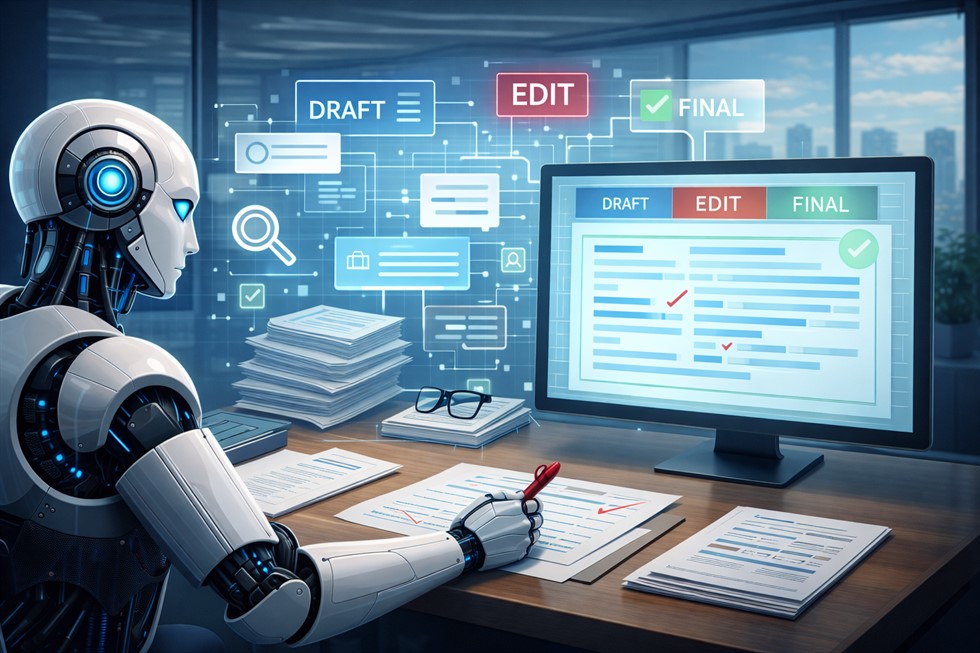
AI is increasingly used in professional writing: reports, proposals, internal memos, strategy documents, and business communication. It can generate text quickly, suggest alternatives, and improve structure. But professional documents are also a high-risk area. They carry intent, responsibility, and often real consequences.
The core problem is not whether AI can write text. It can. The problem is that professional documents are not just text — they are decision artifacts. They reflect judgment, accountability, and context that AI does not understand on its own. Without a clear process, AI-generated documents tend to sound polished while drifting away from purpose, tone, and responsibility.
This guide explains how to use AI for professional documents in a controlled, practical way — across drafting, editing, and refinement. The focus is not on tools or prompts, but on workflow: where AI helps, where it fails, and how human judgment remains in control from first draft to final sign-off.
Why Professional Documents Break When Written with AI
Many teams discover that documents written “with AI” look acceptable at first glance but fail in real use. The issue is not grammar or fluency. The issue is misalignment between the document and the decision it is supposed to support.
Professional documents break when AI is treated as an author instead of an assistant. In real workflows, documents exist to inform, persuade, or formalize decisions. AI does not understand those decisions unless they are explicitly defined and constrained.
AI does not understand decision context
AI can summarize information and generate plausible arguments, but it does not know why the document exists. It cannot infer organizational priorities, political sensitivities, or downstream consequences. When context is missing, AI fills gaps with generic patterns.
Loss of responsibility and intent
When AI generates large portions of a document, responsibility can become blurred. The text may sound confident, but no one clearly owns the reasoning behind it. This is especially dangerous in proposals, policies, and external communication.
Style is not the same as quality
Professional tone does not guarantee professional judgment. AI often produces text that sounds formal and structured while masking weak logic, missing constraints, or incorrect assumptions.
Where AI Fits in the Document Creation Process
AI is most effective when its role is clearly separated from the human role. Professional writing benefits from speed and structure, but it also requires judgment, intent, and accountability that cannot be automated.
A healthy workflow divides responsibilities explicitly.
- Human role: define purpose, audience, decision context, constraints, and final approval.
- AI role: assist with drafting, restructuring, editing, alternative phrasing, and clarity.
When these roles are mixed, documents become either overly generic or overly risky. When they are separated, AI reduces cognitive load without taking control.
AI tools in professional writing (contextual use)
In real workflows, professionals typically use AI assistants as drafting and editing partners rather than autonomous writers. The specific tool matters less than how it is used.
- General AI assistants — for outlining, rewriting, clarity improvements, and alternative phrasing.
- Document-based AI tools — for editing long texts while preserving structure and context.
- Research-oriented AI — for background synthesis, not authoritative claims.
The workflow remains the same regardless of the tool: humans define intent and approve outcomes.
A Practical AI Workflow for Professional Writing
Document workflow overview:
Purpose & Audience
        ↓
Structure & Outline
        ↓
AI-Assisted Draft
        ↓
AI-Assisted Editing
        ↓
Human Refinement
        ↓
Final Human Sign-off
This workflow ensures that AI supports clarity and efficiency without taking control over intent, tone, or responsibility.
The workflow below reflects how AI is used successfully in real professional environments. It treats writing as a multi-stage process rather than a single generation step and keeps human judgment at every critical point.
How to Use AI for Professional Documents Step by Step
This step-by-step process reflects how AI is used safely and effectively in real professional writing workflows. It prioritizes structure before text and keeps decision ownership human.
- Define the document purpose — what decision or action the document supports.
- Clarify audience and constraints — tone, risk level, formality.
- Create an outline manually — AI should not invent structure.
- Use AI for controlled drafting — section by section, not all at once.
- Edit with AI selectively — clarity, logic, structure.
- Refine tone and precision — remove generic or vague language.
- Perform final human review — accuracy, responsibility, sign-off.
If any step feels skipped, document quality and decision clarity usually degrade.
Stage 1 — Clarifying the Document’s Purpose (Before AI)
Before any text is generated, the purpose of the document must be explicit. This stage is entirely human-led. AI should not be used until the following questions are answered.
- What type of document is this?
- Who is the primary audience?
- What decision or action should this document support?
Without clear purpose, AI will default to generic structures that may conflict with the real intent of the document.
Example: Instead of “Write a proposal,” clarify: “Draft a proposal to secure internal approval for a Q3 budget increase, addressing finance leadership concerns about risk and ROI.”
Stage 2 — Drafting with AI (Controlled Generation)
AI is most useful at the drafting stage when it works from structure, not from a blank page. Starting with an outline dramatically improves relevance and reduces later editing effort.
Effective drafting uses AI to:
- expand predefined sections
- generate alternative phrasings
- surface missing points
Drafting should be constrained. AI should not decide what sections exist or what the document ultimately argues.
If AI is asked to invent structure, it will invent intent. Structure must come from the human.
Stage 3 — Editing and Structural Improvement
Editing is where AI often provides more value than in initial generation. As an editor, AI can help improve clarity, flow, and logical structure without redefining the document’s purpose.
Effective AI-assisted editing focuses on:
- clarifying arguments
- reducing redundancy
- improving transitions
Blind rewriting is risky. Editing should be scoped: the human defines what can change and what must remain intact.
Ask AI to suggest improvements rather than apply them automatically.
Stage 4 — Refinement, Tone, and Precision
Refinement focuses on tone, precision, and removing what often signals AI-generated text: vague language, unnecessary verbosity, and generic phrases.
This stage is especially sensitive in professional documents. Tone must match audience expectations, organizational culture, and external commitments.
AI can assist by highlighting tone inconsistencies or suggesting more precise wording, but final refinement often requires human judgment — especially for external or high-stakes documents.
Stage 5 — Final Review and Human Sign-off
The final stage is entirely human-owned. Before a document is shared or finalized, responsibility must be explicit.
A proper final review checks:
- factual accuracy
- alignment with purpose
- tone and risk
- clear ownership of claims and commitments
AI output can assist preparation, but final approval and accountability cannot be delegated.
While AI can significantly speed up drafting and editing, not every part of professional writing should be automated. High-impact decisions, commitments, and final messaging require clear human ownership. A practical framework for deciding what to automate — and what must stay human — is covered in our guide on AI for business writing automation vs human judgment.
Examples of AI Use in Real Documents
The following examples illustrate how AI fits into real document workflows without taking control.
Business proposal
- Task: Prepare a proposal for a new client engagement.
- AI role: draft section outlines, suggest value propositions, refine language.
- Human role: define strategy, validate claims, approve commitments.
- Result: Faster drafting without loss of accountability.
Internal strategy document
- Task: Document a strategic shift for leadership alignment.
- AI role: synthesize inputs, suggest alternative structures.
- Human role: set direction, manage sensitivities, finalize messaging.
- Result: Clearer structure with human-owned intent.
Professional email or report
- Task: Communicate a complex update to stakeholders.
- AI role: improve clarity and conciseness.
- Human role: control tone, verify accuracy, decide what is communicated.
- Result: Polished communication without unintended commitments.
Common Mistakes When Using AI for Documents
- Letting AI define the structure instead of the purpose.
- Over-rewriting and losing original intent.
- Ignoring audience expectations.
- Skipping verification steps.
- Treating AI-generated text as final.
These mistakes are workflow failures, not model failures.
When AI Should NOT Be Used in Writing
There are cases where AI assistance introduces more risk than value.
- Legal documents and contracts.
- Sensitive internal communications.
- High-stakes external commitments.
- Documents requiring deep domain judgment.
In these contexts, AI can assist preparation but should not shape final language.
AI-assisted editing becomes dangerous when the author cannot confidently evaluate the output. If you cannot explain, defend, or justify the final text, AI should not shape it.
Checklist — Using AI Without Losing Control
- Purpose clearly defined.
- Audience explicitly identified.
- AI role limited and scoped.
- Human review mandatory.
- Decision ownership explicit.
For a broader foundation on controlled AI use at work, see How to Use AI at Work Effectively and A Practical AI Workflow for Knowledge Workers (From Task to Decision).
Frequently Asked Questions (FAQ)
Can AI be used for professional documents?
Yes, AI can be used for professional documents when its role is limited to drafting, editing, and refinement. Final intent, tone, and responsibility must remain human to avoid errors and misalignment.
Is it safe to use AI for business writing?
AI-assisted business writing is safe only with verification and human review. Without clear purpose and final sign-off, AI-generated text can introduce factual, tonal, or reputational risks.
How do professionals edit AI-generated text?
Professionals use AI as an editor rather than an author. They review structure, clarity, and logic, while manually verifying facts, tone, and commitments before final approval.
What are the main risks of using AI for documents?
The main risks include loss of intent, generic language, hidden assumptions, and unclear responsibility. These risks increase when AI output is treated as final.
Should AI be used for legal or formal documents?
AI should not draft or finalize legal or formal documents. At most, it can assist with preparation, summaries, or clarity checks under strict human supervision.