Browse all content
All published articles in one place. Use quick filters or jump to Search for full-text results.

How to Build a Source Table With AI for Reliable Research
A source table turns scattered research into structured evidence you can actually check. This guide shows how to use AI to organize sources, claims, citations, dates, limitations, and conflicting evidence without treating AI-generated research as automatically reliable.

How to Create a Competitor Comparison Table With ChatGPT
ChatGPT can turn scattered competitor research into a clear side-by-side comparison table—but only if you give it consistent criteria and reliable source material. This guide shows a practical workflow for comparing competitors, checking claims, and turning the results into a useful decision-making table.

How to Research a Company With ChatGPT Before a Meeting or Interview
ChatGPT can turn hours of scattered company research into a focused briefing — but only if you give it reliable sources and verify what it finds. This guide shows how to research a company with ChatGPT before a meeting or interview, what to investigate, which prompts to use, and how to turn the results into useful questions and talking points.

ChatGPT Deep Research vs Regular ChatGPT: When Each One Makes Sense
ChatGPT Deep Research can investigate complex questions across multiple sources, while regular ChatGPT is usually faster for everyday work. This guide shows how to choose the right mode based on the task, evidence required, time available, and cost of getting the answer wrong.

How to Use ChatGPT Deep Research for Work: A Practical Verification Workflow
ChatGPT Deep Research can turn a complex work question into a cited report—but citations do not make the report automatically reliable. This guide shows a practical workflow for scoping research, controlling sources, verifying important claims, and turning the result into work you can actually use.

How to Use ChatGPT for Research Without Hallucinated Sources
ChatGPT can speed up research, but a confident answer is not the same as verified evidence. This guide shows how to use ChatGPT to find, organize, compare, and validate information without relying on invented sources or unsupported claims.

How to Write Difficult Workplace Emails With AI: Delays, Problems, and Bad News
AI can help you write difficult workplace emails without hiding the problem or making the message sound cold. This guide shows how to handle delays, mistakes, bad news, and other uncomfortable situations with practical prompts, real email examples, and a final human review process.

How to Write Follow-Up Emails With ChatGPT After No Response
No reply to an important email? Learn how to use ChatGPT to write a concise, professional follow-up without sounding pushy. This guide includes practical prompts, timing rules, subject lines, and real examples for clients, coworkers, recruiters, and sales conversations.

How to Rewrite an Email With ChatGPT for Tone Without Changing Its Meaning
Learn how to use ChatGPT as an email editor: change warmth, formality, confidence, or directness while preserving the facts, requests, deadlines, commitments, and intended meaning of your original message.

How to Use ChatGPT to Reply to an Email Without Sounding Robotic
Use ChatGPT to draft faster email replies without the stiff, generic AI tone. This guide shows a practical workflow, natural-sounding prompts, real work examples, privacy limits, and a final human review checklist.

50 ChatGPT Prompts for Work Emails: Replies, Follow-Ups, Requests, and Updates
Use these 50 ChatGPT prompts to draft clearer work emails faster—from replies and follow-ups to requests, status updates, difficult messages, and everyday professional communication.

How to Write a Professional Email With ChatGPT: 7 Real Work Examples
Use ChatGPT to draft professional work emails without sounding generic. This guide shows 7 realistic workplace examples, copy-ready prompts, tone adjustments, and a simple review process before you send.

How to Extract Key Information From Long Documents With AI
Use AI to extract the facts, numbers, dates, decisions, risks, and action items that matter from long PDFs and Word documents. This workflow shows how to map the file, define an extraction schema, preserve source references, and verify critical details before using them at work.

How to Turn a PDF Into Notes, Action Items, and a Brief With ChatGPT
A PDF summary is often not enough for real work. This guide shows how to use ChatGPT to turn a PDF into structured notes, decisions, action items, and a concise brief — while keeping the output grounded in the original document.

How to Summarize Multiple PDFs With AI and Keep Sources Separate
AI can summarize several PDFs at once, but combining them too early can make it difficult to tell which source supports each claim. This guide shows a safer workflow for summarizing multiple PDFs while keeping filenames, evidence, disagreements, and source references separate.

How to Summarize a Research Paper With ChatGPT: An Accurate Workflow
A practical workflow for summarizing research papers with ChatGPT without trusting a one-shot summary. Extract the study design, evidence, findings, limitations, and source locations first—then create the final summary.

How to Extract Tables From PDFs With AI Without Losing Important Data
AI can turn PDF tables into editable Excel or CSV data in seconds, but clean-looking output can still contain missing rows, shifted columns, or incorrect numbers. This guide shows how to extract PDF tables with AI and verify the result before using it at work.

How to Compare Two PDFs With ChatGPT: Changes, Clauses, and Differences
ChatGPT can compare two PDF versions and organize changes by clause, page, topic, or business impact. This guide shows a safer workflow for finding added, removed, and modified content—plus the differences you still need to verify yourself.
How to Ask ChatGPT Questions About a PDF Without Getting Made-Up Answers
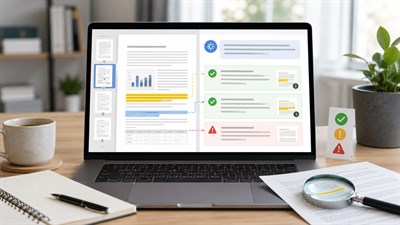
ChatGPT can answer questions about an uploaded PDF, but a confident answer is not proof that the document actually says it. This guide shows how to ask source-grounded questions, demand page-level evidence, handle missing information, and verify important answers before using them at work.

Can ChatGPT Read PDFs? File Limits, Scanned PDFs, Tables, and What Actually Works
Yes, ChatGPT can read and analyze PDFs, but the result depends on what is actually inside the file. Text-based PDFs usually work well; scanned pages, embedded images, complex tables, and very long documents require more care. This guide explains the current limits, failure modes, and prompts that make PDF analysis safer and more reliable.

How to Use AI to Find Errors in Excel Spreadsheets
AI can help uncover broken formulas, inconsistent calculations, suspicious values, duplicates, and other spreadsheet mistakes that are easy to miss manually. This guide shows how to audit an Excel workbook with AI without blindly accepting its fixes.

ChatGPT for Pivot Tables: How to Plan, Explain, and Troubleshoot Them
Learn how to use ChatGPT as a practical PivotTable copilot: plan the layout, choose the right calculations, explain confusing reports, and troubleshoot common Excel problems.

How to Use AI to Clean Spreadsheet Data Without Corrupting It
AI can remove duplicates, standardize dates, clean text, and fix inconsistent spreadsheet data — but careless automation can also change IDs, formulas, totals, or valid records. This guide shows how to clean Excel, Google Sheets, and CSV data with AI while keeping the original dataset intact and every change auditable.

Can ChatGPT Create Excel Formulas? What It Gets Right and Wrong
ChatGPT can create simple and complex Excel formulas from plain-English instructions, but a formula that runs is not necessarily a formula that is correct. This guide shows what ChatGPT does well, where AI-generated formulas fail, and how to verify them before using them in real work.