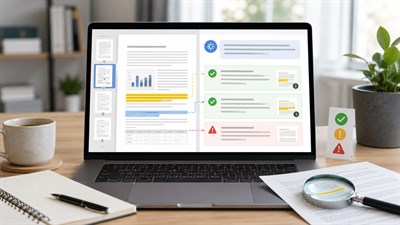
More work decisions now start with “AI read the PDF and summarized it.” That sounds efficient — until the summary is confidently wrong. The dangerous simplification is thinking AI “understands the document.” In practice, most systems first extract text, then generate an answer from that text. If extraction is incomplete or the structure is distorted, the analysis will inherit those errors.
AI processes text — not meaning, intent, or legal weight. Document understanding ≠ text extraction.
In real work scenarios, most document analysis errors happen not because AI misunderstood language, but because it silently lost structure — a table header, a footnote reference, or a clause split across pages. These failures rarely look obvious in the output, which makes them especially dangerous in contracts, reports, and policies.
How AI Actually Reads PDF and Word Files
When people say “AI reads documents,” they often imagine the model perceiving a document the way a human does: headings, sections, tables, footnotes, and visual hierarchy all intact. That’s not what usually happens.
Most AI document workflows look like this:
Document (PDF / Word)
   ↓
Text extraction (and sometimes OCR)
   ↓
Chunking / segmentation (splitting into pieces)
   ↓
Model reads extracted text chunks
   ↓
Answer / summary generated from what survived extraction
This matters because errors often start before the model “thinks.” If the extracted text is missing pieces, out of order, or stripped of layout cues, the model will still produce a coherent narrative — but it may be based on an incomplete or distorted input.
Text extraction vs document understanding
“Text extraction” means pulling characters from a file. “Document understanding” would mean correctly preserving relationships: what belongs to what, which clause modifies which, what a table column means, what a footnote overrides, and how cross-references work. Many systems do the former reliably; the latter is much harder.
Digital text vs scanned pages (OCR)
A “digital” PDF often contains selectable text; extraction is relatively clean. A scanned PDF is an image of a page. To read it, the system uses OCR (optical character recognition), which introduces its own failure modes: misread characters, missing symbols, broken columns, and dropped footnotes.
Rule of thumb: If understanding depends on layout, relationships between sections, or legal interpretation, AI document reading is unsafe without human review.
A contract PDF where a clause begins at the bottom of one page and continues on the next. Extraction can split it, drop the continuation, or separate it from its heading, changing meaning.
What AI Understands Well in Documents
AI is strongest when the document behaves like clean, linear text. If the meaning is explicit in sentences and paragraphs — with minimal reliance on layout — the model can summarize, reorganize, and explain it reasonably well.
- Explicit text (clear statements, definitions, requirements)
- Repeated patterns (templates, standard clauses, repeated headings)
- Simple lists (bullets, numbered steps, short items)
- Well-labeled sections (clear headings and consistent structure)
- Glossary-like content (terms, definitions, stable wording)
Tip: AI works best with clean, linear, well-labeled text. If a section’s meaning depends on layout, treat it as high-risk.
What AI Commonly Misses or Distorts
The most expensive failures happen where meaning is relational — when the document’s structure carries the message. AI can only analyze what it receives, and extraction often loses the very cues that make the content correct.
Tables (and the relationships inside them)
Tables are not just text. They encode relationships between rows, columns, headers, units, and notes. Extraction may flatten a table into a list of numbers without preserving which number belongs to which column or what the header means.
A pricing table where the column header “per month” is lost, and the model reports annual pricing as monthly.
Footnotes, endnotes, and “small print”
Footnotes often contain the real constraints: exceptions, definitions, carve-outs, and overrides. They can be separated from the paragraph they modify, or dropped entirely in extraction.
Visual hierarchy and emphasis
Humans read importance through hierarchy: headings, subheadings, callouts, bold text, sidebars. Extraction can flatten this, making a warning look like an ordinary sentence — or worse, placing it far from the section it constrains.
Cross-references and “dependent meaning”
Many documents rely on “See Section 4.2” or “subject to Appendix B.” AI may summarize a clause without pulling its referenced dependencies, producing a confident but incomplete interpretation.
Context between sections
AI can summarize sections in isolation and miss how they interact. In policy, compliance, and contracts, the interaction is often the point.
If the meaning depends on layout, relationships, or cross-references, treat AI output as a draft hypothesis — not an answer.
Prompting AI to Reduce Document Misinterpretation
Prompts cannot fix broken extraction, but they can force the model to be more explicit about uncertainty, structure, and potential blind spots. The goal is not “better summaries.” The goal is to reduce silent misinterpretation.
Prompt: Use this when you ask AI to summarize or analyze a PDF/Word document.
Task
Summarize the document and explain how you interpreted its structure. If structure is unclear, say so explicitly.
Constraints
– Separate extracted text from inferred meaning
– Flag any sections that may be unreliable due to layout (tables, footnotes, scans, multi-column pages)
– List the top 10 claims you relied on, and mark each as: “direct quote,” “paraphrase,” or “inference”
– If a claim depends on a table/footnote, quote the relevant part verbatim (short excerpt) and note its location
Output format
1) Summary (5–10 bullets)
2) Structure interpretation (headings/sections you detected)
3) High-risk zones (tables/footnotes/scanned pages/cross-references)
4) Uncertainty list (what may be missing or misread)
5) Human verification checklist (what to confirm manually)
If you regularly draft or refine documents with AI (not just analyze them), the workflow discipline matters even more — especially around claims, tone, and unintended commitments. See Using AI to Draft, Edit, and Refine Professional Documents for a controlled approach to professional writing.
Privacy and Data Risks When Uploading Documents
Document workflows often involve the most sensitive category of data: contracts, financials, HR materials, internal policies, customer lists, and personal information. The risk is not only “wrong summary.” The risk is exposing information you are not allowed to share.
- Confidential business information: pricing terms, vendor agreements, roadmaps, internal metrics
- NDA-protected materials: partner documents, negotiations, unreleased products
- Personal data: employee records, medical info, IDs, addresses
- Regulated content: compliance reports, security procedures, incident details
Not every document should be shared with AI tools. Redact, minimize, or avoid uploading entirely when the downside is high.
For a clear boundary list of what should never be shared, use What Data You Should Never Share With AI Tools.
When You Must Not Rely on AI Document Reading
There are document categories where “AI read it” should never be the primary safety mechanism. You can still use AI to assist with extraction, organization, or question generation — but the final interpretation must be done by a qualified human.
- Legal documents: contracts, legal notices, terms, litigation materials
- Financial reports: audited statements, forecasts with liability, investor materials
- Compliance and policy: regulations, internal controls, security policies
- Safety-critical instructions: medical procedures, engineering specs, operational safety checklists
If the document carries legal or financial risk, AI analysis must be secondary — a helper for navigation, not a decision-maker.
Final Responsibility — What Humans Cannot Delegate
AI can help you move faster through text. It cannot take responsibility for meaning, consequences, or correct interpretation — especially where the document contains exceptions, dependencies, or legal weight.
- Meaning and intent: what the document commits you to, and what it explicitly excludes
- Boundary interpretation: how clauses interact, what overrides what, what “subject to” means in context
- Risk ownership: who is accountable if the interpretation is wrong
A practical rule: if you would not accept the AI’s interpretation in a dispute, an audit, or a high-stakes meeting, you cannot treat it as “read and done.” Use AI to accelerate review — then verify the load-bearing parts manually.
FAQ
Does AI actually understand PDF documents?
Not in the human sense. AI typically extracts text and generates an interpretation. If extraction loses structure (tables, footnotes, cross-references), the output can be coherent but wrong.
Why does AI miss information in tables or footnotes?
Because layout and visual hierarchy are often lost during extraction. Tables rely on row/column relationships, and footnotes rely on proximity and linkage — both are fragile when flattened into plain text.
Can AI safely analyze legal or confidential documents?
Only with strict limitations and human review — and many documents should not be uploaded at all. For high-risk documents, use AI for navigation and question generation, not final interpretation.
How reliable is AI for document analysis overall?
AI is reliable for extracting and summarizing explicit text, but reliability drops sharply when meaning depends on structure, layout, cross-references, or legal context. Human review is required in these cases.