
How to Extract Key Information From Long Documents With AI
Use AI to extract the facts, numbers, dates, decisions, risks, and action items that matter from long PDFs and Word documents. This workflow shows how to map the file, define an extraction schema, preserve source references, and verify critical details before using them at work.

How to Turn a PDF Into Notes, Action Items, and a Brief With ChatGPT
A PDF summary is often not enough for real work. This guide shows how to use ChatGPT to turn a PDF into structured notes, decisions, action items, and a concise brief — while keeping the output grounded in the original document.

How to Summarize Multiple PDFs With AI and Keep Sources Separate
AI can summarize several PDFs at once, but combining them too early can make it difficult to tell which source supports each claim. This guide shows a safer workflow for summarizing multiple PDFs while keeping filenames, evidence, disagreements, and source references separate.

How to Extract Tables From PDFs With AI Without Losing Important Data
AI can turn PDF tables into editable Excel or CSV data in seconds, but clean-looking output can still contain missing rows, shifted columns, or incorrect numbers. This guide shows how to extract PDF tables with AI and verify the result before using it at work.
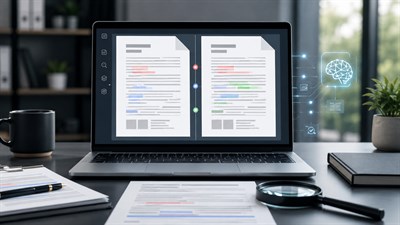
How to Compare Two PDFs With ChatGPT: Changes, Clauses, and Differences
ChatGPT can compare two PDF versions and organize changes by clause, page, topic, or business impact. This guide shows a safer workflow for finding added, removed, and modified content—plus the differences you still need to verify yourself.
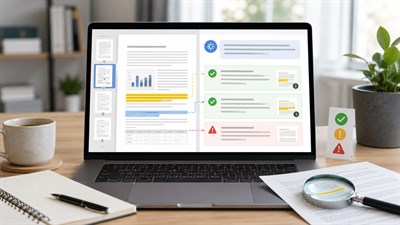
How to Ask ChatGPT Questions About a PDF Without Getting Made-Up Answers
ChatGPT can answer questions about an uploaded PDF, but a confident answer is not proof that the document actually says it. This guide shows how to ask source-grounded questions, demand page-level evidence, handle missing information, and verify important answers before using them at work.

Can ChatGPT Read PDFs? File Limits, Scanned PDFs, Tables, and What Actually Works
Yes, ChatGPT can read and analyze PDFs, but the result depends on what is actually inside the file. Text-based PDFs usually work well; scanned pages, embedded images, complex tables, and very long documents require more care. This guide explains the current limits, failure modes, and prompts that make PDF analysis safer and more reliable.

AI Contract Review: Benefits, Risks, and Limitations
AI can speed up contract review by summarizing clauses, extracting obligations, flagging unusual terms, and preparing questions for legal review. But it can also miss context, misread legal language, overlook jurisdiction-specific issues, or create false confidence. This guide explains how to use AI contract review safely, where it helps, where it does not, and why final responsibility must stay with a qualified human reviewer.

How to Summarize a 200-Page Document With AI
A practical workplace guide to using AI for long PDF and Word document summaries: how to prepare the file, split the task, prompt correctly, verify the output, and avoid dangerous oversimplification.

ChatGPT for PDF Analysis: What Actually Works
ChatGPT can help analyze PDFs and Word documents, but only when the task is specific, evidence-based, and verified. This guide shows what actually works at work: summaries, extraction, comparison, prompts, limits, and human review.

Extracting Structured Information From PDFs With AI
AI can extract data from PDFs, but structure is fragile. This guide explains how to extract structured information from PDFs with AI, where errors occur, and how to stay in control.

How AI Reads Documents: What It Understands and What It Misses
AI can analyze documents quickly, but it does not truly “read” them. This article explains how AI processes PDF and Word files, what it understands reliably, and where critical information is often missed.