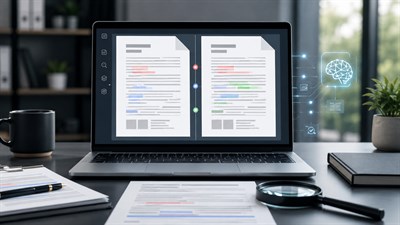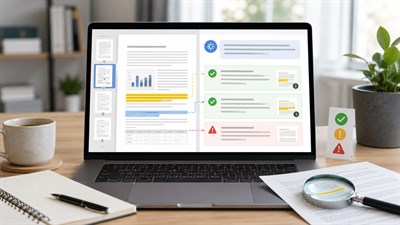
PDF and Word documents are still where a huge amount of real work lives: contracts, reports, proposals, policies, manuals, invoices, research papers, meeting packs, vendor documents, and long internal files that nobody has time to read from beginning to end.
That is why ChatGPT for PDF analysis is such a useful workflow when it is used correctly. It can help you summarize long documents, ask focused questions, extract key details, compare versions, and turn messy text into something easier to review. But there is a catch: weak prompts often produce shallow summaries, confident mistakes, or outputs that sound useful but are difficult to verify.
Before you rely on any AI output, it helps to understand How AI Reads Documents: What It Understands and What It Misses. ChatGPT can process document content, but it does not become the owner of the decision. Your job is still to check the source, verify the evidence, and decide what matters.
This guide focuses on what actually works at work: practical document analysis tasks, real examples, prompt blocks, common risks, and a clear rule for final responsibility.
What ChatGPT Can Actually Do With PDFs and Word Documents
ChatGPT is useful for document work because many office tasks are not really about “reading” in the literary sense. They are about finding, checking, extracting, comparing, explaining, and preparing a usable output for another person.
For example, you may not need to read a 60-page vendor agreement line by line before a meeting. You may first need to know the payment terms, cancellation rules, renewal conditions, missing attachments, risky clauses, and questions to ask the vendor. That is a better task for AI because it has a clear purpose and a checkable output.
With PDFs and Word documents, ChatGPT can usually help with:
- summarizing long documents for a specific audience;
- answering questions about the uploaded document;
- extracting names, dates, amounts, obligations, risks, and action items;
- comparing two drafts or versions;
- turning document content into tables, checklists, memos, or briefs;
- identifying unclear sections, missing information, or possible contradictions;
- rewriting Word document sections for clarity and structure.
ChatGPT is most useful when the document task is specific: find, compare, extract, explain, or check. It becomes less reliable when the request is vague, such as “analyze this PDF” without criteria.
The difference matters. “Summarize this document” may give you a pleasant but generic overview. “Extract every obligation, deadline, responsible party, and penalty into a table with evidence from the document” produces a much more useful work product.
The PDF Analysis Tasks That Actually Work
The strongest ChatGPT PDF analysis workflows are not abstract. They solve specific workplace problems. Below are the tasks that tend to work well because they are narrow, structured, and easy to verify against the original document.
Executive Summaries for Busy Teams
A good executive summary is not just a shorter version of the document. It should help a busy person understand what the document is about, what decisions are required, what risks exist, and which sections deserve manual review.
Imagine a manager receives a 38-page vendor proposal before a procurement meeting. They do not need a paragraph-by-paragraph rewrite. They need the business point: what is being offered, what it costs, what assumptions are hidden in the proposal, what is missing, and what should be challenged before approval.
Prompt: Analyze this document for a busy manager. Give me: 1) a 7-bullet executive summary, 2) the main decisions required, 3) risks or unclear points, 4) sections I should read manually, and 5) page or section references for each important claim.
This prompt works because it asks for a decision-focused output. It also forces ChatGPT to separate summary, risks, and manual review areas instead of blending everything into one smooth answer.
Evidence-Based Q&A
Another strong use case is asking questions about a document. This is especially useful for HR policies, internal guidelines, client briefs, contracts, manuals, and long reports.
The key is to avoid open-ended questions like “What does this mean?” A better approach is to ask ChatGPT to answer using only the document and to show where the answer comes from. This helps reduce unsupported claims and makes the output easier to check.
Prompt: Answer this question using only the uploaded document: [question]. For every answer, quote or paraphrase the relevant passage, give the page or section reference if available, and say “not found” if the document does not contain enough evidence.
This is useful when you need to know whether a policy allows remote work from another country, whether a contract includes an auto-renewal clause, or whether a proposal mentions implementation support. The phrase “not found” is important because it gives ChatGPT permission not to invent an answer.
Extracting Structured Information
Many document tasks become easier when the output is a table. Instead of asking ChatGPT to “review” a document, ask it to extract specific fields. This is useful for supplier agreements, event contracts, insurance policies, leases, invoices, technical specifications, and proposal packs.
For a deeper workflow on turning documents into tables, see Extracting Structured Information From PDFs With AI.
Example: Instead of asking ChatGPT to “review this contract,” ask it to extract all payment dates, termination conditions, renewal rules, penalties, and obligations into a table. This turns a vague reading task into a checkable work output.
Structured extraction works well because it narrows the job. ChatGPT is not being asked to understand the entire business relationship. It is being asked to find specific information and organize it in a format that a human can verify.
Comparing Two Documents
Comparison is another strong use case. Teams often need to compare an old contract with a new version, a proposal with a statement of work, a policy from last year with an updated policy, or a draft document with the final signed version.
The important part is to ask not only “what changed,” but also “why the change matters.” A changed payment term, a missing service level, or a new cancellation condition can have practical consequences.
Prompt: Compare Document A and Document B. Create a table with: changed section, what changed, practical impact, risk level, and whether the change requires human/legal review. Do not guess. If a section exists in one document but not the other, mark it clearly.
This does not replace a professional review, but it can prepare the review. It helps the human reviewer focus on the sections most likely to matter.
Real Examples of ChatGPT PDF Analysis at Work
The value of AI document analysis becomes clearer when you look at real work situations. The following examples show how ChatGPT can support practical tasks without pretending to replace human judgment.
Contract Review Preparation
A contract review often starts before a lawyer or decision-maker reads the full document. ChatGPT can help prepare the first pass by extracting obligations, deadlines, renewal terms, payment conditions, termination rights, penalties, and unclear clauses.
For example, a marketing agency receives a service agreement from a large client. Instead of asking ChatGPT, “Is this contract okay?”, the team can ask it to create a checklist of obligations and risks. The output may include deliverable deadlines, approval windows, payment timing, usage rights, exclusivity language, and cancellation rules.
This is useful preparation, not legal advice. ChatGPT should not be presented as a replacement for a lawyer. It can help you notice what to review, but a qualified human must interpret the contract and make the final call.
Research Report Analysis
Research reports are often long, dense, and full of details that not every team member needs. ChatGPT can help summarize the main findings, extract statistics, identify the methodology, separate evidence from assumptions, and prepare a briefing for a meeting.
For example, a product team might upload a customer research report and ask ChatGPT to extract the top five pain points, supporting quotes, mentioned customer segments, and recommended product actions. That turns a long report into a working document for planning.
Example: A 70-page market research PDF can be converted into a one-page team brief with findings, evidence, open questions, and suggested follow-up actions. The human team still needs to check whether the extracted evidence supports the recommendations.
HR Policy Explanation
HR policies can be difficult because employees need plain-language answers, while HR teams need accuracy. ChatGPT can help explain a policy in simpler language, extract employee responsibilities, create a checklist, and identify sections that are unclear.
For example, if a company updates its travel policy, ChatGPT can create a table showing what employees can book, what requires approval, what documents must be submitted, and what the reimbursement deadlines are. This can then be reviewed by HR before being shared internally.
Vendor Proposal Comparison
Vendor proposals often look similar on the surface but differ in pricing assumptions, exclusions, service levels, timelines, and implementation responsibilities. ChatGPT can compare proposals and highlight the differences in a structured way.
For example, a team choosing between three software vendors can ask ChatGPT to compare deliverables, onboarding support, integrations, pricing structure, cancellation terms, and hidden assumptions. The result can support a procurement discussion, but the team should still verify the original documents before making a decision.
Word Document Cleanup
ChatGPT for PDF analysis is only part of the broader document workflow. Word documents can also benefit from AI support. ChatGPT can help restructure a policy, rewrite unclear sections, find inconsistencies, create a summary, and prepare recommendations that resemble tracked-change notes.
For example, an operations manager may upload a messy SOP and ask ChatGPT to reorganize it into purpose, scope, responsibilities, step-by-step procedure, exceptions, and escalation rules. This does not remove the need for operational review, but it can turn a confusing draft into something usable.
The Prompt Pattern That Makes PDF Analysis Reliable
The best PDF prompts follow a simple structure:
Role → Task → Scope → Output format → Evidence → Limits
Each part has a job. The role tells ChatGPT how to approach the document. The task defines what you want done. The scope prevents the answer from drifting. The output format makes the answer usable. The evidence requirement makes it checkable. The limits reduce guessing.
- Role: “Act as a careful document analyst.”
- Task: “Extract all renewal terms and cancellation conditions.”
- Scope: “Use only the uploaded agreement.”
- Output format: “Return a table.”
- Evidence: “Include page or section references where available.”
- Limits: “Say ‘not found’ if the document does not contain the information.”
A strong PDF prompt does not ask ChatGPT to “understand everything.” It tells ChatGPT what to look for, how to structure the answer, what evidence to provide, and when to admit that the document does not contain enough information.
Prompt: Act as a careful document analyst. Review the uploaded document only for [specific task]. Return the answer as [format]. For each important point, include supporting evidence from the document. If something is unclear or missing, mark it as “not found” or “needs human review.” Do not use outside knowledge unless I ask for it.
This pattern works because it changes the job from “produce an impressive answer” to “produce a controlled, checkable work output.” That is the difference between casual AI use and reliable AI-assisted document work.
What Does Not Work Well
ChatGPT can be very useful with documents, but some workflows are unreliable by design. The biggest problem is usually not the model itself. It is the way the task is framed.
Vague prompts like “summarize this PDF” or “analyze this contract” often create outputs that sound professional but do not answer the real business question. The summary may skip important details, flatten uncertainty, or ignore the sections that actually need attention.
It also does not work well to ask ChatGPT for final legal, financial, or compliance conclusions without expert review. A useful AI output might say, “This clause appears to create an auto-renewal obligation,” but the decision about whether that is acceptable belongs to a qualified human.
Another weak workflow is trusting extracted numbers without checking the source. Tables, totals, fees, percentages, dates, and quantities are exactly where manual verification matters. Even when the output looks clean, it should be checked against the original file.
Do not treat a ChatGPT answer as proof that the document says something. Treat it as a working draft that must be checked against the original file.
Complex comparison tasks can also fail when too many long documents are uploaded at once with unclear instructions. It is usually better to compare specific sections, define the fields you care about, and ask for a table with evidence.
Limits and Risks of ChatGPT PDF Analysis
Every practical guide to AI PDF analysis needs a serious limits section. The goal is not to avoid using AI. The goal is to use it with the right level of trust.
Missing Context
ChatGPT can analyze the text it has access to, but it may not know the business context behind the document. It may not know the negotiation history, internal company rules, risk tolerance, previous versions, regional requirements, or what was agreed verbally in a meeting.
For example, a clause that looks normal in a generic contract may be unacceptable for your company because it conflicts with an internal policy. ChatGPT may not know that unless you provide the context.
Layout and Formatting Problems
PDFs are not all equal. A clean text-based PDF is easier to analyze than a scanned contract, a two-column report, or a file with complex tables and footnotes. Formatting can affect the quality of extraction.
Common layout problems include columns, footnotes, scanned pages, handwriting, charts, headers, footers, repeated boilerplate, merged table cells, and page breaks that interrupt sentences. These issues can cause missing details or distorted outputs.
Table and Number Errors
Tables and numbers deserve special caution. Invoices, financial reports, pricing sheets, insurance documents, technical specifications, and fee schedules can contain details that are easy to misread or misplace.
For example, if a pricing table has multiple columns for monthly, annual, discounted, and optional costs, an AI output may extract the right-looking number but attach it to the wrong category. That kind of error can be expensive.
For financial, legal, operational, or client-facing work, numbers must be verified manually against the original document.
Hallucinated Confidence
One of the most important risks is tone. ChatGPT can sound confident even when the document is unclear, incomplete, or does not contain enough evidence. That is why prompts should ask for uncertainty, missing information, and “not found” answers.
A useful document analysis output should not only tell you what the AI found. It should also tell you what it could not confirm.
Privacy and Confidentiality
Before uploading confidential documents, check your company policy. Some files may contain sensitive personal data, legal information, financial details, client records, employee information, trade secrets, or regulated material.
For sensitive work, use approved tools and environments, remove unnecessary personal data where possible, and follow your organization’s rules. If the document is confidential, the convenience of AI does not remove your responsibility to handle it properly.
Final Human Responsibility
ChatGPT can accelerate document work. It can help you read faster, find patterns, extract key information, prepare summaries, compare drafts, and create a first version of a memo or checklist. Used well, it can save hours.
But it does not become the final authority. The source document still matters. The business context still matters. Expert review still matters. And the person using the output remains responsible for what is sent, signed, approved, published, or acted on.
The final authority is not the AI answer. The final authority is the original document, the business context, and the qualified human responsible for the decision.
The best habit is simple: ask ChatGPT for evidence, check the original, mark uncertain points, and involve a qualified reviewer when the stakes are high. AI can speed up document analysis, but the final decision must stay human.
FAQ
Can ChatGPT analyze PDF files?
Yes, ChatGPT can help analyze PDF files by summarizing content, answering questions, extracting information, and turning document content into tables or checklists. The result still needs human verification, especially for complex, scanned, legal, financial, or highly formatted documents.
How do I use ChatGPT to analyze a PDF?
Upload the PDF, then give ChatGPT a specific task. For example, ask it to summarize the document for a manager, extract dates and obligations, answer a question with evidence, or identify risks. Avoid vague prompts like “analyze this PDF” without clear criteria.
What is the best prompt for ChatGPT PDF analysis?
A strong prompt includes the role, task, scope, output format, evidence requirement, and limits. For example: “Act as a careful document analyst. Extract all deadlines, obligations, risks, and missing information from this document. Use a table and include page or section references where available.”
Can ChatGPT summarize a PDF accurately?
ChatGPT can create useful summaries, but accuracy depends on the document quality, length, formatting, and prompt. For important work, ask for evidence, page references, uncertain points, and sections that should be reviewed manually.
Can ChatGPT extract tables from PDFs?
ChatGPT can often help extract table-like information, but tables are one of the riskier parts of PDF analysis. Numbers, totals, merged cells, scanned tables, and complex layouts should always be checked against the original document.
Can ChatGPT read scanned PDFs?
It depends on the tool, plan, OCR quality, and document clarity. Scanned PDFs are more error-prone than text-based PDFs. If the scan is blurry, rotated, handwritten, or poorly structured, the output should be treated as uncertain.
Is it safe to upload confidential PDFs to ChatGPT?
That depends on your organization’s policy, the type of data, and the ChatGPT plan or environment being used. For confidential, regulated, legal, financial, or personal data, follow company rules, use approved tools, and remove unnecessary sensitive information when possible.
Can ChatGPT analyze Word documents too?
Yes. ChatGPT can help summarize, restructure, compare, and improve Word documents. Many of the same rules apply: give a specific task, request evidence where needed, and verify important conclusions against the original file.