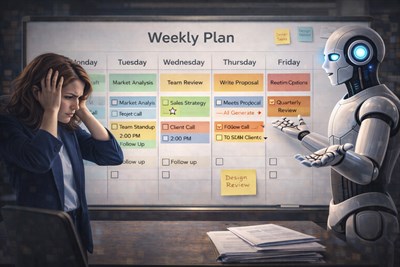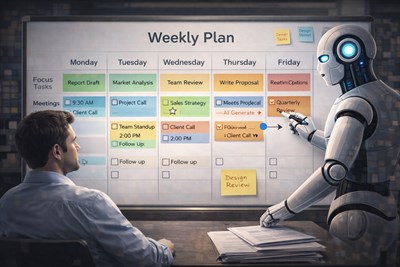
When your task list becomes too large to think clearly, AI can help turn scattered work into a ranked, grouped, and reviewable priority system. This guide shows how to use AI without handing over responsibility.
If your task list has grown from a simple to-do list into a messy backlog of emails, meeting notes, Slack messages, client requests, admin follow-ups, and unfinished projects, prioritization becomes a work problem — not a motivation problem. This is where AI can help prioritize hundreds of tasks by turning scattered inputs into a clearer decision map.
At work, the hardest part is often not doing the task. It is deciding what deserves attention first when everything looks important, someone is waiting, and new requests keep arriving before old ones are closed. A large task list creates pressure, but pressure is not the same as priority.
AI can help by cleaning the list, grouping similar work, identifying urgency, spotting dependencies, and suggesting a first-pass ranking. But it should not become the person making the decision. The goal is not to outsource responsibility. The goal is to make the workload visible enough for better human judgment.
AI should not replace your judgment. Its job is to make a large, messy workload easier to inspect, compare, and decide on.
Why hundreds of tasks are hard to prioritize manually
A short to-do list is easy to scan. A list of hundreds of tasks is different. Once the list becomes too large, your brain stops comparing tasks rationally and starts reacting to what feels loudest, easiest, or most uncomfortable.
This is why people often clear small tasks first even when a strategic task matters more. Answering five easy emails feels productive. Fixing a major client issue, preparing a leadership report, or resolving a blocked launch decision feels heavier, so it gets postponed.
Large task lists also mix different types of work. One line may say “send invoice.” Another may say “prepare Q3 plan.” Another may say “follow up with Sarah.” Another may say “fix onboarding flow.” These tasks do not have the same scale, risk, or consequence, but they often sit in the same list as if they are equal.
For example, a marketing manager may have 146 open tasks: 31 content edits, 18 client follow-ups, 9 urgent campaign fixes, 22 waiting-for-someone items, 14 analytics tasks, 7 leadership requests, and dozens of old backlog items. Without structure, the manager may choose based on anxiety instead of impact.
This is where manual prioritization breaks down. The problem is not that the person lacks discipline. The problem is that the system no longer supports clear decisions.
What AI can actually do with a huge task list
AI is useful when a task list is too messy to inspect manually. It can normalize task descriptions, identify patterns, group related work, detect duplicates, and create a ranked draft that a human can review.
For example, if your list contains “email finance,” “ask Anna about budget,” and “confirm campaign spend,” AI may recognize that these belong to the same budget-related project. If you have three tasks that all describe the same client follow-up in different words, AI can flag them as duplicates.
AI can also separate tasks by urgency, importance, project, stakeholder, estimated effort, deadline, and risk. It can identify which tasks are blocked, which tasks require more information, which tasks can be delegated, and which tasks may no longer be necessary.
For a broader planning workflow, see Using AI for Planning and Prioritization (Without Over-Optimization), especially if your problem is not just ranking tasks but designing a realistic week.
The most useful output is not a perfect answer. It is a structured draft that makes your workload easier to evaluate. A good AI response should help you say: “Now I can see what is urgent, what is strategic, what is blocked, and what should not be on my list anymore.”
The information AI needs before it can prioritize well
AI cannot prioritize well from a vague list like “presentation,” “client,” “report,” and “follow up.” It needs context. The better the input, the better the ranking.
Before asking AI to prioritize hundreds of tasks, try to include as much of the following information as possible:
- Task name
- Project or workstream
- Deadline
- Owner
- Stakeholder
- Business impact
- Consequence of delay
- Estimated effort
- Dependency
- Energy required
- Whether the task can be delegated
- Whether the task is still necessary
If you do not know some of these details, that is still useful. Ask AI to mark missing information instead of pretending the list is complete. Often, the most important discovery is not the final priority score, but the fact that ten tasks cannot be prioritized because nobody has clarified the deadline or owner.
Do not paste confidential client data, passwords, private employee information, or sensitive financial details into an AI tool unless your organization has approved that use.
A practical AI prioritization workflow
Step 1: Dump everything into one list
Start by collecting tasks from email, chat, project management tools, meeting notes, personal reminders, and old documents. At this stage, do not try to make the list beautiful. The goal is to capture the workload in one place.
Step 2: Ask AI to clean and categorize
Before asking AI to rank the list, ask it to clean the list. This means rewriting unclear tasks, grouping related items, identifying duplicates, and marking incomplete tasks.
Step 3: Add priority criteria
Do not simply ask, “What should I do first?” That gives AI too much room to guess. Instead, define the criteria: deadline, business impact, stakeholder importance, consequence of delay, dependencies, and effort.
Step 4: Review AI’s assumptions
A priority list is only useful if you understand why a task was ranked highly. Ask AI to explain the reasoning in one sentence per task. If the explanation is weak, the ranking should not be trusted.
Step 5: Turn the list into a realistic plan
A ranked list is not the same as a plan. If AI gives you 27 high-priority tasks for one day, the output is not realistic. Ask it to convert priorities into a daily or weekly plan based on your actual available time.
Step 6: Keep a backlog, not a guilt list
Not every task should be done today. Some tasks should move to a backlog. Some should be deleted. Some should be delegated. Some should wait until a dependency is resolved. AI can help you make those categories visible.
| Task | Deadline | Impact | Effort | Risk if delayed | AI priority | Human review |
|---|---|---|---|---|---|---|
| Fix client onboarding issue | Today | High | Medium | High | P1 | Correct |
| Rewrite internal notes | No deadline | Low | Low | Low | P4 | Move to backlog |
| Prepare leadership report | Friday | High | High | Medium | P2 | Start today |
Real examples of AI prioritizing work
Example: A project manager pastes 87 tasks from a launch plan into AI and asks it to group them by launch-critical, stakeholder-dependent, nice-to-have, and unclear. The useful output is not a perfect answer, but a structured list the manager can review in 15 minutes instead of two hours.
Example 1: Project manager before a launch
A project manager has a launch checklist with product tasks, legal approvals, design fixes, sales enablement, analytics setup, and customer communication. Everything appears urgent because the launch date is close.
AI can group the list into launch-critical tasks, blocked tasks, delegated tasks, and non-essential polish. It may flag that “final legal approval” should come before “publish landing page,” even if the landing page task looks more visible.
The human still needs to check whether the ranking matches the real launch risk. AI may not know that one stakeholder is unavailable tomorrow or that a specific approval is politically sensitive.
Example 2: Founder with too many operational tasks
A founder may have tasks across sales, hiring, finance, product, customer support, and admin. The problem is not a lack of work ethic. The problem is that every department creates its own urgency.
AI can separate revenue-generating tasks from maintenance tasks, founder-only decisions from delegable tasks, and urgent noise from strategic work. For example, it may show that five small admin tasks can be batched, while two sales follow-ups deserve immediate attention because they affect cash flow.
The founder must still decide what only they can do. AI can suggest delegation, but it cannot know the true trust level of every team member.
Example 3: Content manager with hundreds of content ideas
A content manager may have 300 ideas in a spreadsheet: blog posts, short videos, newsletters, social posts, lead magnets, and SEO updates. Without prioritization, the team may choose the most interesting ideas instead of the most useful ones.
AI can rank ideas by business goal, search intent, production effort, audience value, freshness, and funnel stage. It can also group similar ideas into content clusters and identify duplicates.
The human still needs to check brand positioning, editorial judgment, and whether the topic supports the current strategy.
Example 4: Customer support lead
A customer support lead may receive hundreds of tickets, internal escalations, product complaints, and follow-up tasks. Some are loud but low-impact. Others look small but reveal a repeated issue affecting many users.
AI can identify repeated themes, urgent customer risks, SLA-related tasks, and issues that should be escalated to product or engineering. It can help separate one-off complaints from patterns.
The human still needs to verify customer status, contract terms, emotional context, and whether the issue requires a personal response.
Prompt blocks for prioritizing hundreds of tasks
Paste your task list below. Clean it, group similar tasks, identify duplicates, and rank the tasks by urgency, business impact, deadline, dependency, and consequence of delay. Do not make final decisions for me. Show your assumptions and mark anything that needs human review.
Prompt 1: Clean and structure a messy task list
I have a messy list of tasks from emails, meetings, and notes. Please clean it into a structured table with these columns: task, project, owner, deadline, estimated effort, dependency, urgency, importance, and missing information. Do not prioritize yet. First make the list easier to review.
Prompt 2: Rank by impact, urgency, and risk
Now prioritize this task list. Use these criteria: deadline, business impact, risk if delayed, stakeholder importance, dependencies, and estimated effort. Give each task a priority from P1 to P4. Explain your reasoning in one sentence per task.
Prompt 3: Find hidden low-value tasks
Review this list and identify tasks that may be low-value, outdated, duplicated, unnecessary, or better delegated. For each one, suggest whether I should delete it, delegate it, defer it, simplify it, or keep it.
Prompt 4: Build a realistic daily plan
Based on the prioritized list, create a realistic plan for today. Assume I have 5 focused work hours and two meetings. Choose no more than 3 high-priority tasks, 2 quick wins, and a short admin block. Explain what should not be done today.
Prompt 5: Challenge the priority list
Act as a critical planning partner. Challenge this priority list. What might I be overvaluing? What hidden dependencies could I be missing? Which tasks look urgent but may not be important? Which tasks look small but could create serious problems if ignored?
Common prioritization frameworks AI can use
AI can apply familiar prioritization frameworks quickly, especially when a list is too large to process manually. The framework matters less than the quality of the context you provide.
- Eisenhower Matrix: separates urgent and important work.
- MoSCoW: groups tasks into must-have, should-have, could-have, and won’t-do categories.
- RICE: scores work by reach, impact, confidence, and effort.
- ICE: scores work by impact, confidence, and ease.
- Value vs effort matrix: helps identify quick wins and heavy strategic work.
- Deadline-risk-impact model: useful when consequences of delay matter more than task size.
For hundreds of tasks, one framework is usually not enough. A better workflow is layered: first clean and group the list, then identify urgent and high-risk tasks, then rank strategic work, then build a realistic execution plan.
This prevents a common mistake: using a framework to make the list look organized while still avoiding the hard decision about what not to do.
Where AI can go wrong
AI can make a large task list easier to understand, but it can also create false confidence. A clean table can look authoritative even when the reasoning behind it is weak.
One risk is that AI may over-prioritize tasks with dramatic wording. A task labeled “URGENT!!!” may receive a high priority even if the actual business impact is low. Meanwhile, a quiet task like “renew enterprise contract terms” may be far more important.
AI may also miss hidden politics. A request from a senior leader, a sensitive client, or a cross-functional partner may carry more weight than the task description suggests. AI does not automatically know those relationships.
Dependencies are another risk. A task like “publish landing page” may look ready, but it may depend on legal approval, final pricing, brand review, or analytics setup. If those dependencies are missing from the input, AI may rank the task incorrectly.
There is also the risk of over-planning. Some people use AI to reorganize the same task list again and again instead of doing the work. Prioritization should reduce friction, not become another productivity ritual.
The more important the decision, the more you should treat AI output as a draft for review, not as an instruction to follow.
Final human responsibility: AI suggests, you decide
Prioritization is not just sorting. It is a decision about consequences, trade-offs, relationships, timing, and responsibility. AI can help you see the workload more clearly, but it cannot own the result.
AI can rank tasks. It can explain why one task appears more urgent than another. It can challenge your assumptions. It can show what may be missing. It can ask whether a task should be deleted, delegated, deferred, or simplified.
But you are still responsible for the final decision. You know the team context, the client relationship, the strategic goal, the political sensitivity, and the real-world consequences of delay.
Prioritization is still a decision-making act. If you want to use AI for reflection rather than blind delegation, read Using AI as a Second Brain for Decisions (Not a Judge).
A good AI priority list should make your responsibility clearer, not disappear. The best result is not “AI told me what to do.” The best result is “AI helped me understand the workload, and I made a better decision.”
A simple weekly routine for AI task prioritization
AI prioritization works best when it becomes a light routine, not a constant activity. You do not need to ask AI to reorganize your day every hour. That can create more noise than clarity.
Monday: clean and rank the backlog
At the start of the week, paste your current backlog into AI. Ask it to clean the list, group related tasks, identify duplicates, and create a first-pass priority ranking. Review the ranking before committing to it.
Daily: choose a small number of priorities
Each day, ask AI to help select a realistic plan based on available time. A strong daily plan usually includes no more than three high-priority tasks, a few quick wins, and a small admin block.
Midweek: review blocked tasks
By the middle of the week, check what is blocked. Ask AI to identify tasks waiting on other people, unclear decisions, missing approvals, or dependencies that need follow-up.
Friday: archive, delete, and reset
At the end of the week, review completed work, deferred tasks, and stale backlog items. Ask AI which tasks may no longer be relevant. A clean backlog is more useful than a long guilt list.
The point of this routine is not to create a perfect productivity system. The point is to keep your workload visible enough that you can make intentional choices.
Conclusion
AI is useful when your task list is too large to inspect clearly. It can group the work, expose hidden patterns, suggest priorities, and challenge your assumptions. It can help you move from scattered tasks to a structured decision map.
But prioritization is not just organization. It is a human decision about consequences, trade-offs, and responsibility. Use AI to see the workload more clearly — then make the decision yourself.
FAQ
Can AI really prioritize tasks?
AI can help prioritize tasks by organizing them, comparing deadlines, identifying urgency, grouping similar work, and suggesting a first-pass ranking. However, it should not make final decisions without human review.
How do I use AI to prioritize a large task list?
Start by pasting a cleaned task list with deadlines, impact, effort, dependencies, and consequences of delay. Ask AI to group the tasks first, then rank them by clear criteria, and finally review the assumptions before acting.
What is the best prompt for AI task prioritization?
A strong prompt asks AI to clean the list, group related tasks, rank by urgency and importance, explain its reasoning, and flag anything that needs human judgment. Avoid prompts that simply say “prioritize this.”
Can ChatGPT manage my to-do list?
ChatGPT can help structure, review, and prioritize a to-do list, but it is not a full task management system unless connected to approved tools and workflows. It works best as a planning assistant, not as the only source of truth.
What are the risks of using AI for prioritization?
The main risks are missing hidden context, overvaluing urgent wording, ignoring company politics, exposing sensitive data, and trusting a confident-looking ranking too quickly. Human review is essential.
Is AI better than the Eisenhower Matrix?
AI is not necessarily better than the Eisenhower Matrix. It can apply the matrix faster to a large list, but the quality still depends on the information you provide and the judgment you use when reviewing the result.