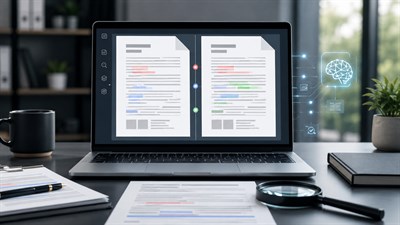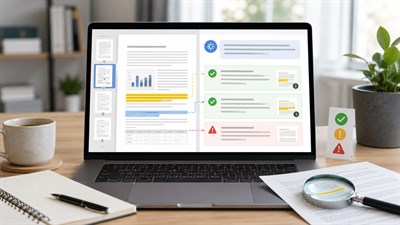
If you need to summarize a 200-page document with AI, the goal is not just to shorten the text. At work, a long PDF or Word document usually stands between you and a decision: approving a vendor, reviewing a contract, preparing for a meeting, understanding a policy, or extracting risks from a research report.
A bad AI summary can be worse than no summary at all. It may sound clean, confident, and professional while quietly missing the one paragraph that changes the decision. A good AI workflow is different. It helps you understand the structure, extract the important details, identify uncertainty, and decide what must still be checked by a human.
To summarize a 200-page document with AI, do not ask for one generic summary. First ask AI to map the document structure, then summarize it section by section, extract key facts, risks, dates, and decisions, create a final executive summary, and verify important claims against the original file.
Can AI really summarize a 200-page document?
Yes, AI can help summarize a 200-page document, but the quality of the output depends on the file, the tool, the prompt, and the review process. A model can often identify the main structure, pull out repeated themes, explain dense language, and turn long sections into a practical brief. It can also extract obligations, dates, risks, decisions, open questions, and action items.
But a 200-page document is not just a long piece of text. It may contain tables, footnotes, appendices, scanned pages, legal clauses, conflicting statements, charts, definitions, or exceptions hidden in the middle of a section. Before trusting the output, it helps to understand how AI reads documents, because a model may process headings, paragraphs, tables, and scanned pages differently.
The best way to think about AI is as a first-pass reading assistant. It can help you get oriented much faster, but it should not become the final authority for legal, financial, HR, compliance, safety, or client-facing decisions.
Start with the purpose, not the document
The most common mistake is uploading a long file and asking, “Summarize this.” That prompt is too vague for a workplace document. AI does not automatically know whether you need a board-level executive brief, a legal risk review, a meeting preparation note, a procurement comparison, or an onboarding guide.
The same 200-page document can produce very different summaries depending on the purpose. A sales team may need objections, pricing, and implementation timeline. A legal team may need termination clauses, liability language, renewal terms, and governing law. An operations team may need process changes, owner names, deadlines, and escalation rules. A founder may need only the decision points and risks.
Important: Do not start with “Summarize this document.” Start with the decision you need to make, the audience for the summary, and the level of detail required.
Before using AI, answer three questions: Who will read the summary? What decision will it support? What details would be dangerous to miss? These questions turn a generic AI output into a useful work product.
Prepare the PDF or Word file before using AI
Long-document summarization starts before the prompt. If the file is messy, scanned, incomplete, or poorly structured, the summary will be weaker. Open the original document first and check whether the file has selectable text, readable page numbers, a table of contents, appendices, tables, signatures, or images that contain important information.
If the document is a scanned PDF, you may need OCR before asking AI to summarize it. If the file contains irrelevant attachments, decide whether they should be included or removed. If the page numbers matter, preserve the original numbering so you can verify the summary later. For confidential documents, check your company policy before uploading anything to an AI tool.
For example, a 200-page employee handbook should not be summarized as one block. First separate it into hiring, benefits, conduct, security, remote work, disciplinary process, and termination sections. Each section has a different purpose and risk level.
Tip: If the document contains important tables, charts, footnotes, signatures, or scanned pages, ask AI to identify those elements separately instead of assuming they were fully understood.
A prepared document gives AI a better chance of producing a useful summary. It also gives you a better way to check the output against the original source.
The safest workflow for summarizing a 200-page document with AI
The safest workflow is staged. You do not want one fast answer. You want a controlled process that moves from structure to detail to synthesis to verification.
- Define the purpose.
- Upload or prepare the file.
- Map the structure.
- Summarize sections.
- Extract risks and decisions.
- Synthesize the final summary.
- Verify manually.
Step 1 — Ask AI to map the document
Start with a document map, not a summary. The map should identify the main sections, subsections, page ranges if available, appendices, tables, repeated topics, and parts that may need manual review. This gives you a quick view of what the document contains before anything is compressed.
Step 2 — Summarize section by section
Next, summarize each major section separately. This reduces the risk that important details from the middle of the document disappear. It also helps you compare sections and spot contradictions.
Step 3 — Extract decisions, risks, obligations, and dates
A workplace summary should not only say what the document is about. It should show what matters. Ask AI to extract decisions required, responsibilities, deadlines, financial figures, obligations, exceptions, risks, and open questions.
Step 4 — Ask for missing information and uncertainty
AI summaries often sound more certain than they should. Add a step where the model must list unclear points, missing context, assumptions, and sections that should be checked manually.
Step 5 — Create the final executive summary
Only after the section summaries are complete should you ask for a final executive summary. This summary should be organized for the intended reader, not simply shortened for convenience.
Step 6 — Verify against the source
Finally, compare the AI summary against the original document. Check numbers, dates, obligations, exceptions, definitions, tables, and any claim that could affect a decision.
Prompt block: document map
Prompt: You are reviewing a long workplace document. Do not summarize it yet. First, create a document map. Identify the main sections, subsections, page ranges if available, repeated themes, tables, appendices, and any parts that may require careful human review. If something is unclear or missing, say so.
This prompt is useful because it slows the process down. Instead of forcing AI to compress 200 pages immediately, you first ask it to show the shape of the document. That map helps you decide which sections deserve close attention and which parts can be summarized more lightly.
For a due diligence file, for example, the map may reveal that financial statements, legal disputes, customer concentration, and operational risks are in different parts of the document. If you skip the map, the final summary may blend those topics together and hide their relative importance.
Prompt block: section-by-section summary
Prompt: Summarize this section of the document for a workplace reader. Preserve important facts, numbers, conditions, exceptions, deadlines, names, obligations, and risks. Use this structure: 1) plain-English summary, 2) key facts, 3) decisions or obligations, 4) risks or warnings, 5) questions for human review.
This prompt works better than “make this short” because it tells AI what must survive the compression. In business documents, the dangerous details are often the exceptions, conditions, numbers, and dates. A polished paragraph that omits them is not a useful summary.
Use this section-by-section approach for contracts, reports, manuals, proposals, policies, investor documents, and research files. The longer and more important the document is, the more useful this staged method becomes.
Prompt block: final synthesis
Prompt: Using the section summaries above, create a final executive summary for a busy professional. Include: 1) what the document is about, 2) the most important findings, 3) decisions required, 4) risks and uncertainties, 5) deadlines or dates, 6) recommended next steps, and 7) items that must be checked in the original document before action.
The final synthesis should be written for the person who needs to act. A CEO may need a one-page brief. A lawyer may need a risk register. A project manager may need owners and deadlines. A procurement manager may need pricing, exclusions, service levels, and renewal terms.
Do not treat the final summary as the end of the process. Treat it as a decision-support document that still points back to the source.
Real examples of AI document summaries at work
AI summaries are most useful when they are tied to a real work scenario. A generic summary may tell you what the document says. A practical summary tells you what the document means for your next action.
Example 1: Vendor proposal
A company receives a 200-page vendor proposal for a software implementation. A weak AI summary might say the vendor offers onboarding, support, migration, training, and a phased rollout. That sounds helpful, but it does not answer the real business questions.
A useful AI summary should extract pricing, scope, exclusions, implementation timeline, support hours, service levels, renewal terms, cancellation rules, dependencies, and hidden costs. It should also identify what the buyer must provide, what is not included, and what could delay implementation.
Example: If you upload a 200-page vendor proposal and only ask for a short summary, AI may give you a clean overview and miss the most important detail: the implementation fee is excluded, support is limited to business hours, and renewal is automatic unless cancelled 60 days before the term ends.
Example 2: Legal contract
A legal contract summary should be handled carefully. AI can help identify obligations, termination clauses, liability limits, renewal language, governing law, confidentiality terms, payment obligations, dispute resolution, and ambiguous wording. It can also create a list of questions for a lawyer.
However, an AI summary is not legal advice. It may miss jurisdiction-specific meaning, defined terms, cross-references, exceptions, or negotiation history. For legal documents, AI is useful for orientation and issue spotting, not final approval.
Example 3: Research report
A 200-page research report should not be reduced to findings alone. A good summary should separate methodology, sample size, assumptions, limitations, findings, evidence quality, recommendations, and unanswered questions.
For example, a market research report may strongly recommend entering a new segment. But the limitations section may reveal that the sample excluded smaller buyers, the survey was geographically narrow, or the data is already outdated. A good AI prompt should ask for those limitations directly.
Example 4: Internal policy manual
An internal policy manual may include employee obligations, approval processes, compliance rules, security requirements, escalation paths, exceptions, disciplinary procedures, and owner responsibilities. A useful AI summary should turn this into practical guidance without removing the conditions.
For example, a remote work policy may allow flexible work but require manager approval, specific data-security rules, equipment responsibilities, and location restrictions. Those details matter more than a cheerful one-sentence summary saying “employees may work remotely.”
What a good AI summary should include
A good AI summary of a long business document is not just shorter. It is structured for use. For a 200-page document, a one-paragraph summary is usually not enough unless the stakes are very low. A practical summary should preserve the details needed for judgment.
At minimum, ask for these elements:
- Document purpose and source type.
- Audience and intended use of the summary.
- Ten to fifteen key points.
- Important risks and warnings.
- Numbers, dates, deadlines, and thresholds.
- Obligations, responsibilities, and owners.
- Open questions and missing information.
- Contradictions or tension between sections.
- Source references or page numbers where possible.
- Recommended next action.
The format can vary. An executive may prefer a short brief with a risk table. A project manager may need action items. A compliance reviewer may need obligations and exceptions. The point is to choose the format based on the job, not based on what is easiest for AI to generate.
Limits and risks of AI summaries
AI summaries can save time, but they can also mislead. The biggest risk is not that the summary looks bad. The biggest risk is that it looks good while being incomplete.
AI can oversimplify dense sections, miss details in tables, ignore footnotes, skip appendices, misread scanned PDFs, invent connections between ideas, flatten uncertainty, or lose minority opinions and exceptions. It can also sound confident when the source is ambiguous. This is why it is important to know when AI summaries help and when they mislead, especially before using them for legal, financial, compliance, or HR decisions.
Confidentiality is another major risk. A document may include client data, employee records, trade secrets, financial information, legal strategy, or private health information. Before uploading sensitive files, check whether the AI tool is approved by your organization and whether your account settings meet your data protection requirements.
This article is not about replacing professional judgment. It is about building a safer first-pass reading workflow.
How to verify an AI summary
Verification is the difference between a useful AI workflow and a dangerous shortcut. The more important the document, the more deliberate the verification should be.
Start by asking AI for page references where possible. Then compare the summary against the table of contents. Check whether every major section is represented. Search the original document for key terms, numbers, deadlines, names, and obligations. Review tables, appendices, charts, definitions, and footnotes manually.
Use a separate verification prompt after the summary is created:
Prompt: Review your summary critically. List any claims that should be verified in the original document. Identify possible missing context, weak assumptions, unsupported conclusions, and sections where the source text should be checked manually before making a decision.
You can also ask AI to produce a “risk of error” list. For example: “Which parts of this summary are most likely to be incomplete or require human review?” This does not guarantee accuracy, but it encourages a more cautious review.
For high-stakes work, involve the responsible expert. A lawyer should review legal meaning. A finance lead should verify financial figures. HR should check employee-related policies. A technical owner should validate technical requirements. AI can help prepare the review, but it should not replace the reviewer.
Final human responsibility
AI can make a 200-page document easier to approach. It can create a map, summarize sections, extract risks, and prepare a final brief. That is valuable. But the responsibility for using the summary remains human.
Do not forward AI output as if it were the source document. Do not rely on AI alone for legal, medical, financial, HR, compliance, or safety-critical decisions. Do not assume that a confident answer means the model found every relevant detail.
The final summary should make clear what was checked, what is uncertain, and what still needs review. The reader should know where the AI summary ends and where human judgment begins.
Final responsibility: AI can help you understand a 200-page document faster, but it cannot take responsibility for your decision. Before acting, verify the important claims, numbers, dates, obligations, and risks against the original source.
Use AI to get oriented faster — but keep the original document open when the decision matters. Treat AI as your first-pass reading assistant, not as the final authority.
FAQ
Can AI summarize a 200-page document?
Yes, AI can help summarize a 200-page document, but the safest approach is to summarize it in stages: first map the structure, then summarize sections, then create a final synthesis, and finally verify important claims against the original document.
What is the best way to summarize a long PDF with AI?
The best way is to avoid asking for one short summary immediately. Start by asking AI to identify the document structure, then process the PDF section by section, extract risks and decisions, and ask for a final executive summary with items that need human review.
Can ChatGPT summarize a large Word document?
Yes, if file upload is available in your plan or workspace, you can upload a Word document and ask for a summary. For long or complex documents, give clear instructions about the audience, purpose, format, and level of detail you need.
How do I summarize a 200-page document without missing important details?
Use a staged workflow. Ask for a document map, summarize each section separately, extract dates, numbers, obligations, risks, and exceptions, then ask AI to list what should be verified manually. Do not rely on a single short summary.
Are AI summaries accurate?
AI summaries can be useful, but they are not automatically accurate. They may omit exceptions, misread tables, miss scanned text, or present uncertain points too confidently. Important summaries should always be checked against the source document.
Is it safe to upload confidential documents to AI tools?
It depends on the tool, account type, company policy, and the sensitivity of the document. Before uploading contracts, financial records, HR files, legal documents, or private client information, check your organization’s approved AI and data privacy rules.
What should an AI summary of a business document include?
A useful business document summary should include the document purpose, key points, decisions required, risks, obligations, dates, numbers, open questions, and a list of items that require human verification.