You upload a 70-page report, ask ChatGPT a straightforward question, and get a clear, confident answer in seconds. The dangerous part is that the answer can sound as if it came directly from the PDF even when part of it was inferred, misunderstood, or not supported by the document at all.
That matters at work. A wrong number can end up in a client presentation. An invented policy can be repeated in an email. A missed exception in a contract or procedure can affect a real decision. If you want to ask ChatGPT questions about a PDF reliably, the goal is not to make the AI sound more confident. The goal is to make every important answer easier to trace back to evidence.
This guide gives you a practical workflow, copy-paste prompts, real workplace examples, and a simple verification method for questioning PDFs without blindly trusting made-up answers.
Important: Uploading a PDF gives ChatGPT a source to work from, but it does not make every answer automatically correct. For anything that affects a real decision, treat the PDF — not the AI response — as the source of truth.
Why ChatGPT Can Make Up an Answer Even When You Uploaded the PDF
Uploading a PDF changes what ChatGPT can use as context, but it does not turn the model into a perfectly reliable database lookup tool.
ChatGPT generates responses. When information is clear and accessible in the document, it may answer accurately. But when the relevant information is missing, ambiguous, scattered across several sections, badly extracted, or easy to misinterpret, the model can still produce a plausible answer instead of correctly identifying the gap.
This is one form of an AI hallucination: an answer that sounds reasonable but is factually wrong or unsupported. OpenAI itself warns that ChatGPT can sometimes produce incorrect information with a high degree of confidence.
Consider a simple workplace example. You upload an employee travel policy and ask:
Question: What is our maximum hotel allowance in London?
Suppose the PDF contains detailed hotel limits for domestic travel but never specifies a limit for London or international travel. A useful answer is:
“The uploaded policy does not specify a maximum hotel allowance for London.”
An unsafe answer would be a plausible-looking amount derived from another part of the policy, general knowledge, an assumed company rule, or an inference about international travel.
The problem is not only whether the number is wrong. The problem is that the answer may look completely normal.
This is why asking “Are you sure?” after the fact is not enough. You need to structure the original request so that unsupported answers are harder to hide.
Before Asking Questions, Check What ChatGPT Can Actually Read
Before relying on PDF answers, spend a minute checking what kind of document you uploaded.
Ask yourself:
- Can you select and copy the text in the PDF?
- Is the document a scan of paper pages?
- Does critical information appear inside charts, diagrams, screenshots, or images?
- Does it contain large or complicated tables?
- Are important qualifications hidden in footnotes or appendices?
- Is the document unusually long?
- Are page numbers in the file consistent with the page numbers shown by the PDF viewer?
If you are unsure how different file types behave, first review what ChatGPT can and cannot read in a PDF.
A text-heavy policy document is generally a different task from a scanned 200-page manual full of diagrams. Likewise, extracting a paragraph from page 12 is different from interpreting a chart where the meaning depends on axes, colors, labels, and a footnote.
Current ChatGPT capabilities also differ by plan and workflow. For example, OpenAI documents visual retrieval of images, graphs, and diagrams embedded inside PDFs for specific Enterprise workflows, while some other PDF retrieval contexts remain text-based.
The practical rule is simple: do not assume that because a PDF uploaded successfully, every element inside it was interpreted correctly.
The Safest Way to Ask ChatGPT Questions About a PDF
A reliable PDF workflow has five parts: limit the source, define what counts as an answer, require evidence, define what happens when evidence is missing, and verify before acting.
1. Limit the Source
Compare these two questions:
Weak: What is our refund policy?
Better: Using only the uploaded PDF, what does the document say about refunds?
The second version establishes a boundary. You are not asking for the most likely answer based on everything ChatGPT knows. You are asking for a document-based answer.
2. Define What Counts as an Answer
Tell ChatGPT whether you want only explicit statements or whether inference is acceptable.
For high-confidence document extraction, explicit statements are usually safer.
For example:
“Separate information explicitly stated in the PDF from conclusions you infer from it.”
This prevents a reasonable interpretation from silently becoming a supposed fact.
3. Require Evidence
For important findings, ask for:
- the relevant page;
- the section or heading;
- a short supporting passage where possible;
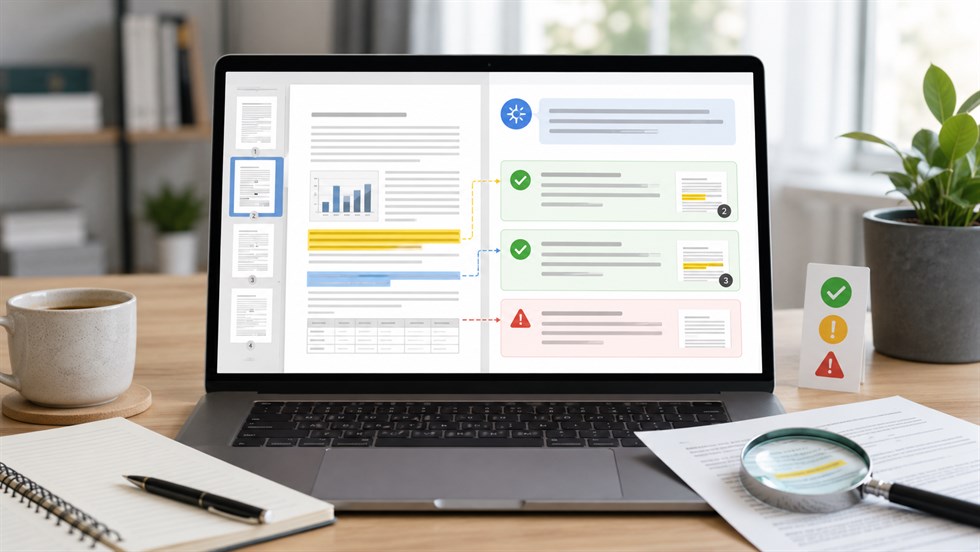
- a label showing whether the answer is explicit or inferred.
Evidence does not guarantee correctness, but it makes a bad answer much easier to detect.
4. Tell ChatGPT What to Do When Evidence Is Missing
This instruction is one of the most useful additions to a PDF prompt:
If the information is not stated in the PDF, say “Not found in the PDF.” Do not infer an answer from general knowledge.
You are giving the model permission not to answer. That is important because many poor prompts implicitly reward completion rather than uncertainty.
5. Verify Before Acting
If an answer matters, open the cited page yourself. Check the number, wording, unit, exception, and surrounding context.
Use ChatGPT to reduce the amount of material you need to inspect — not to remove verification entirely.
Prompt:
Answer my questions using only the uploaded PDF. Do not add facts from general knowledge or other sources unless I explicitly ask you to.
For each important answer:
1. Give the answer.
2. Identify the relevant page and section.
3. Provide a short supporting quotation when possible.
4. Clearly label anything that is an inference rather than directly stated.
If the PDF does not contain enough information to answer, write: “Not found in the PDF.” Do not guess or fill in missing information.
A Better First Prompt: Map the PDF Before You Question It
For a short three-page document, you may be able to start asking questions immediately. For a 60-page report, 150-page manual, annual report, policy library, research paper, or contract, a better first step is to ask ChatGPT to map the document.
A document map shows you what ChatGPT appears to recognize before you depend on its substantive answers.
You want to know:
- what the document is;
- which major sections it contains;
- where those sections appear;
- whether there are tables, appendices, or footnotes;
- whether ChatGPT identifies any difficult or unreadable parts.
This is much more useful than immediately asking, “Summarize the entire PDF.”
If the resulting map is obviously incomplete — for example, a 90-page report has seven major sections but ChatGPT identifies only three — you have detected a problem before relying on an important answer.
Prompt:
Before answering questions about this PDF, create a document map. List:
- the document title and apparent purpose;
- all major sections in order;
- the page range for each section where identifiable;
- important tables, appendices, and footnotes;
- any pages or elements you cannot reliably interpret.
Do not summarize conclusions yet. I first want to understand what information you can identify in the document.
Once you have the map, ask targeted questions about the relevant sections rather than making the model repeatedly reason across the entire file.
How to Ask a Question So ChatGPT Does Not Fill in the Gaps
The wording of your question matters. Questions that assume a fact is present can encourage an answer even when the PDF never states it.
Here are four common workplace examples.
Employee Handbook
Weak question: How many vacation days do employees get?
Better question: According only to the uploaded employee handbook, how many paid vacation days are specified for full-time employees? Give the page and quote the sentence defining the entitlement. If no number is specified, say so.
Why it is safer: It defines the employee category, limits the source, requires evidence, and explicitly allows a “not found” answer.
Contract
Weak question: Can we cancel this contract?
Better question: Identify every clause in this PDF related to termination or cancellation. For each clause, give the page, conditions, notice period, and a short supporting passage. Do not give legal advice or infer rights not stated in the document.
Why it is safer: Instead of asking the AI for a legal conclusion, you ask it to locate the contract language a human can review.
Financial Report
Weak question: Why did revenue decline?
Better question: Does this report explicitly explain why revenue declined? List only reasons stated by the company and identify the supporting page for each. Put any possible explanations that you infer in a separate section labeled “Inference.”
Why it is safer: It prevents the model from blending management commentary with its own explanation.
Research Paper
Weak question: Does this study prove remote work increases productivity?
Better question: What does this paper conclude about remote work and productivity? Separate the authors’ findings, limitations, and stated uncertainty. Do not describe an association as causal unless the paper itself supports a causal conclusion.
Why it is safer: Research papers often contain caveats that disappear in overly aggressive summaries.
Example: If a policy lists reimbursement rules for U.S. travel but says nothing about international travel, the correct answer to an international reimbursement question may simply be “Not stated in the PDF.” A plausible estimate is not a document-based answer.
Use an Evidence Table for Important PDF Questions
For decisions involving several findings, an evidence table is often safer than a normal prose answer.
For example:
| Finding | Evidence | Page | Status |
|---|---|---|---|
| Expense reports must be submitted within 30 days | Supporting sentence from the policy | 14 | Explicit |
| Manager approval may be required for late submissions | Related but ambiguous wording | 15 | Inferred |
| International claims have a 45-day deadline | No supporting text located | — | Not found |
The key column is not “Finding.” It is Evidence.
If ChatGPT produces an impressive conclusion but cannot show where it comes from, do not automatically treat it as a document fact.
Prompt:
Answer the question using an evidence table with these columns:
- Finding
- PDF page
- Section
- Supporting evidence
- Status: Explicit / Inferred / Not found
Do not mark a finding as “Explicit” unless the document directly supports it.
Best practice: Ask for evidence in the same response as the answer. A second “Are you sure?” prompt is much weaker than requiring page-level support from the beginning.
How to Check Whether an Answer Really Came From the PDF
A page number and quotation make an answer easier to check, but they do not make it automatically correct. Use a four-part verification test for anything important.
Check the Page
Open the page ChatGPT identifies. Is the claimed information actually there?
Be careful with page numbering. A PDF viewer may call the first file page “1” even when the printed document labels it “iii” or “7.” If the numbers do not match, ask ChatGPT to provide the section heading and surrounding wording as well.
Check the Quotation
Make sure a supposed quote is actually present.
AI systems can occasionally produce text that looks like a quotation but is really a paraphrase. If wording matters — especially in policies, contracts, research, or compliance documents — compare it directly with the original.
Check the Surrounding Context
A sentence can be technically correct and still produce the wrong conclusion when removed from its context.
A policy might say:
“Employees may claim accommodation expenses...”
and then continue:
“...only when written approval has been obtained before travel.”
If the second condition disappears from the AI answer, the summary becomes misleading even though part of it came directly from the PDF.
Separate Explicit Statements From Inference
Suppose a report says customer churn increased and separately says support response times became longer.
It may be reasonable to suspect a connection. But unless the report links the two, “churn increased because support became slower” is an inference, not a documented finding.
Ask ChatGPT to label the difference.
Prompt:
Audit your previous answer against the uploaded PDF. For every factual claim you made:
1. State the claim.
2. Give the supporting page and section.
3. Show a short piece of supporting text.
4. Mark the claim as Supported, Inferred, or Unsupported.
Remove or correct any claim you cannot support from the PDF.
This kind of self-audit can expose weak claims, but it is still not independent verification. ChatGPT is checking its own work. For high-impact decisions, the final verification step is still opening the source document yourself.
Prompt Templates for Common PDF Questions
You do not need one giant “perfect prompt” for every PDF. A better approach is to use a narrow prompt for the specific job you are doing.
Find a Specific Fact
Prompt:
Find what this PDF says about [TOPIC]. Give me only information explicitly supported by the document. Include the page, section, and a short supporting passage. If the document does not answer the question, say “Not found in the PDF.”
Extract Numbers Without Inventing Missing Values
This is useful for budgets, financial reports, price lists, research data, invoices, and KPI reports.
Prompt:
Extract every value in this PDF related to [METRIC]. For each value, report:
- the exact number;
- unit or currency;
- period or date;
- page;
- table name and row/column when relevant;
- any footnote or qualification attached to the number.
Do not calculate, estimate, interpolate, or infer missing values unless I ask you to separately.
Find Requirements or Obligations
This format is useful for SOPs, policies, technical instructions, and contracts.
Prompt:
Find all statements in the uploaded PDF that create a requirement, obligation, deadline, approval step, prohibition, or exception related to [TOPIC]. Organize them by category. For each item, give the page, section, and supporting wording. Do not add requirements that are not explicitly stated.
Compare Statements Inside the Same PDF
Long documents sometimes repeat a rule differently in separate sections.
Prompt:
Search this PDF for every section that discusses [TOPIC]. Compare the statements and identify any differences, exceptions, inconsistencies, or changes in terminology. For every comparison, show the relevant pages and supporting text. Do not resolve contradictions by guessing which version is correct.
Summarize Without Losing Caveats
Prompt:
Summarize the section about [TOPIC] using only this PDF. Structure the answer as:
1. Main conclusion
2. Supporting facts
3. Exceptions or caveats
4. Limitations or uncertainty
5. Relevant pages
Do not remove qualifications just to make the summary shorter or more decisive.
What to Do With Long PDFs
Long PDFs create a different problem: even when the file uploads correctly, you should not assume that every page, table, appendix, and footnote has been interpreted with equal reliability.
For a long document, use this workflow:
- Map the document first.
- Identify which sections are relevant to your question.
- Question those sections individually.
- Analyze one topic at a time.
- Combine findings only after the individual answers have evidence.
For example, imagine a 180-page annual report. You want to understand why operating margin fell.
Instead of asking:
“Analyze this entire report and tell me why margins fell.”
first identify where the report discusses:
- operating results;
- costs;
- management commentary;
- segment performance;
- risk factors;
- restructuring or one-time expenses.
Then question those sections separately.
Prompt:
List the major sections you can identify in this PDF and tell me which sections are likely to contain information relevant to [QUESTION]. Give the page range for each relevant section where possible. Do not answer the substantive question yet.
This staged approach also makes mistakes easier to locate. If a final conclusion looks wrong, you can trace it back to a smaller set of source passages instead of rechecking an entire document.
Scanned PDFs, Tables, and Charts Need Extra Caution
Not every PDF is really a text document. Some PDFs are scans. Others contain critical information in tables, charts, screenshots, diagrams, or image-based pages.
Scanned PDFs
If a PDF is essentially a collection of scanned page images, text recognition becomes an additional failure point. OCR can misread:
- names;
- dates;
- decimal points;
- currency symbols;
- negative numbers;
- small footnotes;
- poor-quality scans.
If a number matters, compare it with the original page.
Tables
Tables are particularly dangerous because the individual values may be correct while the relationship between them is misunderstood.
Common problems include:
- reading a number from the wrong column;
- ignoring units;
- missing a footnote;
- confusing annual and quarterly data;
- misreading merged cells;
- losing negative signs or decimal places.
Always ask for the row, column, unit, page, and relevant footnote when extracting important table data.
Charts and Diagrams
Do not assume that ChatGPT has interpreted every visual embedded in every PDF. Current support for visual retrieval from PDFs varies by plan and workflow.
If a chart is essential to your decision, verify the axes, legend, period, labels, and source note yourself. If necessary, provide the relevant chart separately in a format that can be inspected directly.
Five Red Flags That ChatGPT May Be Making Up the Answer
- It gives a very precise number but cannot show where the number appears.
Precision can make an answer feel trustworthy. A number such as “17.4%” is not evidence by itself. - It cites a page that does not contain the claim.
A page reference should help you verify the answer. If the page is wrong, investigate the entire claim. - Its “quotation” is actually a paraphrase.
This is especially important when exact wording affects legal, policy, research, or compliance interpretation. - It confidently answers a question the PDF never addresses.
The safest answer is sometimes simply “Not found in the PDF.” - It turns ambiguous wording into a definite conclusion.
Words such as “may,” “typically,” “subject to approval,” and “where applicable” should not silently become “must,” “always,” or “guaranteed.” - The answer changes substantially when you phrase the same question differently.
Variation does not automatically prove hallucination, but it is a good reason to return to the source and verify the claim.
Any one of these should trigger manual verification.
What Prompts Cannot Fix
Better prompts reduce risk. They do not guarantee zero hallucinations.
A prompt cannot recover information that is not actually available to the model. It cannot repair every OCR error. It cannot guarantee perfect interpretation of a complex table. It cannot make ambiguous source language unambiguous.
Even a carefully structured PDF workflow can still fail because of:
- missing or unreadable text;
- bad OCR;
- complex tables;
- image-only information;
- ambiguous wording;
- incorrect page references;
- unsupported inference;
- missed footnotes or exceptions;
- conflicting passages inside the document.
There is another limitation that is easy to overlook: a source-grounded answer is not automatically a true answer about the real world.
Suppose an old company handbook says employees have 20 vacation days. ChatGPT may accurately report that the PDF says 20 days. But if the handbook was replaced last year, that answer may still be wrong for a current employee.
These are two different questions:
Question 1: What does this PDF say?
Question 2: Is what this PDF says currently correct?
ChatGPT can help with both tasks, but they require different evidence. The first is document analysis. The second may require checking current policies, official sources, newer documents, databases, or subject-matter experts.
When You Should Not Rely on ChatGPT’s PDF Answer Alone
The higher the cost of being wrong, the stronger your verification requirement should be.
Do not rely on an AI-generated PDF answer alone when it materially affects:
- contracts or legal obligations;
- regulatory or compliance requirements;
- medical decisions;
- financial decisions;
- safety procedures;
- employment decisions;
- tax or accounting treatment;
- client-facing numbers or commitments;
- important deadlines;
- high-impact operational decisions.
In these cases, ChatGPT is often most useful as a document navigation and extraction assistant.
Ask it to find relevant clauses, compare sections, identify exceptions, extract dates, build an evidence table, or flag passages that require expert review. Then make the final decision using the original source and the appropriate human expertise.
A 60-Second PDF Question Checklist
Before you use an answer from an uploaded PDF, run through this checklist:
- ☐ Is the relevant part of the PDF actually readable?
- ☐ Did I limit ChatGPT to the uploaded document?
- ☐ Did I explicitly tell it not to guess?
- ☐ Did I ask for page or section evidence?
- ☐ Did it distinguish explicit facts from inference?
- ☐ Did I verify critical quotations and numbers in the original PDF?
- ☐ Did I check important footnotes, exceptions, and surrounding context?
- ☐ Is the PDF itself current and authoritative?
- ☐ Would an incorrect answer materially affect another person, a client, money, safety, or a business decision?
If the answer to the final question is yes, manual verification should not be optional.
The Final Responsibility Is Still Human
ChatGPT can make working with PDFs dramatically faster. It can locate relevant passages, extract structured information, compare sections, surface contradictions, turn dense text into usable summaries, and reduce the time you spend searching through long documents.
But speed and authority are not the same thing.
A useful mental model is:
ChatGPT is the analysis layer. The PDF is the evidence layer. The human remains the approval layer.
If the answer is going into a casual note, the level of verification may be low. If it is going into a contract review, executive report, financial model, compliance decision, client deliverable, or safety procedure, the verification standard should be much higher.
The safest way to ask ChatGPT questions about a PDF is not to demand confidence. It is to demand evidence — and then check the evidence when the answer matters.
FAQ
Can I ask ChatGPT questions about a PDF?
Yes. You can upload supported PDF files to ChatGPT and ask questions about their contents. For better results, ask specific questions rather than simply requesting a broad analysis. When accuracy matters, tell ChatGPT to use only the uploaded PDF, request page or section evidence, and verify important findings in the original document.
How do I make ChatGPT answer only from a PDF?
Tell ChatGPT explicitly to use only the uploaded PDF and not to add outside information unless requested. Also specify what it should do when the answer is missing. A useful instruction is: “If the information is not stated in the PDF, say ‘Not found in the PDF.’ Do not guess or use general knowledge to fill the gap.”
Can ChatGPT make up information from a PDF?
Yes. Uploading a PDF does not eliminate hallucinations. ChatGPT can still produce unsupported statements, incorrect page references, bad interpretations, or overly confident conclusions. The risk is higher when the source is ambiguous, difficult to extract, scanned, visually complex, or does not actually contain the answer you requested.
How do I stop ChatGPT from hallucinating when reading a PDF?
You cannot guarantee zero hallucinations with a prompt. You can reduce the risk by limiting ChatGPT to the uploaded PDF, instructing it not to guess, requiring page-level evidence, asking it to distinguish explicit statements from inference, and manually checking important claims. The goal should be a verifiable workflow, not a promise of perfect accuracy.
Can ChatGPT give page numbers from a PDF?
ChatGPT can often identify relevant pages, but page references should still be checked. The internal PDF page index may not always match printed page numbers, and page citations can occasionally be wrong. For important answers, ask for the page number, section heading, and a short supporting passage so you have multiple ways to locate the evidence.
How can I verify ChatGPT’s answers about a PDF?
Open the page or section ChatGPT cites and confirm that the supporting information is really there. Check exact numbers, quotations, units, footnotes, exceptions, and surrounding paragraphs. Also determine whether ChatGPT reported something explicitly stated in the document or made an inference. For high-impact decisions, the original PDF should remain the authoritative source.
Does ChatGPT read the entire PDF?
Do not assume that a successful upload means every page and element of a long PDF was interpreted equally well. For large documents, first ask ChatGPT to create a map of the major sections and relevant page ranges. Then question the most relevant sections individually and verify important findings instead of relying on one broad whole-document analysis.
Can ChatGPT answer questions about scanned PDFs?
It may be possible to work with scanned documents, but scans require extra caution because text recognition and visual-processing capabilities can vary by workflow. OCR errors can change names, dates, numbers, symbols, or small footnotes. If information extracted from a scan matters, compare it directly with the visible original page before using it.
What is the best prompt for asking ChatGPT questions about a PDF?
A strong PDF prompt defines the source, evidence requirement, and failure behavior. Tell ChatGPT to answer only from the uploaded PDF, provide the relevant page and section, distinguish explicit statements from inference, and say “Not found in the PDF” instead of guessing when evidence is missing. For critical work, manually verify the resulting evidence.