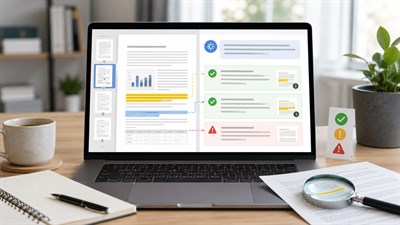
Yes, ChatGPT can help compare two PDFs when both documents can be uploaded and their relevant content can be read. The useful workflow, however, is not simply asking, “What changed?” It is treating one PDF as the original or baseline and the other as the revised version, then asking ChatGPT to identify additions, deletions, changed clauses, numbers, dates, obligations, and practical consequences.
That distinction matters at work. A supplier may return a 40-page contract with only six meaningful edits. An HR team may need to compare an old employee policy with a revised one. A client may send proposal V4 after you already approved V3. A finance team may receive an updated report where most paragraphs are unchanged but several numbers, assumptions, or deadlines are different.
In cases like these, rereading both documents from beginning to end is slow and still does not guarantee that a small but important edit will stand out. A one-word change, deleted exception, percentage, deadline, liability provision, or renewal condition can matter more than several completely rewritten paragraphs.
This guide shows how to compare two PDFs with ChatGPT using a structured workflow, practical prompts, contract and policy examples, second-pass verification, and clear limits on what the result can and cannot prove.
Can ChatGPT Compare Two PDFs?
Yes. ChatGPT can compare the readable content of two uploaded PDFs and help identify additions, removals, rewritten passages, changed numbers, revised clauses, and differences in meaning. It is particularly useful when you want more than a visual redline and need to understand what a change may mean for a project, agreement, policy, process, or decision.
But there are several different things people mean when they say “compare PDFs,” and they should not be confused.
Semantic document comparison asks questions such as: What obligations changed? Did the payment period become shorter? Was an exception removed? Does the revised policy impose a new approval requirement? ChatGPT can be useful for this type of analysis because it can organize changes by topic and explain their possible significance.
Exact text comparison asks whether every character, punctuation mark, number, or word differs between two files. Dedicated document-diff tools are generally better suited to this task because their purpose is deterministic comparison rather than interpretation.
Visual comparison includes changes to page layout, images, charts, diagrams, logos, signatures, formatting, or other graphical elements. Whether ChatGPT can interpret embedded PDF visuals depends on the product capability and account context being used. A text comparison should therefore never be assumed to include every visual difference.
Important: ChatGPT is useful for understanding what changed and why it may matter. It is not a replacement for a deterministic redline or pixel-by-pixel PDF comparison when every character or visual change must be detected.
How to Compare Two PDFs With ChatGPT Step by Step
The quality of a ChatGPT PDF comparison depends heavily on how the task is framed. Uploading two documents and asking for “the differences” gives the model considerable freedom to decide what is important. For business documents, that is usually too vague.
1. Confirm Which PDF Is the Original
Before comparing anything, establish the direction of the comparison.
For example, imagine you have:
Vendor-Agreement-2026-05.pdfVendor-Agreement-2026-08-Revised.pdf
Define them explicitly:
- Document A = original/baseline
- Document B = revised version
This matters because “added” and “removed” only make sense relative to a baseline. If a clause appears in Document A but not Document B, it was apparently removed. If the model accidentally reverses the comparison direction, the same change could be described as an addition.
Avoid relying only on phrases such as “the first file” and “the second file,” especially when filenames are similar. Use filenames and the A/B labels together.
2. Upload Both PDFs in the Same Conversation
Upload both documents into the conversation in which you will run the comparison. PDF is a supported document format in ChatGPT, as is DOCX, which means the same general workflow can also be used when one version exists as a Word file.
Before requesting a detailed comparison, confirm that both files have been recognized correctly. If the filenames are ambiguous, state which one is the baseline again in the prompt.
3. Tell ChatGPT Exactly What Counts as a Difference
Do not limit the instruction to “find changes.” Define the categories that matter to the task.
For a typical business document, useful categories include:
- content added in the revised version;
- content removed from the original;
- modified wording;
- content that appears to have moved;
- changed dates;
- changed amounts or percentages;
- changed deadlines;
- new or removed responsibilities;
- new conditions or restrictions;
- changed exceptions;
- changed definitions;
- changed references to other clauses or appendices.
This makes it less likely that the response will focus on large rewritten paragraphs while overlooking a small numerical or contractual change.
4. Request a Structured Comparison Table
A comparison becomes much easier to verify when ChatGPT is required to organize every finding in the same format.
A useful structure is:
| Location | Original PDF | Revised PDF | Change | Type | Practical Impact | Verify |
|---|---|---|---|---|---|---|
| Section or page | Previous wording | New wording | What changed | Added / Removed / Modified / Moved | Why it may matter | Yes / No / Unclear |
The Location column is critical. A summary such as “the termination period was increased” may be useful, but it is much safer if the output also tells you where to inspect the wording yourself.
Ask for a page number, section heading, clause number, table name, or another source location whenever one is available. Also explicitly tell ChatGPT not to invent a location when it cannot determine one.
5. Verify High-Impact Changes Separately
After the first comparison, do not give every row equal attention. Run an additional review of changes that can materially affect a decision.
A practical priority order is:
- money and prices;
- percentages and rates;
- deadlines and notice periods;
- liability;
- termination and renewal;
- responsibilities and obligations;
- definitions;
- exceptions and exclusions;
- governing rules or jurisdiction;
- tables, appendices, and schedules.
If a difference could change what your company must pay, deliver, approve, retain, disclose, or accept, verify the exact source wording before acting on the AI-generated summary.
Prompt:
Compare the two uploaded PDFs. Treat Document A as the original/baseline and Document B as the revised version. Identify content that was added, removed, modified, or moved. Pay special attention to dates, amounts, percentages, deadlines, responsibilities, requirements, exceptions, definitions, and conditions. Create a table with: Source location, Document A, Document B, Change type, Practical impact, and Verification required. Do not guess missing text or invent page references. If you cannot verify a difference from the documents, mark it “Requires manual verification.”
What ChatGPT Should Compare — Not Just Changed Words
A useful document comparison goes beyond highlighting sentences that look different. The important question is often whether the revised document changes meaning, responsibilities, cost, risk, or required action.
Added Content
New content can create obligations that did not exist in the baseline. In a contract, this might be a new audit right, reporting requirement, exclusivity clause, approval step, or data-retention obligation. In an internal policy, it might be a new manager approval requirement or restriction on remote work.
Ask ChatGPT to identify additions at the clause or requirement level, not only newly added paragraphs.
Removed Content
Deleted text deserves the same attention as additions. Removing an exception can expand a rule. Removing a right can weaken one party's position. Removing a sentence about reimbursement can have an immediate financial effect even though no replacement text was added.
For important documents, request a separate list of apparent deletions so they do not disappear inside a broader summary.
Changed Wording
Small wording changes can have large consequences.
For example:
Original: “Supplier shall provide monthly reports.”
Revised: “Supplier may provide monthly reports.”
Only one word changed, but the apparent obligation is no longer expressed in the same way. A comparison that focuses primarily on rewritten paragraphs could underweight this edit.
Changed Numbers and Dates
Numbers should be treated as a separate comparison category because they are easy to overlook and often operationally important.
Examples include:
- 30 days → 15 days
- $50,000 → $25,000
- 5% → 8%
- December 31 → November 30
- 99.9% availability → 99.5% availability
When numbers matter, ask ChatGPT to produce a dedicated list or table containing every changed amount, percentage, date, duration, quantity, and threshold it can identify.
Moved or Renamed Content
A clause that disappears from Section 4 and appears in rewritten form under Section 8 should not automatically be reported as one deletion plus one addition.
Ask ChatGPT to check whether apparently removed text has been moved, renamed, consolidated, or rewritten elsewhere in the revised document.
Before trusting any of these results, make sure both documents are actually readable. Scans, difficult layouts, and extracted tables can change what the model has access to; see Can ChatGPT Read PDFs? Limits, Scans & Tables (2026) for a deeper explanation of the underlying PDF-reading limitations.
Real Example: Comparing Two Versions of a Contract
Consider a procurement team reviewing a supplier agreement. The company has already reviewed and provisionally accepted Vendor-Agreement-v1.pdf. The supplier then sends Vendor-Agreement-v2-Revised.pdf and says that it contains “a few minor changes.”
A useful ChatGPT comparison should not accept that description. It should compare the baseline with the revision and identify changes independently.
Suppose the documents contain these differences:
| Clause | Original | Revised | Potential Significance |
|---|---|---|---|
| Payment | Net 30 | Net 15 | Payment is due sooner. |
| Termination | 30 days' notice | 60 days' notice | Leaving the agreement may take longer. |
| Liability cap | 12 months of fees | 6 months of fees | The apparent liability cap is lower. |
| Renewal | Renewal by mutual agreement | Automatic annual renewal unless notice is given | A new action may be required to prevent renewal. |
| Data retention | 30 days after termination | 90 days after termination | Data may be retained for longer. |
A weak AI answer might say that the revised agreement changes the payment and termination terms.
A stronger answer would identify each source clause, show the old and new wording, classify the change, and explain the practical question it creates without pretending to make the final legal decision.
Example: A supplier changes the payment term from Net 30 to Net 15, doubles the termination notice period, and reduces its liability cap. A useful comparison should not merely quote the edited sentences—it should show where each change appears and explain the potential operational or financial effect.
For example, the practical-impact column could say:
- Net 30 → Net 15: Finance may need to approve and process invoices 15 days sooner.
- 30-day termination → 60-day termination: The business may have less flexibility to exit quickly.
- 12-month liability cap → 6-month cap: The responsible legal or commercial reviewer should assess whether the revised allocation of risk remains acceptable.
- Manual renewal → automatic renewal: The contract owner may need to track a notice deadline.
That is where ChatGPT adds value beyond a simple visual diff: it can help transform raw edits into a review checklist. But the checklist is still an aid. The relevant people must inspect the source clauses before approving the revised agreement.
Best Prompt for Comparing Contract Clauses
For contracts, a generic “compare these documents” prompt is usually not enough. Tell ChatGPT which clause categories deserve separate attention and require it to distinguish material changes from minor wording edits.
Contract comparison prompt:
Compare Contract A with Contract B clause by clause. Treat Contract A as the baseline. Identify every apparent change involving payment, price, term, renewal, termination, liability, indemnity, warranties, confidentiality, intellectual property, data protection, governing law, notice periods, service levels, responsibilities, exceptions, definitions, and appendices. Separate changes into: Critical, Material, Minor wording, and Formatting/unclear. Quote only the minimum wording needed to show each change and provide the page, section, or clause number whenever available. Do not provide legal conclusions. Flag every item that requires review by a qualified person.
Do not ask ChatGPT to decide whether a contract is “safe,” “legal,” or “acceptable.” Those conclusions depend on context, jurisdiction, commercial priorities, and professional judgment that cannot be reduced to a document-diff task.
Real Example: Comparing a Policy or SOP
The same workflow works outside legal documents.
Imagine an HR team comparing two versions of a remote-work policy.
Policy A:
- employees may work remotely three days per week;
- manager approval is required;
- home-office expenses are reimbursed up to $100 per month.
Policy B:
- employees may work remotely two days per week;
- department-head approval is required;
- the reimbursement provision is no longer present;
- a new rule limits overseas remote work to 30 days per year.
A standard text diff can show where sentences changed. ChatGPT can additionally organize the result around implementation:
| Change | Who Is Affected? | Possible Required Action |
|---|---|---|
| 3 remote days → 2 | Employees and managers | Update scheduling expectations. |
| Manager → department-head approval | Employees, managers, department heads | Change the approval workflow. |
| $100 reimbursement removed | Employees and finance | Confirm whether reimbursement has actually ended. |
| 30-day overseas limit added | Employees, HR, compliance | Define tracking and approval responsibilities. |
For an SOP, the same approach can be used to identify changed owners, deadlines, escalation paths, required approvals, forms, thresholds, or process steps.
The key is to ask not only what changed? but also who is affected and what process may now need to change?
How to Find Changes ChatGPT May Have Missed
Never assume that the first comparison is exhaustive just because the output looks detailed. A 30-row table can still omit the one change that matters most.
A useful technique is to perform a second pass with a different objective. Instead of asking the model to summarize the documents again, ask it to challenge its first result and actively search for omissions and misclassifications.
Verification prompt:
Run a second-pass comparison. Do not summarize the documents again. Instead, try to find changes that may have been missed in the first comparison. Check every heading, definition, number, date, table, footnote, exception, appendix, and cross-reference. For anything classified as “added,” search Document A for equivalent wording elsewhere. For anything classified as “removed,” search Document B to check whether it was moved or rewritten. Return only new findings or corrections to the first comparison.
This second pass serves several purposes.
First, it shifts attention toward details such as definitions, footnotes, numbers, and appendices that may have received less emphasis during the initial semantic comparison.
Second, it tests whether a supposed deletion is really a deletion. Text may have moved to another section or been consolidated into a new clause.
Third, it can expose errors in the original answer. If the first pass said a deadline changed from 30 days to 60 days, the second pass can be instructed to verify the exact source location before keeping that finding.
You can also run a dedicated numbers-only pass:
Numbers-only prompt:
Compare Document A and Document B only for numerical differences. Check dates, times, prices, fees, currencies, percentages, durations, quantities, limits, thresholds, notice periods, service levels, page references, and numbered obligations. Return a table showing the source location, value in Document A, value in Document B, and whether the surrounding text also changed. Do not infer values that are not clearly readable.
Comparing Long PDFs With ChatGPT
Long documents benefit from a staged workflow. If two PDFs contain 100 or 200 pages each, the instruction “compare everything and tell me what changed” combines several difficult tasks into one request: understanding the document structure, aligning corresponding sections, detecting differences, ranking their importance, and explaining them.
A safer workflow breaks the job into passes.
Pass 1: Map Both Documents
Ask ChatGPT to identify the main headings, sections, appendices, tables, and other structural elements in each document without comparing them yet.
Prompt:
Create a structural map of Document A and Document B. List their main sections, subsection headings, appendices, schedules, and major tables. Do not compare the content yet. Note any sections that appear in only one document or whose titles differ substantially.
Pass 2: Align Equivalent Sections
Next, ask the model to match equivalent sections even when section numbers or headings changed.
This reduces the risk that moved material will be interpreted as completely deleted and newly added.
Pass 3: Compare Matched Sections
Compare the documents section by section, requiring the same structured output for every part.
Pass 4: Run a High-Risk Scan
Ask specifically for changes involving money, dates, deadlines, responsibilities, definitions, exceptions, limitations, approvals, termination, and tables.
Pass 5: Verify the Source
Use the comparison as an index of areas requiring attention. Open the original documents and confirm the source wording behind high-impact findings.
This staged method requires more interaction than a single prompt, but for long operational or contractual documents it produces a much more auditable workflow.
Can ChatGPT Compare Scanned PDFs?
Sometimes, but a scanned PDF should not be treated like a normal text-based PDF. If the document is essentially a set of page images, the result depends on whether the relevant text or visual content is available to the ChatGPT capability you are using. Poor scans can create missing text, incorrect text, or apparent differences that do not exist in the source documents.
A born-digital PDF normally contains machine-readable text. A scanned PDF may contain only images of text unless OCR has been applied.
This can cause several problems during comparison:
- a number may be recognized incorrectly;
- a word may disappear from an OCR result;
- columns may be read in the wrong order;
- small footnotes may be missed;
- blurred text may not be recoverable;
- a stamp or handwritten annotation may not be represented in extracted text;
- the same text may be extracted differently from two separate scans.
That last problem is especially important. If two visually identical pages produce slightly different OCR text, the system may appear to find a “document change” that is actually an extraction difference.
Safer workflow: If the PDF is scanned or image-heavy, first confirm that the important text is actually readable. For high-stakes comparisons, check critical pages manually or use a dedicated OCR/PDF comparison tool alongside ChatGPT.
Can ChatGPT Compare Tables in Two PDFs?
ChatGPT can help compare table content when the relevant values are extracted or otherwise available, but tables require extra verification. A wrong row, shifted column, missing unit, or detached footnote can change the meaning of a value.
Imagine two versions of a service schedule:
| Metric | Original | Revised |
|---|---|---|
| Monthly fee | $4,500 | $4,950 |
| Availability SLA | 99.5% | 99.9% |
| Response time | 4 hours | 8 hours |
At first glance, the revised availability target is better while the response time is worse. But the interpretation could change if a footnote defines different measurement periods, exclusions, service tiers, or business hours.
For important tables, use a two-stage process. First ask ChatGPT to reproduce the relevant rows from each document without explaining them. Confirm that the extracted values and units are correct. Only then ask it to compare the values and explain the potential impact.
Also check merged cells, multi-page tables, footnotes, currency symbols, percentages, units, and column headings manually when the result affects a decision.
Can You Compare a PDF With a Word Document in ChatGPT?
Yes. ChatGPT supports common document formats including PDF and DOCX, so you can use it to compare readable content even when the two versions use different file formats.
A common example is comparing contract-final.docx with contract-signed.pdf to see whether the signed PDF appears to contain the same substantive terms as the Word version that was approved.
However, differences in file format can introduce additional noise:
- page numbers may change;
- line breaks and pagination may differ;
- headings may move to another page;
- tables may be represented differently;
- headers and footers may change;
- comments and revision history may not behave like Word's native Track Changes or Compare features;
- layout differences do not necessarily represent content differences.
When comparing PDF and Word versions, tell ChatGPT to prioritize substantive textual differences and avoid treating pagination or formatting alone as a material content change.
ChatGPT vs a Dedicated PDF Compare Tool
ChatGPT and a traditional PDF comparison tool solve overlapping but different problems.
A dedicated diff tool is generally designed to show precisely where content or visual elements differ. ChatGPT is better suited to taking differences and helping a human understand their meaning, group them, prioritize them, or turn them into a review checklist.
| Task | ChatGPT | Dedicated PDF Diff Tool |
|---|---|---|
| Explain the meaning of a change | Strong use case | Usually limited |
| Categorize possible business impact | Strong use case | Usually limited |
| Summarize revised obligations | Strong use case | Usually limited |
| Character-level text diff | Not guaranteed | Usually better suited |
| Visual/layout comparison | Depends on available capabilities and workflow | Usually better suited |
| Identify conceptually moved or rewritten content | Potentially useful | Depends on the tool |
| Turn changes into review questions | Strong use case | Usually limited |
| Guaranteed completeness | No | Still requires appropriate verification |
A practical combined workflow is therefore:
Use a diff tool to help answer “exactly what changed?” and use ChatGPT to help answer “which of those changes matter, how are they related, and what should a reviewer inspect next?”
For an important contract or regulated document, using both approaches can be stronger than trying to force either tool to perform the other's job.
Common Mistakes When Comparing PDFs With ChatGPT
1. Using Only “Compare These PDFs”
This prompt leaves the model to decide which differences deserve attention. That may be acceptable for a quick overview, but not for a business-critical comparison.
Define change categories, output columns, and high-risk areas instead.
2. Not Identifying the Baseline
If you do not specify which file is original, “added” and “removed” become ambiguous. Always establish Document A and Document B.
3. Asking Only for “Important” Differences
The model's idea of importance may not match yours. A short number change can matter more than a completely rewritten introduction.
Ask for all apparent changes first. Prioritize them afterward.
4. Accepting Differences Without Source Locations
A statement that cannot be traced back to a page, section, clause, or table is difficult to verify. Require locations wherever the structure of the document allows them.
5. Trusting the First Comparison
Run at least one second-pass check for high-impact documents. Ask specifically for missed numbers, dates, definitions, exceptions, tables, footnotes, and appendices.
6. Ignoring Appendices and Footnotes
Pricing, service levels, exceptions, technical requirements, and definitions are often placed outside the main body. Explicitly include them in the comparison request.
7. Treating Missing Text as Proof of Deletion
Text may have moved, been consolidated, or been rewritten under a different heading. Ask ChatGPT to search the revised document for equivalent language before classifying an item as removed.
8. Treating AI Output as Final Approval
A comparison table is not legal approval, compliance approval, financial authorization, or evidence that every difference has been found. The responsible human still owns the decision.
Limits and Risks
ChatGPT can make document comparison faster, but the workflow has failure modes that matter precisely because the output can look polished and convincing.
Missed Changes
A response may identify dozens of differences and still omit another one. Completeness should never be inferred from the length or professionalism of the output.
False Differences
Extraction problems, OCR errors, page headers, repeated text, formatting differences, or table parsing can produce apparent changes that are not true substantive differences.
Reversed Comparison Direction
If the model confuses the baseline and revision, additions may be described as removals and vice versa. Repeating the A/B definitions in important prompts reduces this risk.
Incorrect Page or Clause References
A plausible-looking source reference can still be wrong. Tell ChatGPT not to invent references and verify high-impact findings in the original file.
Incorrect Numbers
Amounts, percentages, dates, decimal points, currencies, units, and durations require special attention because small transcription errors can have large consequences.
Table Mismatches
Rows and columns may be associated incorrectly, especially in complex layouts. Verify the extracted table before relying on an interpretation of the changes.
Moved Text Reported as Deleted
Reorganized documents can create false impressions of deletion and addition. Ask for equivalent-language checks before accepting those classifications.
Long-Document Coverage Gaps
The longer and more complex the PDFs, the more useful it becomes to split the work into structural mapping, section alignment, targeted comparison, and verification passes rather than expecting one prompt to cover everything equally.
OCR Problems
Scanned pages can introduce missing or incorrect words that look like document changes. An image-only scan may also contain information that is not available through ordinary text extraction.
Formatting and Visual Changes
A text-focused comparison may not capture a changed chart, diagram, signature, page layout, highlighted warning, visual annotation, or other graphical modification.
Invented Explanations
ChatGPT can help explain the possible effect of a wording change, but it usually cannot know why the author made that change unless the documents themselves provide the reason.
Ask for possible practical impact, not an invented statement about the author's intention.
Should You Upload Confidential Contracts to ChatGPT?
Before uploading a confidential contract, policy, employee record, customer document, financial file, or regulated information, follow the rules that apply to your organization and account.
Do not upload documents you are not authorized to share. Where appropriate, remove unnecessary personal or confidential information, check your organization's approved AI tools and data policies, and review the current privacy and data-control settings for the service you are using.
Organizations handling regulated or highly sensitive information may require an approved business or enterprise environment rather than an employee's personal AI account.
The fact that a file can technically be uploaded does not mean your organization permits it to be uploaded.
The Final Comparison Still Belongs to You
ChatGPT can reduce the amount of manual rereading required to compare two document versions, but it should not become the final authority on what changed.
A safer review chain is:
AI finding → source page or clause → exact wording → surrounding context and exceptions → responsible decision owner.
If ChatGPT says a termination period changed, open that clause in both documents. Check whether the wording is correct, whether another clause modifies it, whether a definition changes its meaning, and whether an appendix or exception applies.
If a revised contract contains a potentially important legal provision, ChatGPT can help flag the clause, summarize how it differs, and prepare questions for review. It should not decide whether the clause is legally acceptable.
If a revised policy changes a business process, the person responsible for that process should confirm the source language before updating procedures, training employees, changing budgets, or communicating new requirements.
The goal is not to remove the human from document review. It is to use AI to make the human review more focused.
How to Compare Two PDFs With ChatGPT More Reliably
If you need to compare two PDFs with ChatGPT, start by labeling the original and revised files clearly. Define exactly which types of changes you want to detect, require a structured comparison with source locations, and separate material changes from minor wording edits.
For important documents, do not stop after the first answer. Run a second pass for numbers, dates, definitions, exceptions, tables, footnotes, appendices, and apparently deleted content. Verify high-impact findings directly against the source documents.
ChatGPT is most useful as a document-review layer: it can help transform two difficult-to-compare files into a structured list of changes, questions, and possible consequences. It should not be treated as unquestioned proof that every difference has been detected.
For low-risk work, that workflow can save substantial reading time. For contracts, compliance documents, financial terms, and other high-stakes material, the same speed advantage is useful only when it is paired with disciplined human verification.
FAQ
Can ChatGPT compare two PDF files?
Yes. ChatGPT can work with uploaded documents and can compare the readable content of two PDFs. For more reliable results, label one PDF as the original and the other as the revised version, specify what changes to look for, and verify important findings against the source files.
How do I compare two PDFs in ChatGPT?
Upload both PDFs in the same conversation, identify which file is the baseline and which is the revised version, and ask ChatGPT to report added, removed, modified, and moved content in a structured table with page, section, or clause references whenever available.
Can ChatGPT find every difference between two PDFs?
No. ChatGPT can identify many textual and semantic differences, but it should not be treated as a guaranteed character-by-character or pixel-by-pixel comparison system. Important changes should be checked against the original PDFs.
Can ChatGPT compare two contracts?
Yes. ChatGPT can help compare contract versions and organize changes involving clauses, payment terms, deadlines, responsibilities, liability, termination, definitions, and other provisions. The output should be treated as a review aid rather than legal approval.
Can ChatGPT compare scanned PDFs?
Results depend on whether the relevant content can be read from the scan in the ChatGPT environment you are using. Blurred pages, image-only scans, small text, complex tables, handwriting, or OCR errors can cause missed or incorrect differences, so critical content should be checked manually.
Can ChatGPT compare tables in two PDFs?
It can help compare readable table values, but complex tables require extra verification. Check row and column alignment, units, currencies, percentages, footnotes, and merged cells before relying on the comparison.
Can ChatGPT compare a PDF and a Word document?
Yes. PDF and DOCX are supported document formats, so ChatGPT can compare their readable content. However, differences in pagination, layout, tables, comments, and formatting may make the comparison less exact than comparing two similarly structured files.
Is ChatGPT better than a dedicated PDF comparison tool?
They solve different problems. A dedicated PDF comparison tool is generally better suited to exact text or visual diffing, while ChatGPT is useful for explaining changes, grouping them by importance, summarizing revised obligations, and identifying their possible business impact.
Is ChatGPT accurate enough for legal document comparison?
It can assist with an initial comparison, but legal or contractual decisions should not rely on AI output alone. Verify relevant clauses in both source documents and involve the appropriate qualified reviewer when the consequences are legal, financial, regulatory, or otherwise high-stakes.
What is the best prompt for comparing two PDFs?
A strong prompt should identify the baseline and revised files, define the types of changes to detect, request exact source locations, and require a structured table showing the old wording, new wording, change type, practical impact, and items requiring manual verification.