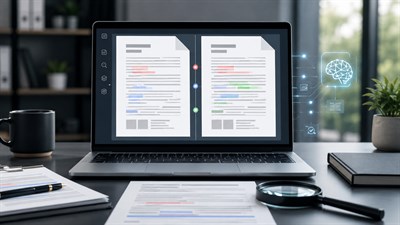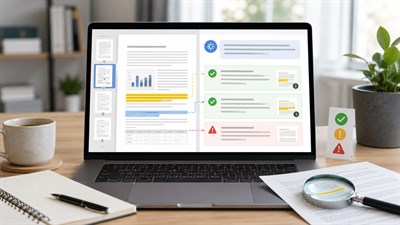
You have six vendor proposals, four research reports, or a folder of policy PDFs and need one useful summary. AI can process the documents quickly, but asking it to simply “summarize all of these files” creates a new problem: facts from different documents can be blended together until you no longer know which source supports which conclusion.
The safest way to summarize multiple PDFs with AI is to separate extraction from synthesis. First identify every file. Then summarize or extract information from each PDF separately, attach a source label to every important claim, map agreements and contradictions, and only then create the combined summary.
This workflow takes a few more steps than asking for one instant summary, but it makes the result much easier to verify. That matters when PDFs contain prices, deadlines, research findings, contract terms, policy requirements, financial figures, or other information you may actually use to make a decision.
Key idea: Do not ask AI to create one polished summary immediately. First make it identify and summarize every PDF separately, with the filename attached to each claim. Only after that should you ask it to synthesize the documents.
Can AI Summarize Multiple PDFs at Once?
Yes. Many current AI assistants can work with several uploaded documents in the same task. The important question, however, is not whether an AI can accept multiple PDFs. It is whether the final answer preserves enough information to show where each claim came from.
Imagine that you upload three market reports and receive this sentence:
Customer demand increased while implementation costs decreased.
It sounds useful, but it immediately creates several questions:
- Which report said customer demand increased?
- Which report discussed implementation costs?
- Did both findings come from the same PDF?
- Did the AI combine two unrelated findings into one conclusion?
- Were there other reports that disagreed?
A source-aware version is much more useful:
Customer demand increased by 18% [Market-Report.pdf]. Implementation costs decreased during the same period [Vendor-Analysis.pdf].
For important work, filename-level attribution should be the minimum. Page or section references can make the result even easier to audit, but only when the AI can reliably determine those locations. An uncertain page citation is worse than an honest filename-level reference.
Example: A procurement manager has five vendor proposals. Instead of asking AI for “the best vendor,” she first asks it to extract pricing, implementation time, support terms, exclusions, and risks from each proposal separately. Only then does she ask for a comparison. This makes it possible to trace every recommendation back to the proposal that actually contains the information.
Why AI Mixes Information From Multiple PDFs
Multi-document summarization is different from summarizing one document. With one PDF, the source of almost every statement is obvious. With ten PDFs, the AI has to retrieve information, compress it, identify relationships, resolve similar wording, and decide what belongs in the final answer.
That creates several ways for source boundaries to disappear.
Similar Facts Lose Their Document Context
Suppose two proposals contain these statements:
- Vendor-A.pdf: Implementation takes eight weeks.
- Vendor-B.pdf: Implementation takes twelve weeks.
A convenient combined summary might say:
Implementation takes approximately 8–12 weeks.
But neither vendor actually made that statement. The AI has transformed two different commitments into a new range. For a casual overview this may seem harmless. For vendor selection, budgeting, or project planning, it changes the meaning of the source material.
Contradictions May Be Silently Resolved
Different PDFs often disagree. One report may estimate market growth at 9%, while another puts it at 4%. One policy may specify a 30-day deadline while an older document says 45 days.
A weak summary may choose one figure, average the figures, or mention only the document that appears more prominent. A better workflow preserves both claims until a human decides how the conflict should be resolved.
Summarization Removes Useful Provenance
Each additional summarization step can remove context:
Original PDF → document summary → combined summary → executive summary
By the final stage, the prose may be clear and concise while the connection between a claim and its original source has disappeared.
This is why important workflows should preserve a chain such as:
Claim → source filename → page or section when available.
Long and Visually Complex PDFs Create Additional Problems
Not every PDF is a clean text document. Real business files may contain scanned pages, charts, screenshots, multi-column layouts, financial tables, diagrams, appendices, handwritten annotations, and footnotes.
Different AI systems handle these elements differently. A file being successfully uploaded does not prove that every embedded visual, table, or scanned page was interpreted correctly.
How to Summarize Multiple PDFs With AI Without Mixing Sources
The most reliable approach is a staged workflow. Instead of asking the AI to read, compare, interpret, and summarize everything in one step, separate those tasks.
Step 1 — Rename the PDFs Before Uploading Them
Start with filenames that are meaningful to both you and the AI.
Avoid names such as:
- document1.pdf
- final.pdf
- final-new.pdf
- scan003.pdf
Use names such as:
- Vendor-A-Proposal.pdf
- Vendor-B-Proposal.pdf
- Internal-Requirements.pdf
- Security-Policy-2026.pdf
A short, unique filename becomes a stable source identifier throughout the analysis. It is much easier to audit a statement tagged [Vendor-B-Proposal.pdf] than one tagged [document3.pdf].
Best practice: Give every PDF a short, unique filename before uploading it. Ask the AI to use that exact filename whenever it attributes a fact. This makes the final summary much easier to audit.
Step 2 — Make AI Create a Source Inventory First
Before asking for any summary, check whether the AI recognizes every file you intended to analyze.
This catches simple but important problems early: an unreadable PDF, an unexpected scan, an ambiguous filename, a missing document, or a file whose content differs from what you expected.
I uploaded several PDF files. Before analyzing them, create a source inventory.
For each file, list:
1. Exact filename
2. Document title, if identifiable
3. Document type
4. Main subject
5. Approximate scope or sections available
Do not summarize or combine the documents yet. If any file appears unreadable, incomplete, scanned without accessible text, or ambiguous, flag it clearly.
Compare the inventory with your actual upload list before continuing. If you uploaded eight documents and the inventory contains seven, do not move directly to synthesis.
Step 3 — Extract the Same Fields From Every PDF Separately
Instead of asking for a generic summary of each file, define a consistent extraction schema.
For vendor proposals, for example, you might extract:
- price;
- implementation timeline;
- onboarding;
- included services;
- support;
- integrations;
- security requirements;
- renewal conditions;
- exclusions;
- risks.
Using the same fields for every PDF makes the documents easier to compare later and reduces the temptation for the AI to fill a gap in one file with information from another.
Analyze each PDF separately.
For EVERY document, return:
Source: [exact filename]
Purpose: [1 sentence]
Key points: [5–10 bullets]
Important numbers: [figures, dates, percentages, prices]
Decisions or recommendations: [if present]
Risks or limitations: [if present]
Rules:
- Never combine information from different files in this step.
- Keep the exact filename attached to every block.
- Do not fill gaps using information from another PDF.
- If information is missing, write “Not stated.”
- If something is unclear, write “Unclear” instead of guessing.
Academic documents need a slightly different extraction schema because the method, sample, limitations, evidence, and conclusion matter as much as the headline finding. If your document set includes academic literature, use the more detailed workflow for summarizing a research paper with ChatGPT accurately before combining findings across papers.
Step 4 — Build a Source Matrix Before Writing the Final Summary
Once each PDF has been processed separately, convert the extracted information into a source matrix. This is the bridge between document-by-document analysis and cross-document synthesis.
| Theme | Finding | Source | Location | Confidence |
|---|---|---|---|---|
| Price | $42,000 per year | Vendor-A.pdf | Pricing | High |
| Price | $37,000 per year | Vendor-B.pdf | Page 8 | High |
| Deployment | 8 weeks | Vendor-A.pdf | Timeline | High |
| Deployment | 12 weeks | Vendor-B.pdf | Implementation | High |
| SSO | Included | Vendor-A.pdf | Security | High |
| SSO | Not stated | Vendor-B.pdf | — | — |
The principle is simple: AI should consolidate evidence without erasing its origin.
Using only the separate document summaries above, create a source matrix.
Use these columns:
Theme | Claim or finding | Exact source filename | Page or section if reliably available | Conflict with another source?
Rules:
- One claim per row.
- Every claim must have a source.
- If multiple PDFs support the same claim, list all supporting sources.
- If two PDFs disagree, keep both versions as separate rows.
- Do not average, reconcile, or choose between conflicting claims.
- Never create a claim that cannot be traced to one of the uploaded documents.
Step 5 — Ask AI to Find Agreements and Contradictions
Now the AI can analyze relationships between sources without prematurely collapsing them into one narrative.
Ask it to distinguish four different situations:
- Agreement: multiple documents independently support the same conclusion.
- Unique evidence: a claim appears in only one document.
- Conflict: documents provide different figures, dates, conditions, findings, or recommendations.
- Missing information: some documents do not address a question covered by others.
Cross-Source Conflict Check
Review the source matrix and identify:
1. Claims supported by multiple PDFs
2. Claims found in only one PDF
3. Claims where the PDFs directly disagree
4. Topics covered by some PDFs but missing from others
5. Numbers, dates, names, or terms that need human verification
Do not resolve disagreements. Show each version together with its source.
This step is particularly useful when reports appear to discuss the same topic but use different definitions, time periods, samples, currencies, or assumptions.
Step 6 — Create the Combined Summary Only After Source Mapping
Once the evidence has been extracted and mapped, you can ask AI to create a readable combined summary.
At this stage, organizing the output by topic is usually more useful than organizing it by filename. The difference is that the underlying source information has already been preserved.
Create one consolidated summary from the verified source matrix.
Organize the summary by topic, not by filename.
Requirements:
- Add the source filename after every factual claim.
- Preserve disagreements instead of resolving them.
- Clearly separate confirmed findings from interpretations.
- Do not introduce information that is not present in the source matrix.
- If only one document supports an important claim, make that clear.
- End with a section called “Questions That Still Need Verification.”
Step 7 — Run a Source-Audit Prompt
Do not stop just because the combined summary reads well. Fluent prose can make unsupported statements look more trustworthy than they are.
Run one final audit that works backward from the finished summary to the extracted source evidence.
Final Source Audit
Audit the summary you just created.
For every factual statement, check whether:
1. It can be traced to a specific uploaded PDF.
2. The source filename is correct.
3. Any number, date, percentage, price, or named entity matches the source notes.
4. A disagreement between documents was accidentally presented as a single fact.
5. Any conclusion goes beyond what the sources actually say.
Create a table:
Claim | Source | Verified | Problem
If you cannot verify a statement from the available source information, mark it “Needs human verification.”
Separate Summaries vs One Combined Summary: Which Should You Use?
The best output depends on what you are trying to accomplish. A combined summary is not automatically better.
| Need | Best Approach |
|---|---|
| Understand each document | Separate summaries |
| Compare documents | Structured extraction plus comparison |
| Find shared themes | Cross-document synthesis |
| Create an executive brief | Source matrix followed by final synthesis |
| Audit evidence | Claim-to-source table |
| Detect disagreements | Conflict analysis |
| Research across many files | Source-attributed synthesis |
For a few short, low-risk documents, asking for a combined summary immediately may be sufficient. For business-critical information, the safer rule is:
Separate first. Synthesize second.
Real Example: Summarizing Five Vendor Proposals
Imagine a company evaluating three CRM vendors. The decision team has five PDFs:
- Vendor-A-Proposal.pdf
- Vendor-B-Proposal.pdf
- Vendor-C-Proposal.pdf
- Internal-Requirements.pdf
- Security-Requirements.pdf
The team needs to compare annual cost, implementation time, onboarding, integrations, SLA terms, security certifications, exclusions, and renewal conditions.
A tempting request would be:
Read these five PDFs and tell me which vendor is best.
The problem is that this single instruction asks the AI to perform several different operations at once:
- extract facts;
- interpret requirements;
- compare vendors;
- decide which criteria matter most;
- resolve missing information;
- weigh trade-offs;
- make a recommendation.
If the final answer says Vendor A is best, it may be difficult to tell which specific source facts produced that recommendation.
A stronger workflow is:
Inventory → structured extraction → source matrix → conflict check → requirement matching → recommendation.
The recommendation now sits at the end of a visible evidence chain instead of replacing that evidence.
Example: Vendor A says implementation takes eight weeks, while Vendor B promises twelve weeks but includes migration support. A combined summary such as “implementation takes 8–12 weeks” hides an important difference. A source-aware summary keeps the two claims separate so the decision-maker can evaluate the trade-off.
Real Example: Summarizing Multiple Research PDFs
The same problem appears in research work.
Suppose you upload six papers about remote work and employee productivity. Asking AI to summarize all six papers may produce an elegant overview, but that overview can hide major differences between the studies.
A better extraction schema would capture:
- research question;
- publication year;
- sample size;
- sample population;
- research method;
- main finding;
- effect size, if reported;
- limitations;
- authors' conclusion.
This matters because one paper might study software engineers over six months, another might survey employees across multiple industries, and a third might measure self-reported productivity rather than output.
Those papers may all discuss “remote work and productivity” while answering substantially different questions.
The AI should not transform:
Paper A found X under these conditions.
and
Paper B found Y in a different population.
into:
Research proves Z.
A source matrix helps preserve the boundaries between evidence, interpretation, and synthesis.
How to Compare Information Across Multiple PDFs
Summarization, comparison, and synthesis are related tasks, but they are not the same task.
- Summarization asks: What does each document say?
- Comparison asks: Where do the documents agree or differ?
- Synthesis asks: What useful conclusions can be drawn across the complete set?
If your real goal is finding changed clauses, revised wording, deleted requirements, or differences between two document versions rather than building a multi-document summary, use the dedicated workflow for comparing two PDFs with ChatGPT.
For larger document collections, comparison works best after standardized extraction. If every vendor proposal is reduced to the same fields, or every research paper is mapped to the same research dimensions, meaningful differences become much easier to identify.
How to Handle Scanned PDFs, Tables, and Charts
A PDF is a container, not a guarantee that the content inside it is clean machine-readable text. Before trusting a summary, consider what type of information the file contains.
Scanned PDFs
A scanned PDF may consist largely or entirely of page images. A simple test is whether you can select and copy the text normally.
If reliable text extraction is unavailable, optical character recognition may be required. OCR itself can introduce errors, so verify important passages against the original scan.
Pay particular attention to characters that can easily be confused, such as:
- 0 and O;
- 1 and I;
- decimal separators;
- dates;
- currency symbols;
- reference numbers.
Tables
Tables are often more fragile than normal paragraphs because meaning depends on the relationship between rows, columns, headers, units, notes, and totals.
Instead of immediately asking AI to summarize a table, first ask it to extract the table into a structured format and preserve:
- column names;
- row labels;
- units;
- footnotes;
- totals;
- source page or section when available.
Then verify the numbers that matter before using them in the combined summary.
Charts and Diagrams
Do not assume that an AI assistant interpreted every chart simply because it processed the surrounding PDF text. Visual PDF capabilities vary between tools, plans, and upload methods.
For visually important documents, ask the AI to explicitly identify which visual elements it used and which ones it could not reliably interpret. If a chart drives an important conclusion, verify the chart yourself.
Do not assume that “the PDF was uploaded successfully” means every part of it was understood. Text, scanned pages, tables, charts, footnotes, and embedded images may be handled differently by different AI tools and workflows.
Should You Merge the PDFs Into One File First?
Usually not if source separation matters.
Merging ten independent PDFs into one large file may simplify uploading, but it can remove one of the most useful source identifiers: the original filename.
It can also create new problems:
- page numbering changes;
- document boundaries become less obvious;
- citations may refer to the merged file instead of the original document;
- it becomes harder to trace a statement back to the file a colleague actually sent you.
Keeping files separate is particularly useful for:
- vendor proposals;
- contracts;
- research papers;
- policies;
- reports from different teams;
- competing analyses;
- multiple versions of similar documents.
Merging may be reasonable when several PDFs are simply parts of one continuous document and their individual origin has no analytical importance.
How Many PDFs Should You Give AI at Once?
There is no useful universal number.
Technical upload limits depend on the AI service, account, workspace, file size, and current product rules. More importantly, the maximum number of PDFs an interface lets you upload is not necessarily the number of PDFs you should analyze in one reasoning step.
A large document set creates two separate challenges:
- The system has to retrieve the right information from all relevant files.
- You still need an output structure that preserves the source of that information.
For large collections, use batches.
For example, with 30 PDFs:
- Process the first batch using the same extraction schema.
- Process the second batch using the identical schema.
- Continue until every PDF has structured source notes.
- Combine the compact source matrices rather than repeatedly resummarizing the full PDFs.
- Run cross-source analysis on the normalized evidence.
This is usually more controllable than asking for one giant summary of every raw document at once.
Common Mistakes When Summarizing Multiple PDFs With AI
1. Asking for One Summary Immediately
A single request forces extraction, interpretation, comparison, compression, and synthesis into one opaque step. Separate these operations when traceability matters.
2. Leaving Filenames Ambiguous
Meaningful filenames make source attribution easier for both the AI and the human reviewing its output.
3. Letting AI Fill Missing Information From Another PDF
If Vendor B does not mention SSO, the correct extraction is Not stated, not an assumption based on Vendor A or a general description elsewhere.
4. Combining Conflicting Numbers
If one report says 8% and another says 12%, preserve both figures with their sources. Do not automatically convert them into a 10% estimate or an 8–12% range.
5. Asking for Recommendations Before Extraction Is Complete
Recommendation should be one of the last steps, not the first. First establish what the source documents actually say.
6. Trusting Page Citations Without Checking Them
A citation looks authoritative, but appearance is not verification. Check important page references against the original PDF before relying on them.
7. Ignoring Scanned Pages, Charts, and Tables
These elements may contain the most decision-relevant information in the entire document while being harder to process accurately than normal text.
8. Summarizing Summaries Repeatedly
Every compression step can remove context. If you repeatedly summarize already-compressed summaries, important qualifications and source relationships may disappear.
9. Uploading Sensitive Documents Without Checking the Data Policy
Before uploading confidential material, understand how the specific service and account you are using handles uploaded files and data.
Limits and Risks of AI Multi-PDF Summarization
Even a carefully designed workflow does not make AI-generated summaries automatically correct.
Source Confusion
A claim can be assigned to the wrong PDF, particularly when several documents use similar language or discuss the same subject.
Omission
A relevant paragraph, appendix, qualification, or entire document may receive too little attention in the final synthesis.
False Synthesis
AI may create a reasonable-sounding generalization that is not explicitly supported by any individual source.
Citation Errors
A filename, section, or page reference may be wrong. Treat citations as audit aids, not proof that verification has already happened.
Numerical Errors
Financial figures, dates, percentages, units, prices, and values extracted from tables deserve additional checking.
OCR Errors
A badly scanned page can turn a small recognition mistake into a materially different number, name, clause, or date.
Privacy and Confidentiality
Employee information, customer data, contracts, financial statements, medical records, internal strategy, and other confidential files should not be uploaded until you understand the privacy and data-handling rules that apply to the service and account you are using.
Context and Retrieval Limits
Being able to attach many files does not guarantee equal attention to every sentence in every file. Large collections are another reason to use structured extraction and source matrices instead of relying on one unrestricted summarization request.
For legal, financial, compliance, medical, or other high-stakes documents, use AI to accelerate review—not to replace source verification. Important clauses, figures, deadlines, and obligations should always be checked in the original PDF.
A Better Workflow for Large Sets of PDFs
For recurring work, turn the process into a repeatable system instead of inventing a new prompt every time.
Phase 1 — Inventory
Confirm that every expected document is present and readable.
Phase 2 — Extract
Create structured notes from each PDF independently.
Phase 3 — Normalize
Convert documents into the same fields so information can be compared consistently.
Phase 4 — Map
Connect every important claim to its source filename and, where reliable, its page or section.
Phase 5 — Compare
Identify agreements, contradictions, unique findings, and missing information.
Phase 6 — Synthesize
Create the final thematic summary only after source relationships are visible.
Phase 7 — Verify
Check the claims that matter against the original documents.
PDFs → Separate extraction → Source matrix → Cross-source analysis → Final summary → Human verification
This workflow is more useful than treating a multiple PDF summarizer as a black box that turns a folder of documents into an answer.
The Best Output Format for Multi-PDF Summaries
The final output should match the decision you are trying to make.
| Situation | Useful Output Format |
|---|---|
| Quick overview | Per-file bullet summaries |
| Research review | Evidence matrix |
| Executive decision | Thematic brief with source tags |
| Vendor selection | Comparison table |
| Policy analysis | Requirement matrix |
| Contract review | Clause table |
| Quantitative reports | Figure + source + page or section |
| Conflicting reports | Conflict table |
A long narrative summary is not always the best product. When traceability matters, a structured table can be more useful than polished prose.
Final Checklist Before You Use an AI-Generated PDF Summary
- Every uploaded PDF appears in the source inventory.
- Every important claim has a source.
- Critical numbers were copied correctly.
- Conflicting claims remain separate.
- Missing information is marked as missing.
- AI interpretation is separated from source facts.
- Scanned pages were OCR-checked when necessary.
- Important tables were manually verified.
- Important page citations were checked.
- Sensitive documents were handled appropriately.
If several items on this checklist cannot be confirmed, the summary should be treated as a draft for further review rather than a verified analysis.
Key Takeaways
- Summarize each PDF separately before asking AI for a combined synthesis.
- Use clear filenames and require source attribution for every important claim.
- Build a source matrix before creating the final summary.
- Keep conflicting figures or conclusions separate instead of asking AI to reconcile them automatically.
- Treat scanned pages, tables, charts, and page citations as verification points.
- For important work, verify critical facts in the original PDFs before using the AI-generated summary.
AI Can Summarize the PDFs. You Still Own the Decision.
The goal is not to make AI sound certain about ten PDFs. The goal is to make every useful conclusion traceable back to the document that supports it.
For low-risk work, reviewing the source matrix and checking a few important claims may be enough. For contracts, financial reports, compliance documents, research conclusions, or decisions with real consequences, open the original PDF and verify the information that matters before acting on the summary.
AI can accelerate synthesis. The human still owns verification.
FAQ
Can AI summarize multiple PDFs at once?
Yes, many AI assistants can analyze multiple documents in the same workflow. However, uploading several PDFs and asking for one summary can cause information from different files to be blended together. For important work, first extract information from each PDF separately, attach the filename to each finding, and create a combined summary only after building a source matrix.
Can ChatGPT summarize multiple PDFs at once?
If the ChatGPT environment you are using supports the required file uploads, uploaded PDFs can be used as source material for summarization and analysis. Available file capabilities and limits can change by account, product, and workflow, so avoid designing your process around a fixed maximum number of PDFs. Source-aware extraction is more important than simply uploading as many files as possible.
How do I summarize multiple PDFs without mixing the sources?
Use a staged process: create a source inventory, analyze each PDF separately, keep exact filenames attached to the extracted information, build a source matrix, identify contradictions, and only then request the combined summary. Ask the AI not to fill missing information from one PDF using information found in another.
Is it better to summarize PDFs separately or together?
For simple, low-risk documents, summarizing them together may be sufficient. If the information will influence a business, research, financial, legal, or operational decision, summarize or extract each PDF separately first. You can then combine the verified findings into a cross-document synthesis without losing track of the original sources.
Can AI summarize several PDFs into one summary?
Yes. A combined summary can be useful for identifying shared themes, preparing an executive brief, or understanding a large document collection. The safest method is to create the final summary from structured, source-attributed notes rather than directly from a pile of raw PDFs. This keeps important claims connected to the documents that support them.
How can I make AI cite the correct PDF?
Start with clear, unique filenames and tell the AI to use those exact names in every source reference. Extract information separately before synthesis, then create a claim-to-source table or source matrix. Finally, run a source audit and manually check important citations against the original PDFs. Asking an AI to “add citations” at the very end is less reliable.
Can AI summarize scanned PDFs?
It depends on whether the text and visual content can be reliably interpreted by the AI workflow you are using. Scanned PDFs may require OCR, and OCR can misread numbers, letters, dates, or symbols. If a scanned document contains information that affects a decision, verify important extracted text and figures against the original page images.
How many PDFs can I summarize with AI at once?
There is no universal best number. Technical limits vary between AI services, accounts, workflows, file sizes, and product updates. For a large collection, process PDFs in batches using the same extraction schema, create compact source matrices, and combine those structured results. This is usually easier to verify than asking AI to summarize the maximum possible number of raw files in one step.