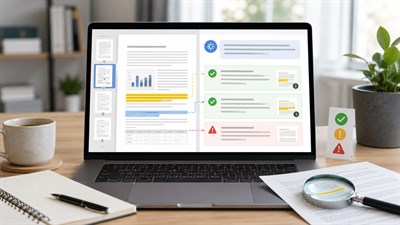
A 90-page report rarely wastes your time because every page is equally important. The real problem is finding the five numbers, three decisions, two deadlines, and one risk that actually affect your work.
You can extract key information from long documents with AI much faster than by reading every page line by line. But asking an AI tool to “summarize this document” is usually not enough. A summary lets the model decide what deserves attention. Information extraction works differently: you define what you need, ask the AI to find it, keep the evidence attached, and verify important details against the source.
This approach works for long PDFs, Word documents, vendor proposals, policies, research reports, contracts, project documentation, and other files where the important information is scattered across many pages.
The most reliable way to extract key information from a long document with AI is to define what you need before asking for a summary. Map the document, create a fixed extraction schema, require source references, mark missing information instead of guessing, and verify important facts against the original file before using them at work.
A useful workflow is:
Long document → Document map → Extraction schema → Evidence table → Verification → Work output
What Counts as “Key Information” in a Long Document?
There is no universal set of “key points.” The information that matters depends on what you need to do with the document.
A project manager preparing for a status meeting needs different information from a procurement manager reviewing a vendor proposal. A lawyer reviewing a contract looks for different details than an analyst reviewing a research report.
| Document type | Key information may include |
|---|---|
| Vendor proposal | Price, scope, exclusions, timeline, dependencies, support terms |
| Contract | Obligations, renewal dates, termination terms, deadlines, exceptions |
| Project report | Decisions, blockers, owners, deadlines, risks, dependencies |
| Research report | Findings, evidence, methodology, limitations, assumptions |
| Policy | Requirements, prohibitions, approval rules, exceptions |
| Financial report | Figures, period-over-period changes, forecasts, assumptions, risks |
| Technical document | Requirements, dependencies, procedures, warnings, limitations |
This distinction matters because a model cannot reliably know what “important” means for your specific decision unless you tell it.
Before uploading the document, write down the decision or task the extracted information will support. “What do I need to know before tomorrow’s vendor meeting?” produces a much better extraction target than “What are the important parts of this document?”
In practice, key information often falls into a limited number of categories: facts, numbers, dates, deadlines, decisions, recommendations, obligations, exceptions, risks, assumptions, dependencies, action items, unanswered questions, and supporting evidence.
The goal is not to extract everything. It is to extract the information that changes what you understand, decide, approve, reject, escalate, or do next.
The Best Way to Extract Key Information From a Long Document With AI
The most reliable approach is not one large prompt. It is a sequence of smaller tasks that reduce the chance of omissions and unsupported conclusions.
- Check what the AI can actually access.
- Map the document.
- Define the extraction schema.
- Extract information in a structured format.
- Keep findings tied to evidence.
- Narrow the search when the document is very long.
- Audit and verify high-impact details.
Step 1: Check What the AI Can Actually Access
Before analyzing the content, check what kind of file you are working with.
A normal text-based PDF is different from a scanned document. A Word file containing paragraphs is different from a PDF dominated by charts, screenshots, footnotes, and complex tables. A model may successfully accept a file without interpreting every part of it equally well.
Look for:
- scanned pages;
- multi-column layouts;
- tables;
- charts;
- screenshots;
- appendices;
- footnotes;
- handwritten content;
- pages that contain mostly images instead of selectable text.
If you are working with a PDF and need to understand how scans, tables, and visual content can affect what the model actually reads, see Can ChatGPT Read PDFs? Limits, Scans & Tables.
This first check prevents a common failure: treating “the file uploaded successfully” as proof that every relevant detail was interpreted correctly.
Step 2: Map the Document Before Extracting Anything
With a long file, do not immediately ask the AI to find “everything important.” First make it show you how it understands the document’s structure.
A document map can reveal whether the file contains sections you might otherwise overlook, such as an appendix with exclusions, a table with financial assumptions, or a risk section near the end.
It also gives you an early warning if the model cannot interpret part of the file confidently.
Document Map
Read the attached document before analyzing its conclusions.
Create a map that includes:
1. The document’s purpose.
2. Major sections and subsections.
3. Page ranges or section locations where available.
4. Important tables, appendices, footnotes, or supporting material.
5. Sections that contain decisions, requirements, risks, dates, numbers, or recommendations.
6. Anything you could not read or interpret confidently.
Do not summarize the document yet. Do not add information that is not in the source.
This stage is especially useful for 100-page reports, tenders, internal policies, due diligence files, and technical documentation. You are not yet asking the AI to make judgments. You are asking it to show you the terrain.
Step 3: Define an Extraction Schema
An extraction schema is simply a fixed list of fields you want the AI to populate.
Instead of saying:
Extract the important information.
you define exactly what should be found.
A general business schema might include:
- Key fact
- Category
- Details or value
- Why it matters
- Source page or section
- Explicit statement or inference
- Uncertainty or missing information
A manager reviewing a 70-page vendor proposal may define “key information” as price, implementation timeline, deliverables, client responsibilities, exclusions, renewal terms, dependencies, and unresolved questions. That schema is far more useful than asking AI to decide which ten sentences seem most important.
The schema forces the model to search for specific categories rather than compressing the document according to its own idea of relevance.
It also makes missing information visible. If the proposal says nothing about termination terms, the best output is not a plausible guess. It is a clearly marked empty field.
Step 4: Extract the Information in a Structured Format
Once you know what the document contains and what you need, perform the extraction.
Structured Extraction
Extract the information I need from this document using the categories below:
• Key facts
• Important numbers
• Dates and deadlines
• Decisions already made
• Recommendations
• Requirements or obligations
• Risks and constraints
• Exceptions or conditions
• Action items
• Open questions
For every item:
• use only information supported by the document;
• include the relevant page or section when you can identify it reliably;
• preserve important qualifications and exceptions;
• separate explicit statements from inference;
• write “Not stated” when the document does not provide the requested information;
• flag anything you cannot verify confidently.
Do not fill missing fields by guessing.
The instruction to write “Not stated” is more important than it may look. Models are designed to produce useful-looking answers, so an incomplete field can tempt them to infer something that seems reasonable.
A blank field is safer than a plausible invention. When a deadline, owner, requirement, or figure is missing from the source, the extraction should say so explicitly instead of completing the pattern.
Step 5: Extract Evidence, Not Just Conclusions
For important work, a conclusion without evidence is difficult to trust.
Suppose the AI outputs:
The implementation is likely to be delayed.
That may be useful, but you still need to know whether the document actually says this or whether the model inferred it from other details.
A stronger output preserves the chain between finding and evidence:
| Finding | Evidence | Source | Status |
|---|---|---|---|
| Production launch depends on security approval | Security review must be completed before production deployment | Security section | Explicit |
| Implementation may slip | Two external dependencies remain unresolved | Project risks section | Interpretation |
The first finding is directly supported. The second may be a reasonable inference, but it should not be presented as if the source explicitly stated it.
For important work, every extracted conclusion should be traceable to evidence. Ask the AI to distinguish what the document explicitly states from what the model is inferring from the document.
Step 6: Narrow the Search for Very Long Documents
When a document is very long, avoid making the AI perform retrieval, interpretation, prioritization, summarization, and recommendation in a single pass.
Instead, find the relevant sections first.
Targeted Section Search
Identify every section of this document that may contain information related to [TOPIC].
For each relevant section, give:
• section name;
• page range where available;
• why it may be relevant.
Do not answer the substantive question yet.
After identifying the relevant sections, tell me whether any appendix, table, footnote, or supporting section should also be checked.
Then run a second pass over the narrowed set of sections.
Now analyze only the sections relevant to [TOPIC].
Extract:
• explicit facts;
• numbers;
• dates;
• requirements;
• decisions;
• risks;
• exceptions;
• unresolved questions.
Keep the page or section reference attached to every important item. Do not infer missing facts.
This two-pass method is often more dependable than asking one broad question about a very large file.
Real Example: Extracting What Matters From a 70-Page Vendor Proposal
Imagine that your company is evaluating a new software vendor. The vendor sends a 70-page proposal containing company background, architecture diagrams, implementation details, commercial terms, support information, case studies, and appendices.
A weak request would be:
“Summarize this proposal.”
The result may be readable but still miss the details needed for a procurement decision.
A better extraction target would include:
- total price and pricing conditions;
- implementation timeline;
- included deliverables;
- excluded work;
- support and SLA terms;
- client responsibilities;
- third-party dependencies;
- renewal conditions;
- termination conditions;
- open commercial or technical questions.
A useful output could look like this fictional example:
| Field | Extracted information | Source | Needs review? |
|---|---|---|---|
| Implementation | Estimated 12-week implementation period | Implementation plan | No |
| Data migration | Included subject to agreed source-data format | Scope section | Yes |
| Custom integrations | Excluded from base scope | Commercial exclusions | No |
| Renewal | Automatic renewal subject to notice terms | Commercial terms | Yes |
The value is not the summary. The value is that the information needed for the decision is organized, qualified, and tied back to the source.
Real Example: Extracting Decisions and Risks From a Long Business Report
Now imagine a 120-page quarterly business report that you need to review before a management meeting.
A normal summary might tell you that revenue improved while costs increased and several operational risks remain.
That is not enough for a decision-focused meeting.
A better schema asks for:
- major findings;
- important numbers;
- changes versus the previous period;
- decisions already approved;
- recommendations awaiting approval;
- major risks;
- dependencies;
- assumptions;
- open questions.
A summary might say, “Performance improved, but margins were under pressure.” A structured extraction would instead separate the reported revenue change, the margin movement, the causes management attributes to that movement, any proposed cost actions, whether those actions have been approved, and the assumptions behind the forecast.
This distinction is especially important when a document mixes facts, management interpretation, and future recommendations. Those categories should not be collapsed into one paragraph.
Real Example: Finding Requirements and Exceptions in a Policy or Contract
Policies and contracts create another problem: the most important sentence may be buried inside a qualification, exception, appendix, or footnote.
If you are looking for requirements around a specific topic, ask the AI to preserve the exact logical structure of the rule.
Requirements and Exceptions
Find every statement in this document that creates a requirement, obligation, deadline, approval step, prohibition, condition, or exception related to [TOPIC].
Return a table with:
Type | Requirement or condition | Who it applies to | Deadline | Exception | Source
Rules:
• include only information explicitly supported by the document;
• do not infer an owner or deadline;
• preserve words such as “must,” “may,” “unless,” “except,” and “subject to” when they change the meaning;
• write “Not stated” when a field is missing;
• flag ambiguous or conflicting statements for review.
The words must, may, unless, except, and subject to are not stylistic details. Removing one of them can change the meaning of the requirement.
Extraction vs Summary vs Notes vs Action Items
Document extraction is often confused with summarization, note-taking, and action-item generation. They are related tasks, but they answer different questions.
| Output | Main question |
|---|---|
| Extraction | What specific information does the source contain? |
| Summary | What is the document mainly about? |
| Notes | How should I organize this information for later use? |
| Action items | What needs to happen next? |
| Brief | What does this particular reader need to know? |
A useful workflow often performs these tasks in sequence. First extract the source information. Then verify it. Only after that should you convert the findings into meeting notes, decisions, tasks, or a management brief.
If your extraction is complete and the next task is turning the source material into usable notes and next steps, see Turn a PDF Into Notes & Action Items With ChatGPT.
How to Extract Specific Types of Information
Different information types fail in different ways. Your extraction instructions should reflect that.
Dates and Deadlines
Do not treat every date as a deadline.
A document may contain an effective date, review date, target date, renewal date, submission deadline, or a relative time condition such as “within 30 days of approval.”
Ask the AI to label the date type and preserve the original condition.
If the source says “within 30 days of approval” but does not provide the approval date, the AI should not convert that into a calendar deadline.
Numbers and Financial Figures
Numbers need context.
For every important figure, capture:
- the exact value;
- the unit;
- the currency where relevant;
- the reporting period;
- the page or table;
- relevant footnotes;
- whether the number is actual, forecast, estimate, target, or scenario.
A value of “12.4” is meaningless if the extraction loses whether it means dollars, millions of dollars, percentage points, months, or units.
Decisions and Recommendations
Models can easily blur the line between something already decided and something merely proposed.
Ask for separate fields for:
- approved decision;
- recommendation;
- proposal;
- option under consideration;
- decision owner;
- decision status.
If the source does not state that a recommendation was approved, do not let the extraction convert it into a decision.
Obligations and Requirements
Requirements should preserve the language that controls how strong the requirement is.
For example:
- must usually signals an obligation;
- may may indicate permission or discretion;
- should may indicate guidance rather than a mandatory rule;
- unless introduces an exception;
- subject to introduces a condition.
Do not reduce all of these to “Requirement: Yes.”
Risks and Exceptions
AI summaries often remove caveats because caveats make text longer. That is exactly why an extraction workflow should preserve them.
If a forecast applies only under a certain assumption, extract the assumption. If a commitment excludes certain locations, teams, data sets, or services, preserve the exclusion.
A shorter answer is not better if it changes the meaning.
Run a Verification Pass Before Using the Extraction
After the first extraction, run a separate audit.
Do not simply ask the model to “double-check everything and fix it.” That combines verification and rewriting in one step, making it harder to see what changed.
Instead, request an audit report first.
Final Evidence Audit
Audit the extracted information against the original document.
For every important fact, number, date, deadline, decision, requirement, obligation, risk, and action item:
1. Check whether it is explicitly supported by the source.
2. Give the relevant page or section where possible.
3. Flag anything that was inferred rather than stated.
4. Flag anything that cannot be verified confidently.
5. Identify important qualifications or exceptions that may have been omitted.
6. Identify important information in the document that the extraction missed.
Return the audit findings only. Do not rewrite the extraction yet.
This gives you a clean list of potential problems before anything is silently corrected or reformatted.
Common Mistakes When Extracting Information With AI
Asking AI to Decide What Is Important
“Find the important parts” gives the model too much control over prioritization. Define the extraction schema yourself.
Asking for a Summary Instead of Extraction
A summary compresses. Extraction retrieves. If you need exact dates, risks, commitments, or figures, ask for them explicitly.
Combining Extraction and Interpretation
A request such as “Tell me what the report says and what we should do” mixes source retrieval with advice.
A safer sequence is:
- extract source facts;
- verify the extraction;
- separately ask for interpretation or recommendations.
Allowing AI to Fill Empty Fields
If the document does not name an owner, deadline, status, or value, the correct answer may be “Not stated.”
Do not reward completeness at the expense of accuracy.
Trusting Page References Automatically
A page citation is useful, but it is not proof that the citation is correct. Check high-impact references manually.
Ignoring Footnotes and Appendices
Important exclusions, definitions, pricing conditions, methodology notes, and legal qualifications are often placed outside the main narrative.
Include appendices and footnotes in the document map.
Repeatedly Summarizing Already-Summarized Text
Every compression step can remove context. If one AI-generated summary is summarized again, qualifications may disappear even further.
When accuracy matters, return to the source rather than building conclusions on several layers of generated summaries.
Limits and Risks of AI Document Extraction
AI document analysis can save substantial time, but it does not remove the need for source control and verification.
Missing Information
The model may overlook a relevant paragraph, appendix, footnote, or table. This is especially risky when the question is broad.
Hallucinated Information
If a requested field is missing, AI may produce a plausible value based on context. Explicitly instruct it to mark missing information instead.
Lost Qualifications
Words such as “may,” “unless,” “subject to,” or “approximately” can disappear during compression. Their removal may materially change the meaning.
Incorrect Numbers
Tables, OCR errors, decimal separators, currencies, units, and percentages deserve special attention. A small transcription error can completely change a financial or operational conclusion.
Scanned Documents
Scans add another layer of uncertainty because the text may first need to be recognized from an image. Similar-looking characters, names, dates, and numbers can be misread.
Tables and Visual Information
Tables contain relationships between headers, rows, columns, units, and footnotes. Extracting individual values without preserving those relationships can create misleading results.
Long-Document Coverage
Do not assume the AI gave every page equal attention just because the entire file was accepted. Very long and dense documents are good candidates for staged extraction.
False or Inaccurate Source References
A generated page number or section reference should be treated as a navigation aid until you confirm it in the original file.
Privacy and Confidentiality
Before uploading a work document, check whether the file is allowed to be processed in the AI environment you are using.
Technical ability to upload a document is not the same as permission to upload it. Confidential contracts, employee records, customer data, financial files, internal strategy, and regulated information should only be processed in an AI environment approved for that data.
When You Should Still Read the Original Document
The point of AI document extraction is not always to avoid reading the original.
A better goal is to reduce the amount you need to read carefully.
If AI helps you identify the eight pages of a 180-page document that contain the relevant financial assumptions, contract obligations, and risk conditions, it has already saved significant time.
Return to the source for high-impact information such as:
- contractual obligations;
- legal terms;
- financial figures;
- regulatory requirements;
- safety instructions;
- major deadlines;
- employment decisions;
- compliance requirements;
- medical or other high-stakes information;
- expensive commitments;
- important exclusions and exceptions.
AI is most useful as a retrieval and structuring layer between you and a large source document. It should not become a substitute source.
A Reusable Long-Document Extraction Workflow
You can use the same basic workflow for most long business documents:
- Define: Decide what information matters for the task or decision.
- Inspect: Check the file format, scans, tables, charts, and appendices.
- Map: Identify the document’s main sections and likely evidence locations.
- Schema: Define the fields the AI should extract.
- Extract: Collect facts, numbers, dates, decisions, requirements, and risks.
- Trace: Keep page or section references attached to important findings.
- Separate: Distinguish explicit source statements from model inference.
- Audit: Look for omissions, unsupported claims, and lost qualifications.
- Verify: Check critical details directly against the original document.
- Use: Only then convert the findings into a decision, brief, email, plan, or action list.
Document → Map → Extract → Trace → Verify → Use
The sequence matters. Each stage reduces a different type of error.
AI Can Extract the Information. You Still Own the Decision.
AI can dramatically reduce the time spent searching through long documents. It can locate relevant sections, organize facts, compare requirements, surface risks, and turn scattered information into a structure you can review quickly.
But the generated extraction is not the authoritative source. The document is.
The strongest workflow does not try to remove the human from the process. It reduces the amount of material the human must inspect and makes the important evidence easier to find.
The goal is not to trust AI with a 150-page document. The goal is to use AI to locate, structure, and trace the information so you know exactly which parts of those 150 pages deserve your attention.
AI can accelerate extraction. The original document remains the source, and the human remains responsible for the decision.
FAQ
How do I extract key information from a long document with AI?
Start by defining exactly what information you need, such as facts, dates, numbers, deadlines, decisions, requirements, risks, or action items. Ask the AI to map the document first, then extract those fields in a structured format. Require page or section references where possible, distinguish explicit statements from inference, and tell the model to mark missing information as “Not stated.” Verify important findings against the original document before using them.
Can AI extract key information from a PDF or Word document?
Yes. Modern AI tools can analyze many text-based PDFs and Word documents and extract specific information from them. Accuracy depends on the file structure and content. Scanned pages, complex tables, charts, unusual layouts, footnotes, and image-based text can be harder to interpret. File acceptance alone does not guarantee that every part of a document was read correctly, so important findings should still be checked against the source.
What is the best AI prompt for extracting information from a document?
The best prompt defines the fields you want rather than asking for “important information.” Specify categories such as facts, numbers, dates, decisions, requirements, risks, exceptions, and open questions. Require source locations, ask the AI to separate explicit statements from inference, and instruct it to write “Not stated” when information is missing. A fixed extraction schema usually produces more reliable results than a generic summarization prompt.
Can AI analyze a 100-page document?
AI tools can often work with very long documents, but a single broad request may not be the most reliable method. For dense files, first ask the AI to map the document and identify sections relevant to your question. Then analyze those sections in a second pass. This reduces the number of tasks the model must perform at once and makes omissions easier to detect. Always verify high-impact findings in the original file.
How do I extract dates, deadlines, and action items from a document?
Ask for each category separately and require the AI to preserve context. A date should be labeled as a deadline, effective date, renewal date, target date, or another type rather than being returned as an isolated value. For action items, request the action, owner, deadline, status, and source. If an owner or deadline is not explicitly stated, instruct the AI to return “Not stated” instead of inferring one.
What is the difference between summarizing a document and extracting key information?
Summarization compresses a document into its main ideas, while information extraction searches for specific facts or fields that you define. A summary may omit details such as exceptions, renewal terms, exact figures, or deadlines because they are not central to the overall narrative. Extraction is better when your work depends on finding particular information and preserving its source context.
Can AI extract information from scanned PDFs and tables?
It can often extract information from scans and tables, but these formats introduce additional risk. OCR can misread characters, dates, decimal points, or names, while complex tables can lose relationships between headers, rows, units, and footnotes. Treat extracted figures from scanned pages or complex tables as items that require additional verification, especially when they affect financial, legal, operational, or other important decisions.
How accurate is AI document extraction?
Accuracy varies with the document, the requested task, and the AI system. Even a strong extraction can omit information, misunderstand a qualification, misread a number, or add an unsupported inference. Reliability improves when you use a defined schema, require evidence, mark missing fields explicitly, analyze long documents in stages, and run a separate verification pass. High-impact details should always be checked directly against the source document.
How can I make AI cite the page where it found information?
Ask the AI to attach a page number or section name to every important finding and to state when it cannot identify the location reliably. Page references are useful for navigation, but they should not be treated as automatically correct. For important facts, open the referenced page yourself and confirm that the extracted information, qualification, and surrounding context match the original document.
Is it safe to upload confidential work documents to AI?
Do not assume that a document is safe to upload simply because an AI tool accepts it. Check your organization’s policies, the confidentiality requirements of the file, contractual restrictions, personal-data rules, and whether the specific AI environment is approved for that information. Sensitive client data, employee records, internal strategy, regulated information, and confidential contracts may require an approved enterprise workspace or may not be appropriate to upload at all.